What a Business Profile is
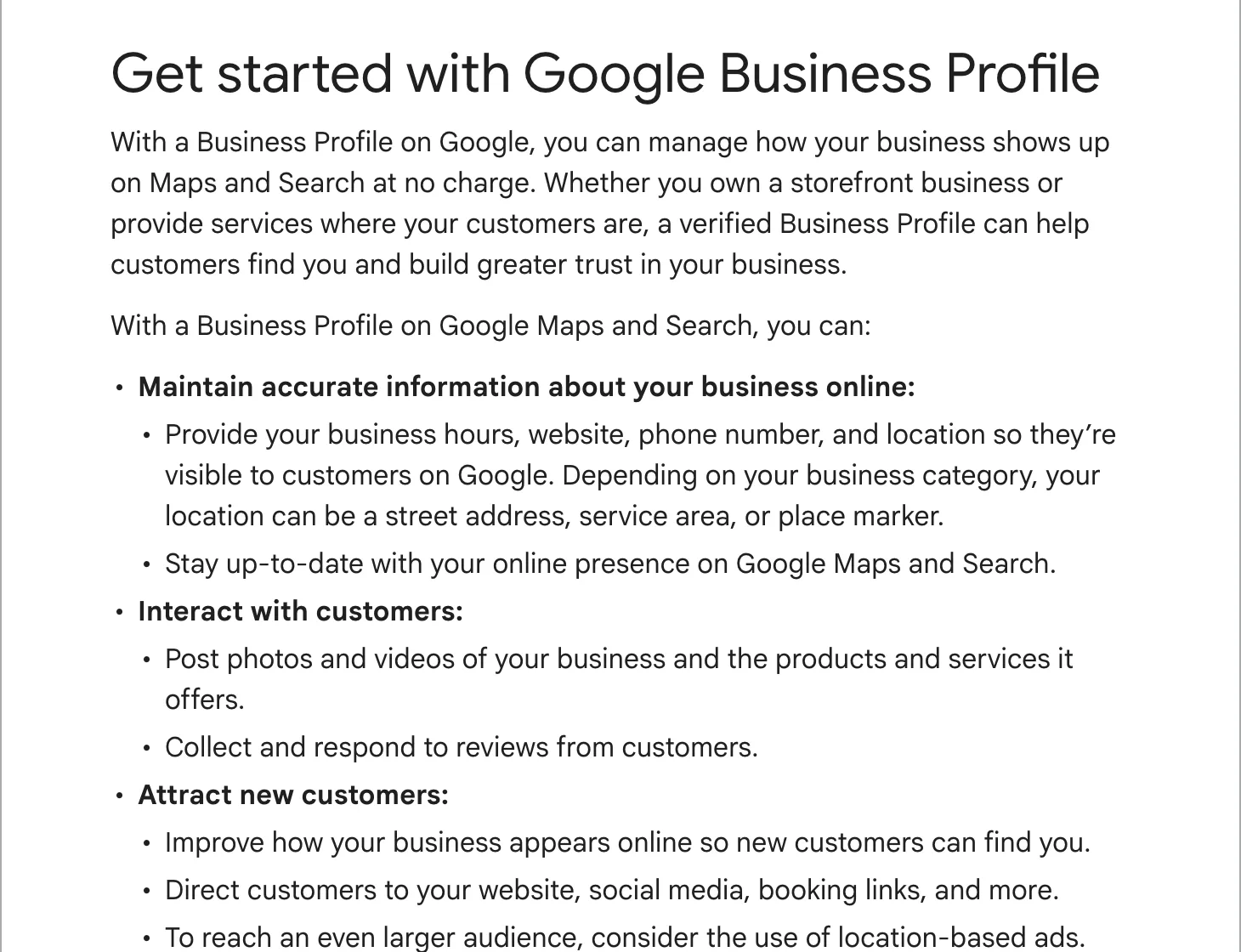
When someone searches for your business by name, or for the kind of work you do near them, Google shows a panel with your details. On a phone it fills the screen. On Google Maps it is the card that opens when someone taps your pin. That panel is your Business Profile.
Google builds a basic one for many businesses from what it finds on the web, which is why you may already have a profile you never made. Once you add or claim it and verify that you run the business, you control what it says. You edit it from Google Search or the Maps app while signed in to your Google account. Google’s help page says you do all of this at no charge.
Google’s guidelines limit profiles to businesses that meet their customers in person: a shop, an office or a workshop people visit, or a business that goes out to its customers, like a plumber or a mobile mechanic. An online-only shop cannot have one.
- Your business name, as it is on your sign. No extra words.
- Star rating, review count and your main category, such as “Plumber” or “Powder coating service”.
- Call, Directions, Website, Share. Most of the profile’s value is in these four buttons.
- Photos and videos: yours, and the ones customers add.
- Your description and, under it, your updates (Google calls them posts).
- Address or service area.
- Opening hours and phone number.
- Reviews, with your replies under them.
Why it matters for a local business
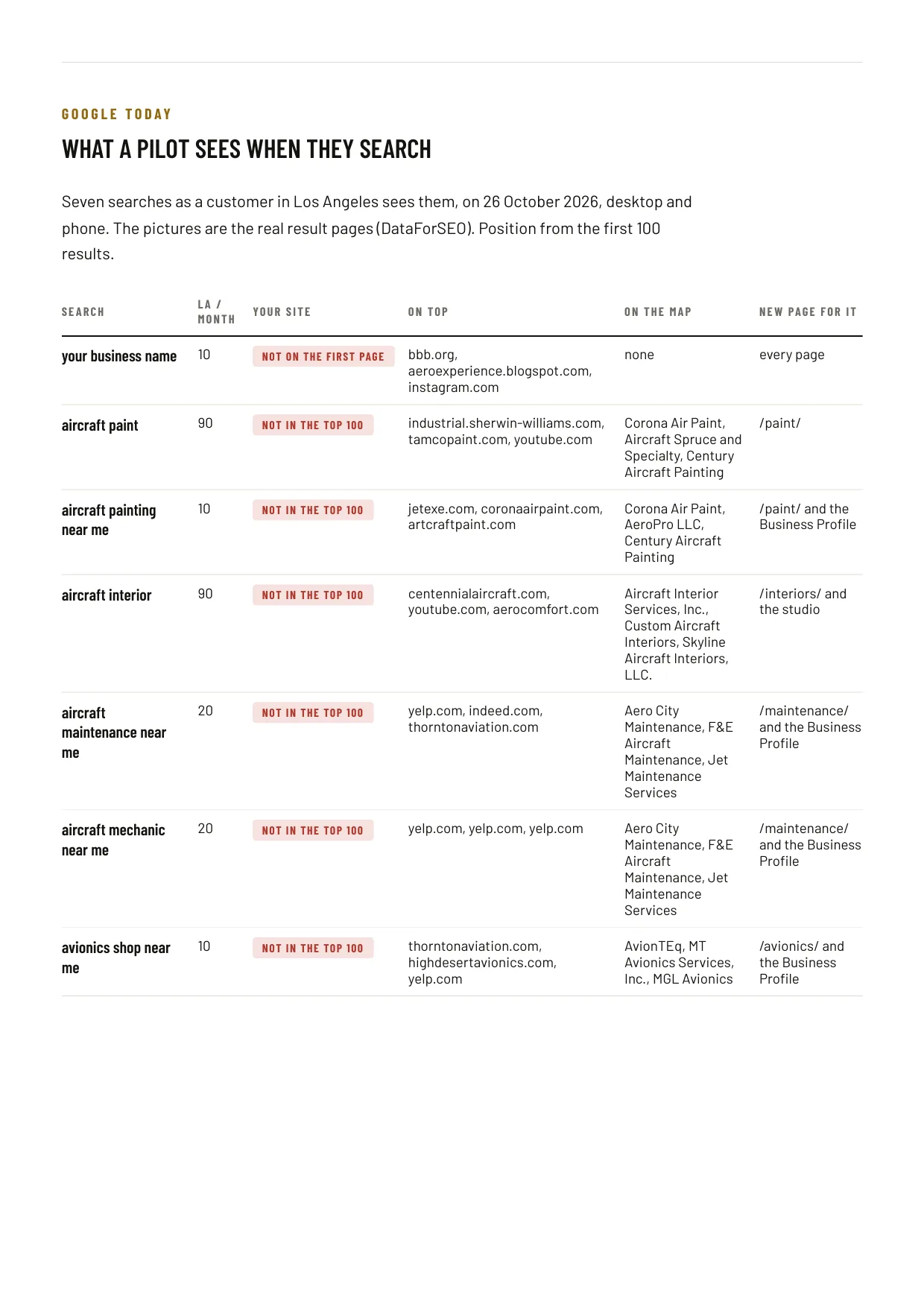
Search for a trade with a town in it, or with “near me”, and Google usually puts a map with a few businesses on it above the ordinary results. Those businesses are profiles. When we measured seven searches for an aircraft paint shop’s work around Los Angeles on October 26, 2026, six of them showed a map, and the shop was on none of them. Its old website was not in the top 100 results for any of the seven either.
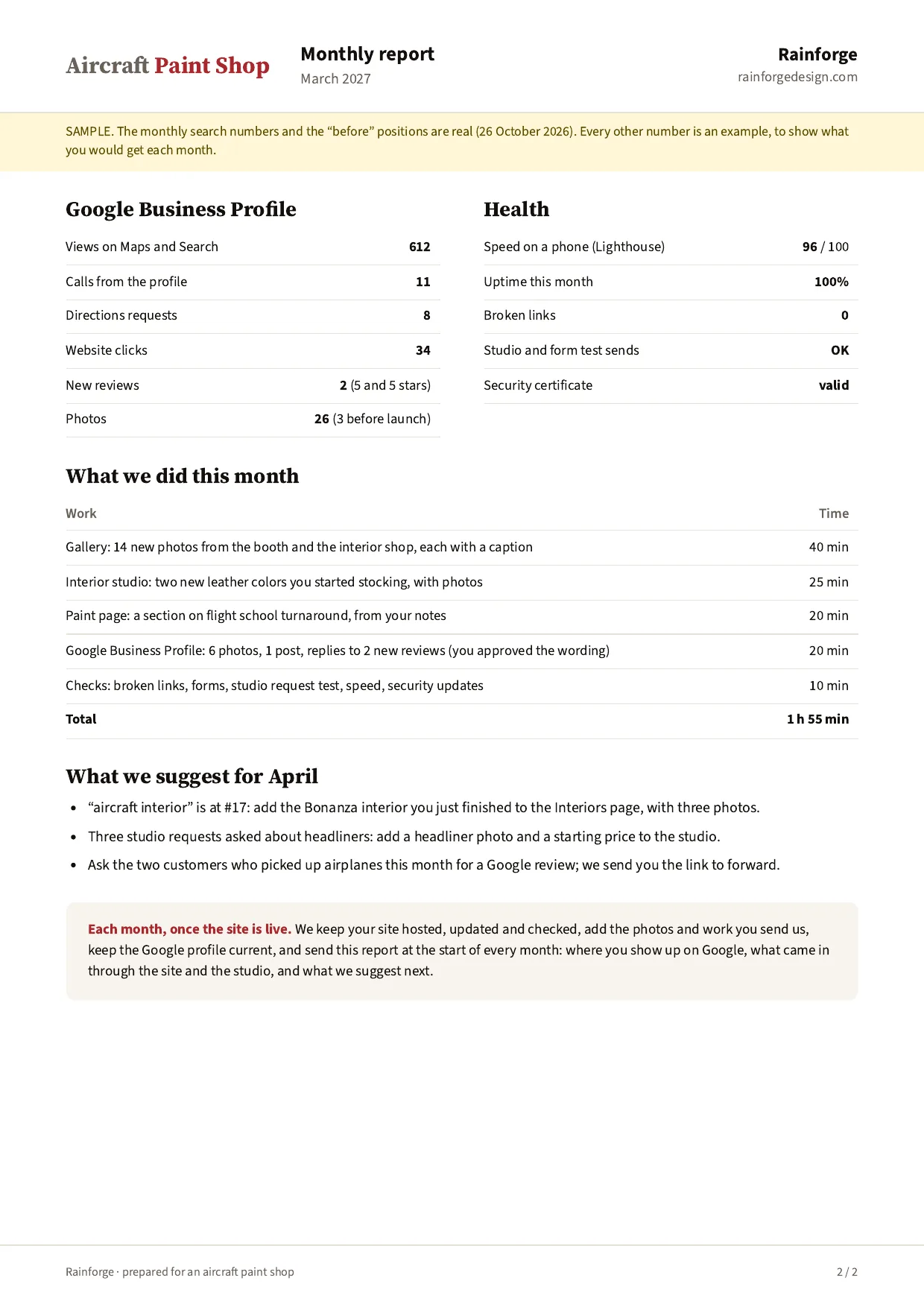
A customer can call you, get directions or open your website from the profile without ever reaching your site. Google counts those calls, direction requests and website clicks for you in the profile’s performance figures, so you can see what the listing brings in.
Reviews live on the profile too. Google’s page on local ranking says it ranks map results on three things: relevance (how well your profile matches the search), distance (how far you are from the person searching) and prominence (how well known you are). It names the number of reviews and the rating as part of prominence. Distance you cannot change. The other two you can.
What a good profile has
A powder coating shop in Maryland we worked with had a strong profile when we audited it: 80 reviews at 4.9, replies to 78 of them, and 402 photos of real work. Even so, its old website told Google a different street address in the page’s code than the profile showed, and the map for “cerakote near me” was full of gun shops because the profile had no Cerakote category. Small mismatches like these are what to look for:
- The right main category, as specific as Google offers (“Nail salon” over “Salon”), and only a few extra ones for the services you want to be found for. Google says categories affect your local ranking.
- Your real name, the one on your sign and invoices. Google’s guidelines do not allow extra keywords or a town name in it, and Google suspends profiles that break its guidelines.
- The same name, address and phone on the profile, your website and the directories that list you.
- Hours that are right, including holidays, and a local phone number you answer.
- A website link to the page that fits the profile, usually your home page or the page for that location.
- Services and a description in your customers’ words.
- Photos of your own work, added regularly. Google takes JPG or PNG between 10 KB and 5 MB and recommends 720 by 720 pixels.
- Reviews coming in every month, with a reply under each one.
The full checklist, field by field, is in our guide to optimizing your profile for Google Maps.
Setting it up yourself, step by step
- Sign in to a Google account. Use one the business will keep, ideally on your business email, so the profile does not leave with an employee.
- Search for your business on Google Maps. If a profile already exists, choose “Claim this business”. If not, go to business.google.com/add.
- Enter your name as it is on your sign, pick your main category, then your address, or your service area if customers never come to you.
- Add your phone number and website.
- Verify. Google picks the method for you: a phone call or text, email, a video, a live video call or a postcard. Its review takes up to 5 business days.
- Fill in the rest: hours, services, description, photos.
- Send your review link to the last few customers who were happy with the work.
Each step has its own guide: adding your business to Google and verifying your profile. If someone else already manages your profile, you can request ownership; the current owner has 3 days to answer.
Keeping it current every month
A profile left alone goes stale. Hours change at holidays, photos stop coming, a review sits without a reply, and anyone can suggest an edit to your listing on Maps, so it pays to check that it still says what you wrote. Plan on about an hour a month for one location:
- Reply to every new review, within a day or two if you can. See how to respond to Google reviews.
- Ask every happy customer for a review, with your link. See how to get more Google reviews.
- Add a few new photos from this month’s jobs.
- Post an update: a finished job, a seasonal service, a change in hours. Posts older than 6 months are archived.
- Check hours, phone and categories, and look for edits Google made from customer suggestions.
When something goes wrong
- Stuck on verification, the postcard never came, or the video was rejected: verifying your Business Profile.
- The business does not show on Google Maps, or Google suspended the profile: business not showing on Google Maps.
- A fake or abusive review: removing fake or bad Google reviews.
- Your old Google-made website stopped working: Business Profile websites and your own site.
One more: calls from people who say they work “with Google” and that your listing will disappear unless you pay. Google’s page on fraudulent calls says its own automated calls never ask you to pay money or give personal information. Hang up.
What it costs to have it looked after
The profile is free. Paying someone to manage it costs $125 to $400 a month on Merchynt’s pricing page, and agencies often fold it into local SEO work, which costs more. Before you pay anyone, ask what they do each month in hours and tasks, and make sure the profile stays owned by your Google account, with them added as a manager.
When to get help
Do it yourself if you have an hour a month and like doing it. Get help if reviews sit unanswered for weeks, if your profile has been suspended or stuck in verification, or if you have no idea where you show up on the map in the streets you serve.
Our local SEO plan is built around the profile: the work on this page, done for you every month, with a report on where you show up on the map. If you need a website as well, start with our website plan, which includes setting up the profile.
The profile is one piece of how customers find and pick you. The online presence map shows all of them, and how the profile feeds your reviews, Maps ranking, calls and website.
Every guide in this series
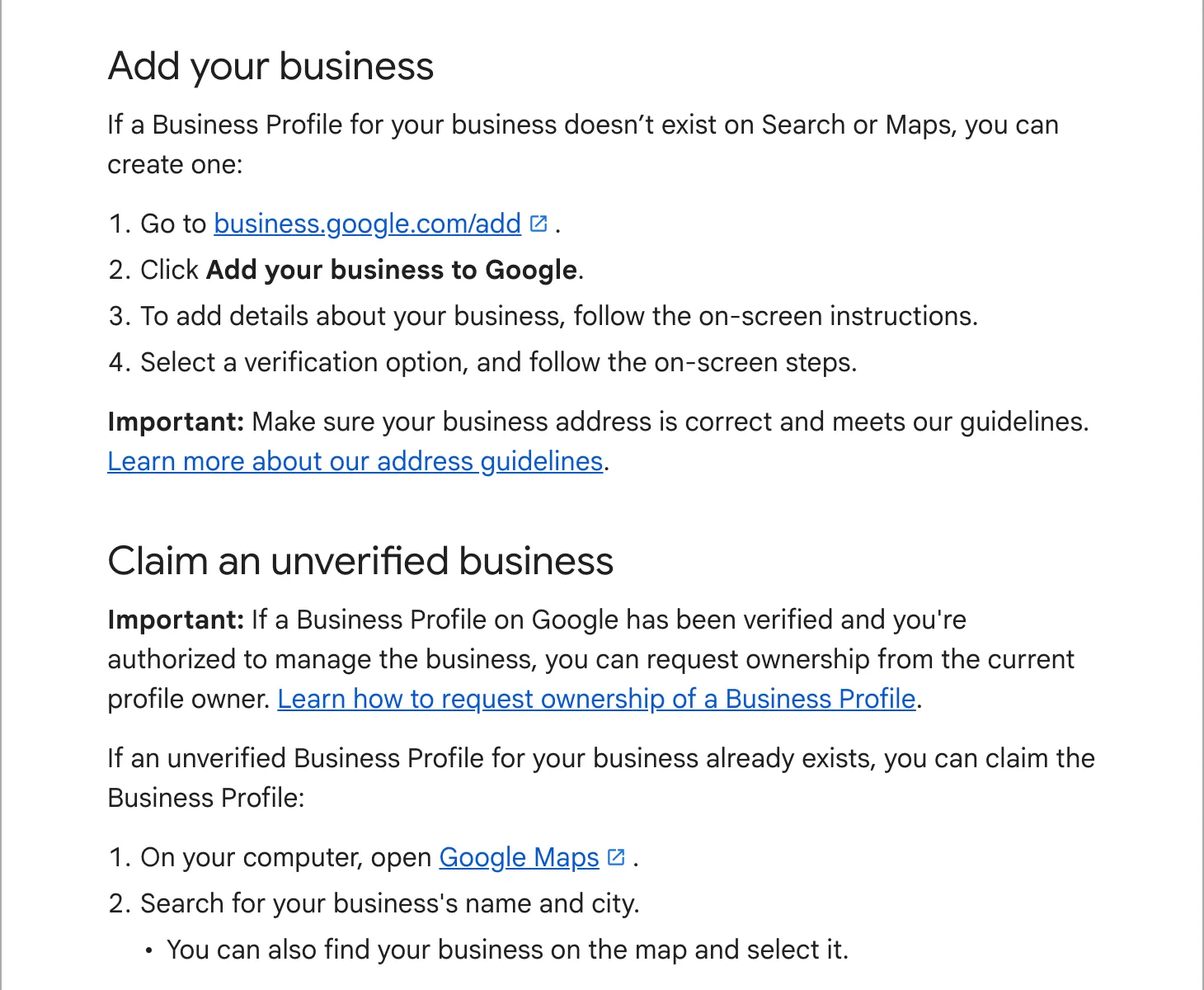 How to add your business to GoogleCreate or claim the profile, the details to fill in first, and what to do when someone else already owns it.
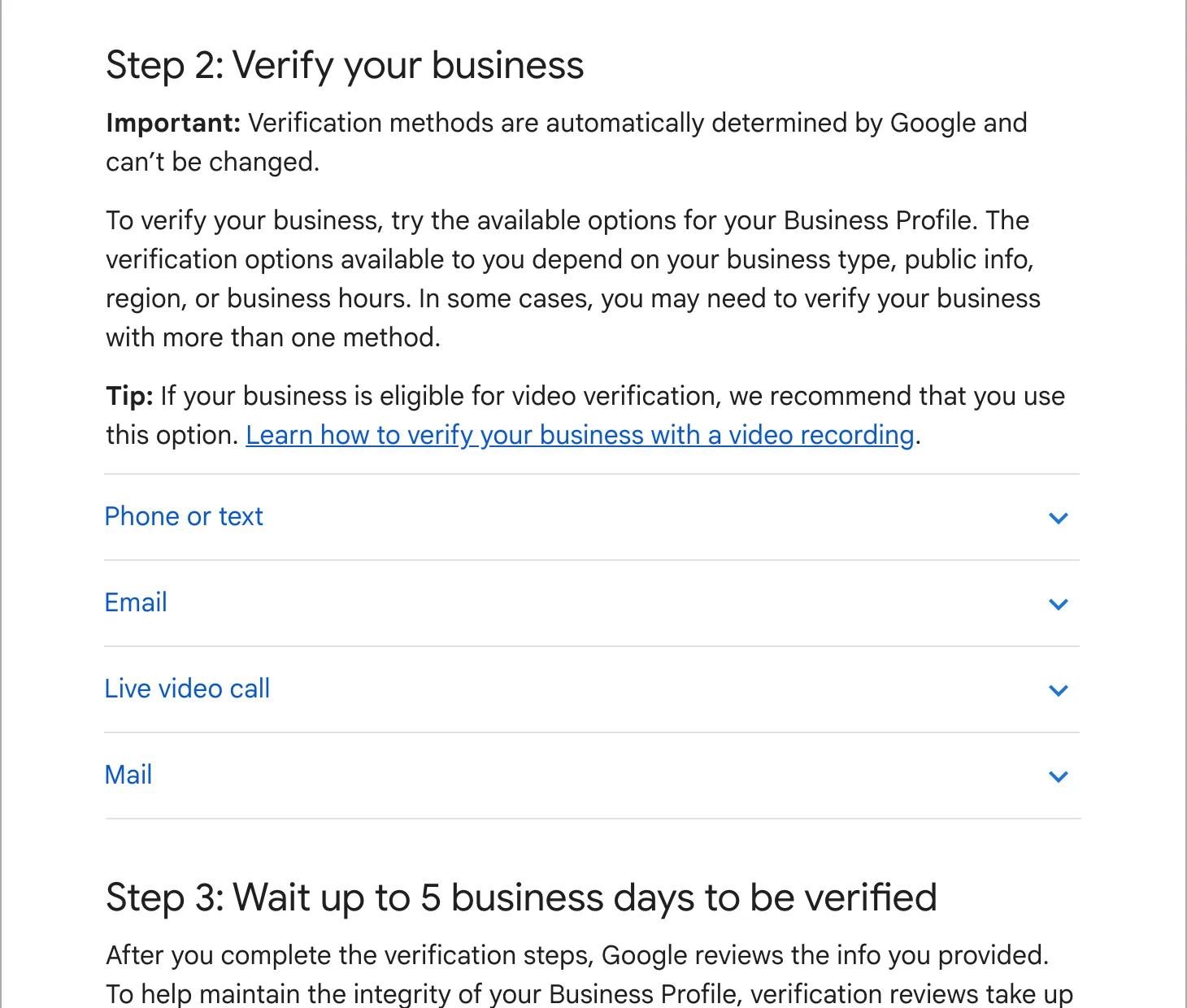 Verifying your Business ProfilePhone, email, video, live call or postcard: what each one asks of you, how long it takes, and what to do when it fails.
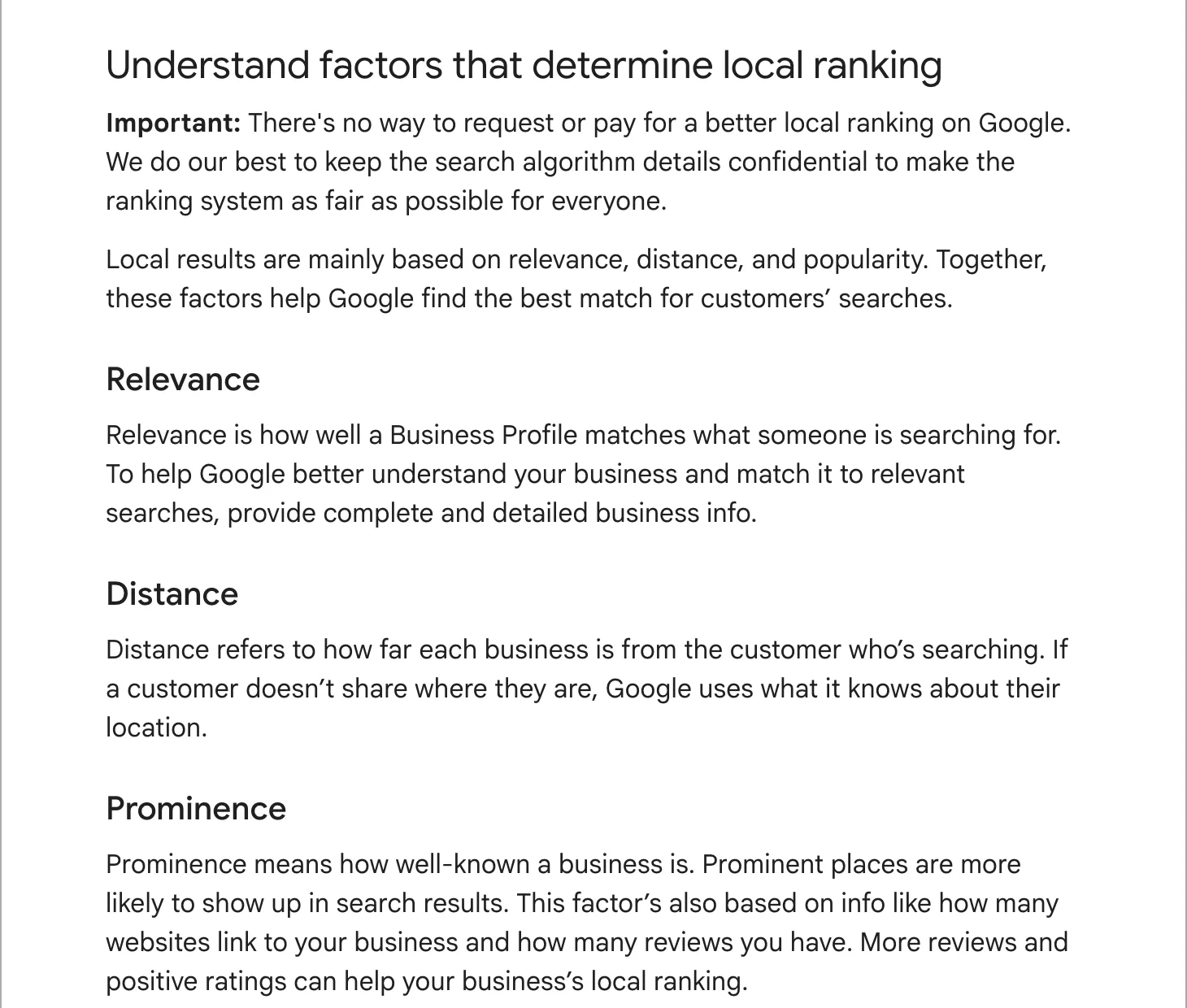 Optimizing your profile for Google MapsHow Google ranks the map, and the profile checklist we work through for every client.
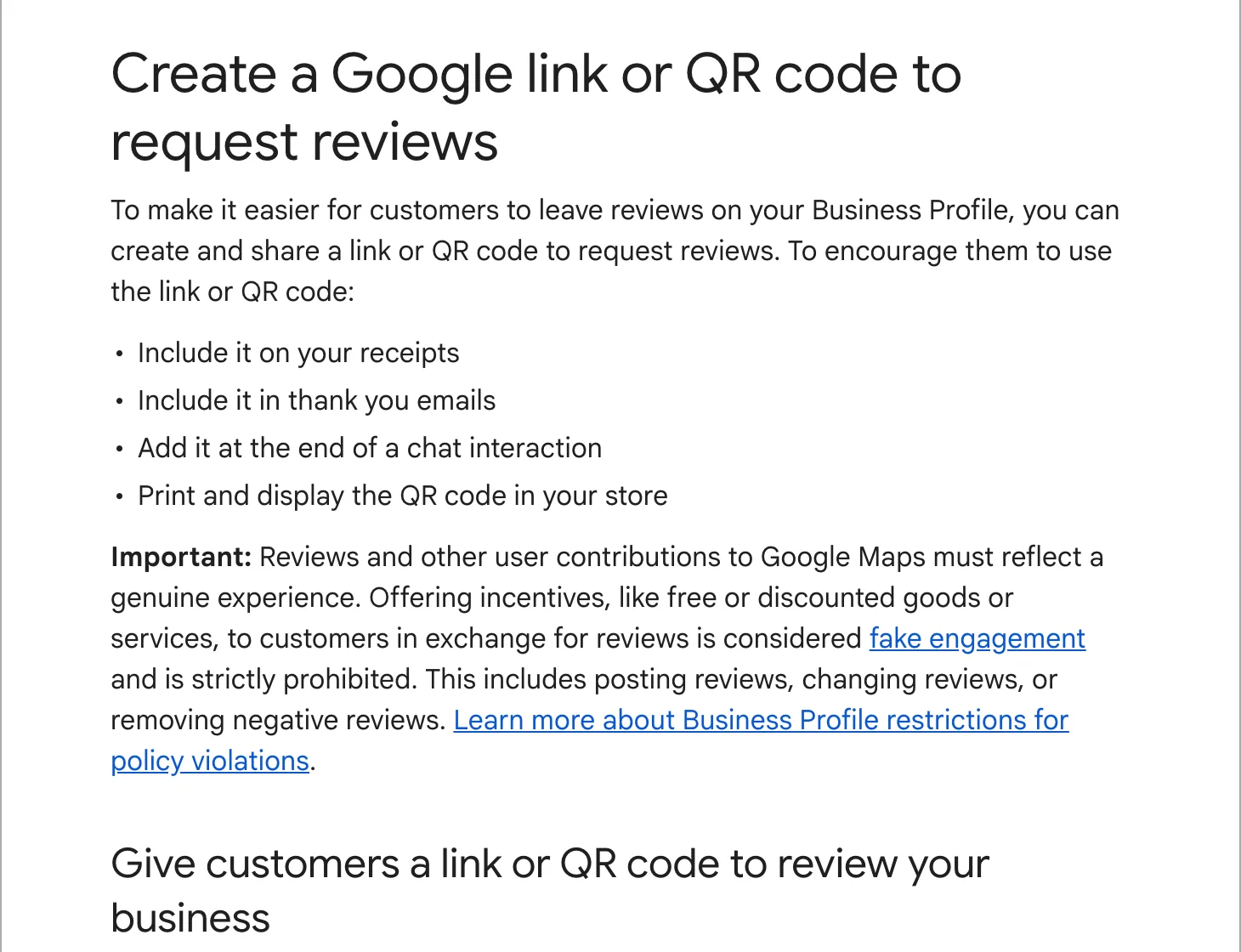 How to get more Google reviewsYour review link and QR code, when and how to ask, and the things that get reviews removed.
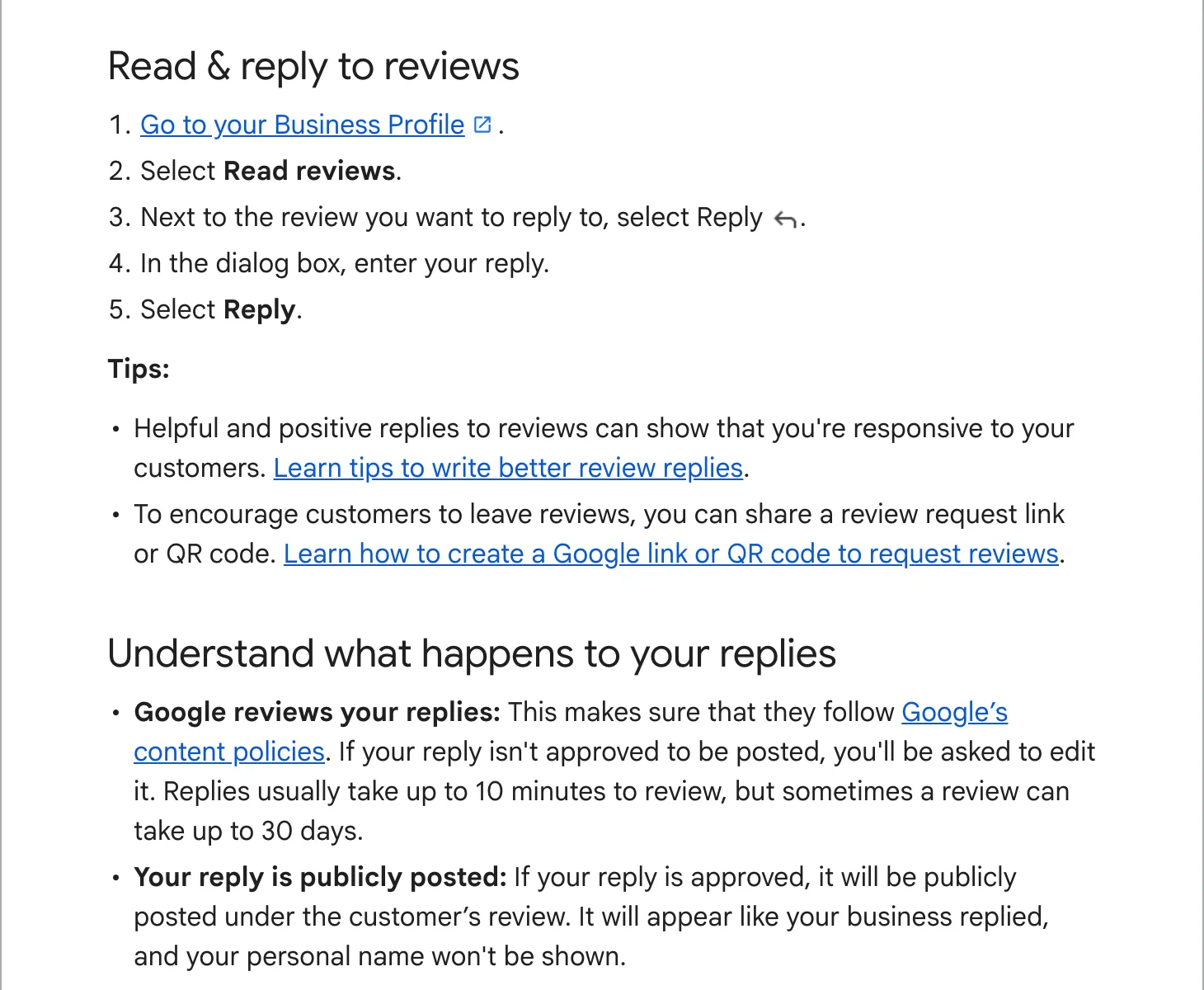 How to respond to Google reviewsReplies to good reviews and bad ones, with examples you can adapt.
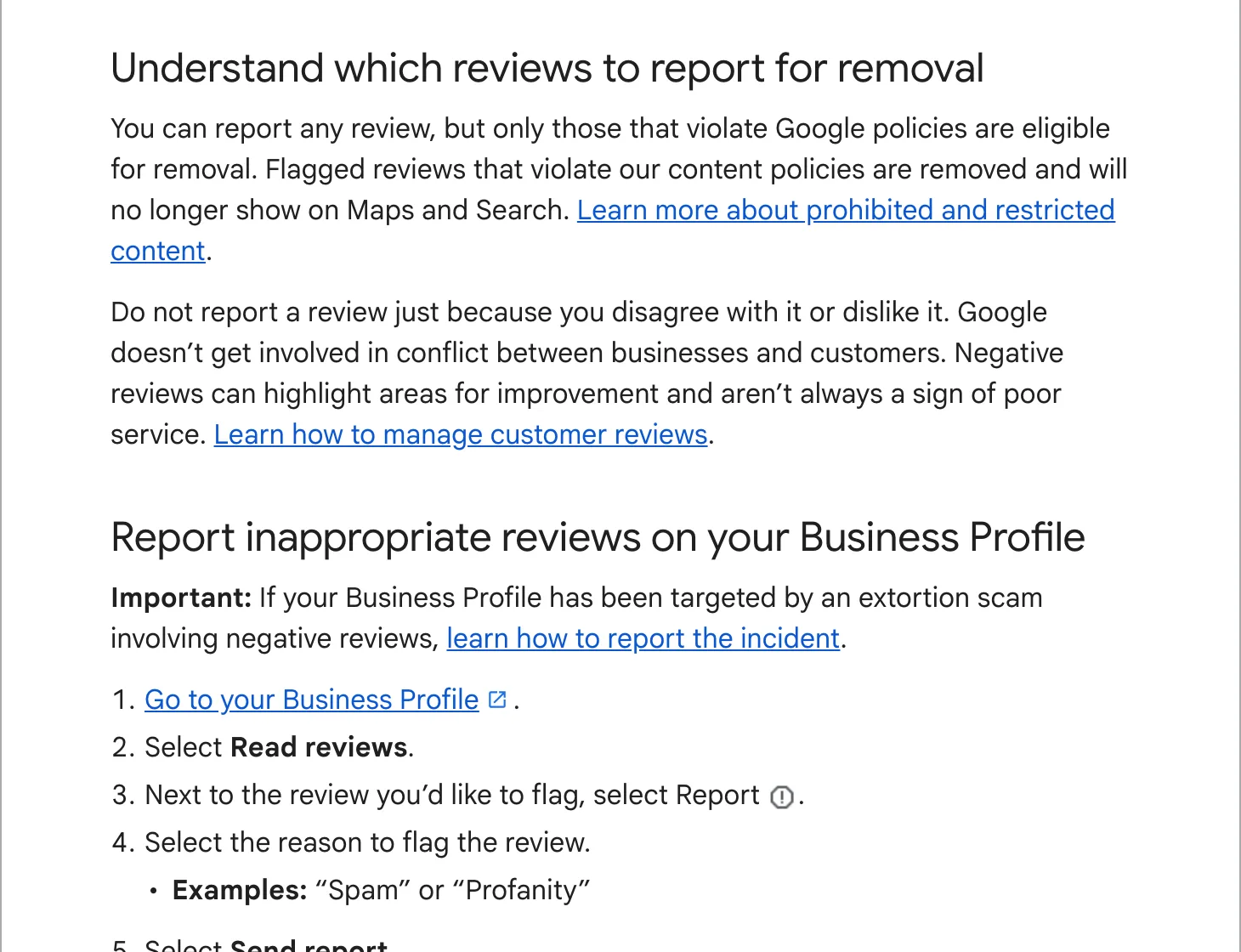 Removing fake or bad Google reviewsWhich reviews Google takes down, how to report one, and how the appeal works.
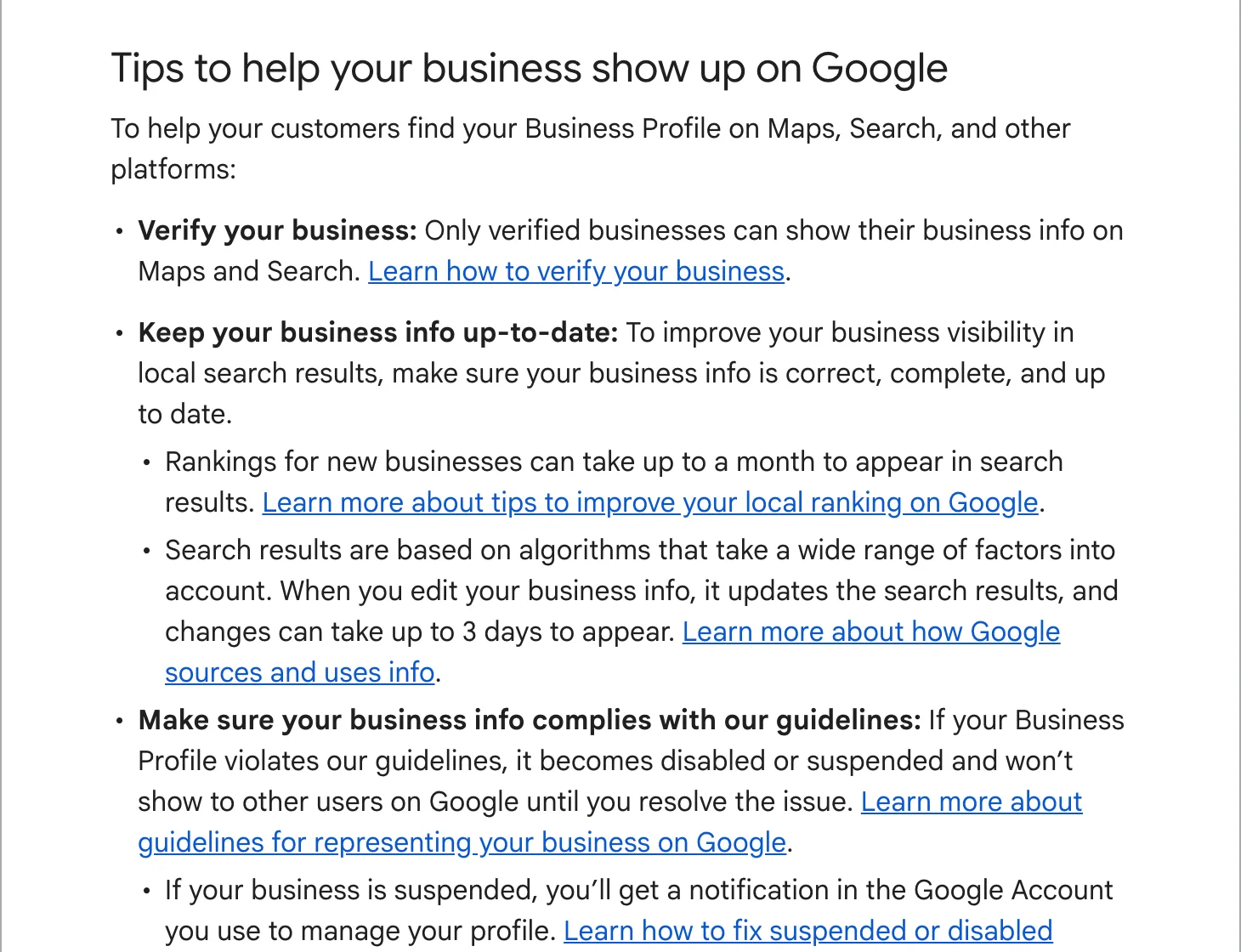 Business not showing on Google MapsThe checks to run in order, and how to appeal a suspended profile.
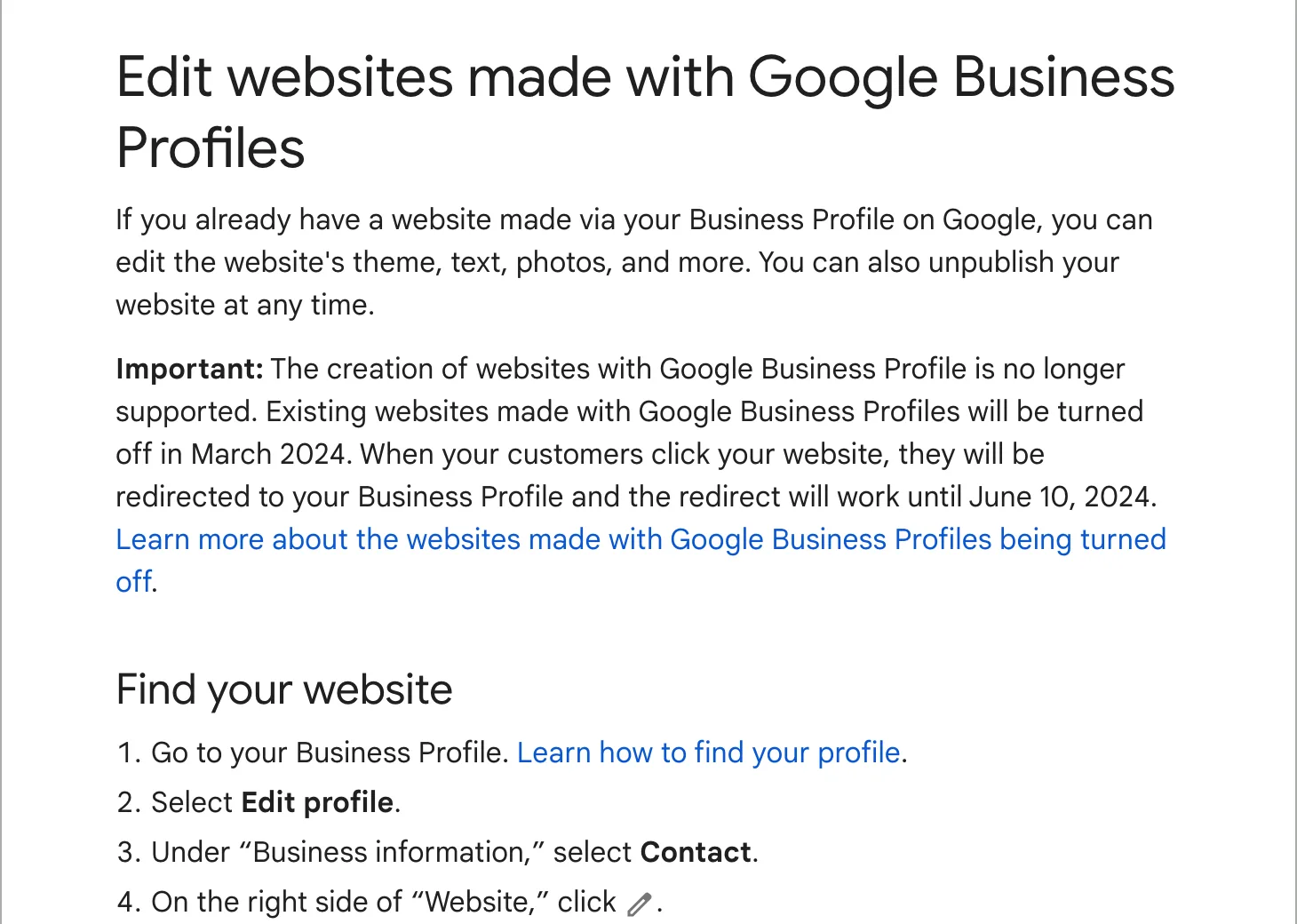 Business Profile websites and your own siteGoogle turned off its free profile websites in 2024. What a profile does and what a website still has to do.