AI workflow automation, with a person approving what goes out
AI workflow automation puts an AI model on the one step of a process where the input is messy: an email, a photo, a scanned page. The model reads it, sorts it and drafts what happens next. Everything around it is ordinary software, and a person approves what leaves.
We run it this way in our own businesses every day. Below is what the AI does there, what we never let it do alone, and how to tell whether a step in your business is a good fit.
What AI does in our software today
Five jobs, all in production. Each one reads something a person used to read.
Buyer messages, sorted and answered in draft
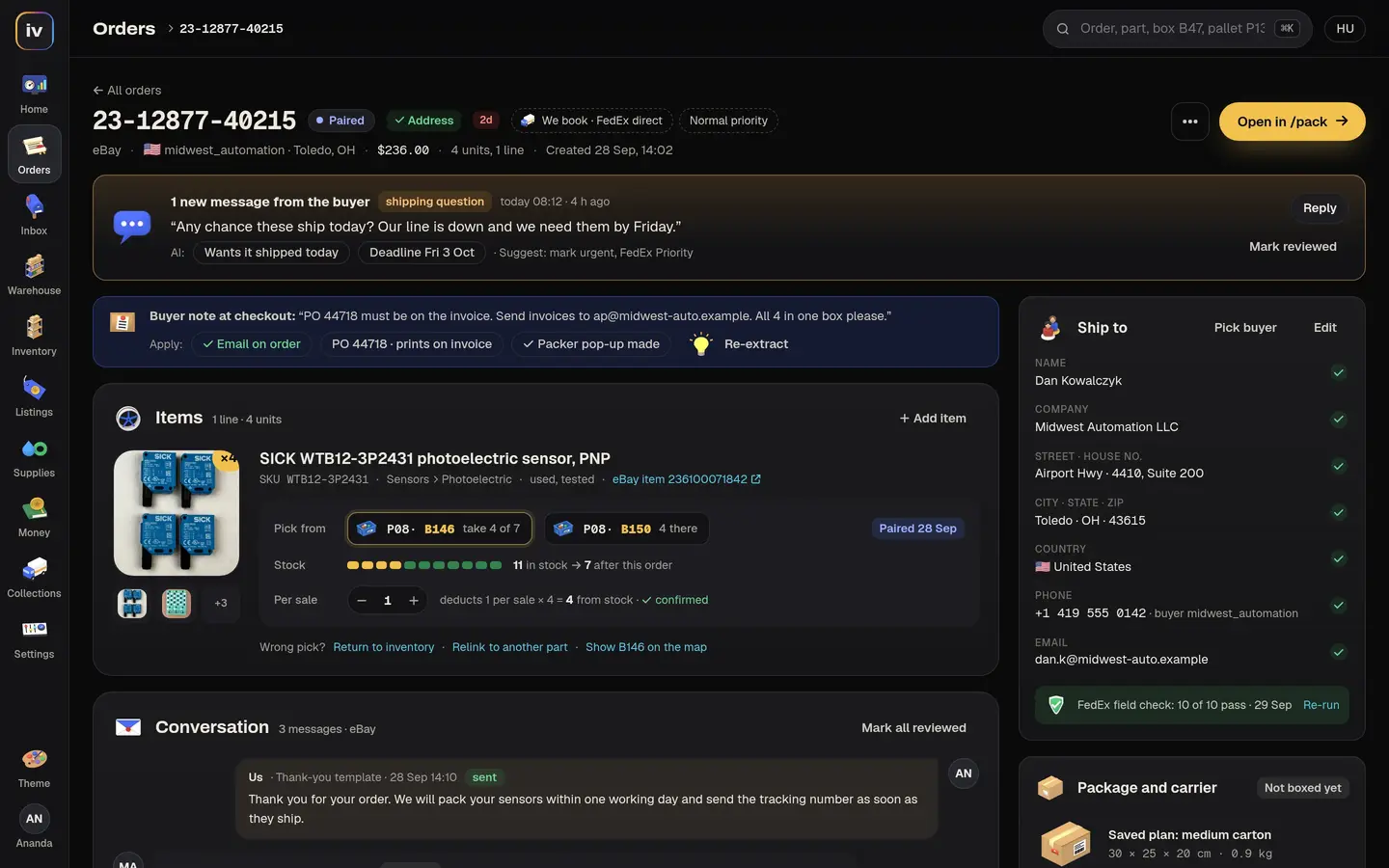
Invent, our order desk
Every eBay message is read within minutes and sorted into one of twelve kinds: a tracking question, a VAT invoice request, a price negotiation, a warranty complaint. A reply is drafted for each. The owner reads it and sends it, or changes it first.
A listing from a photo of the nameplate
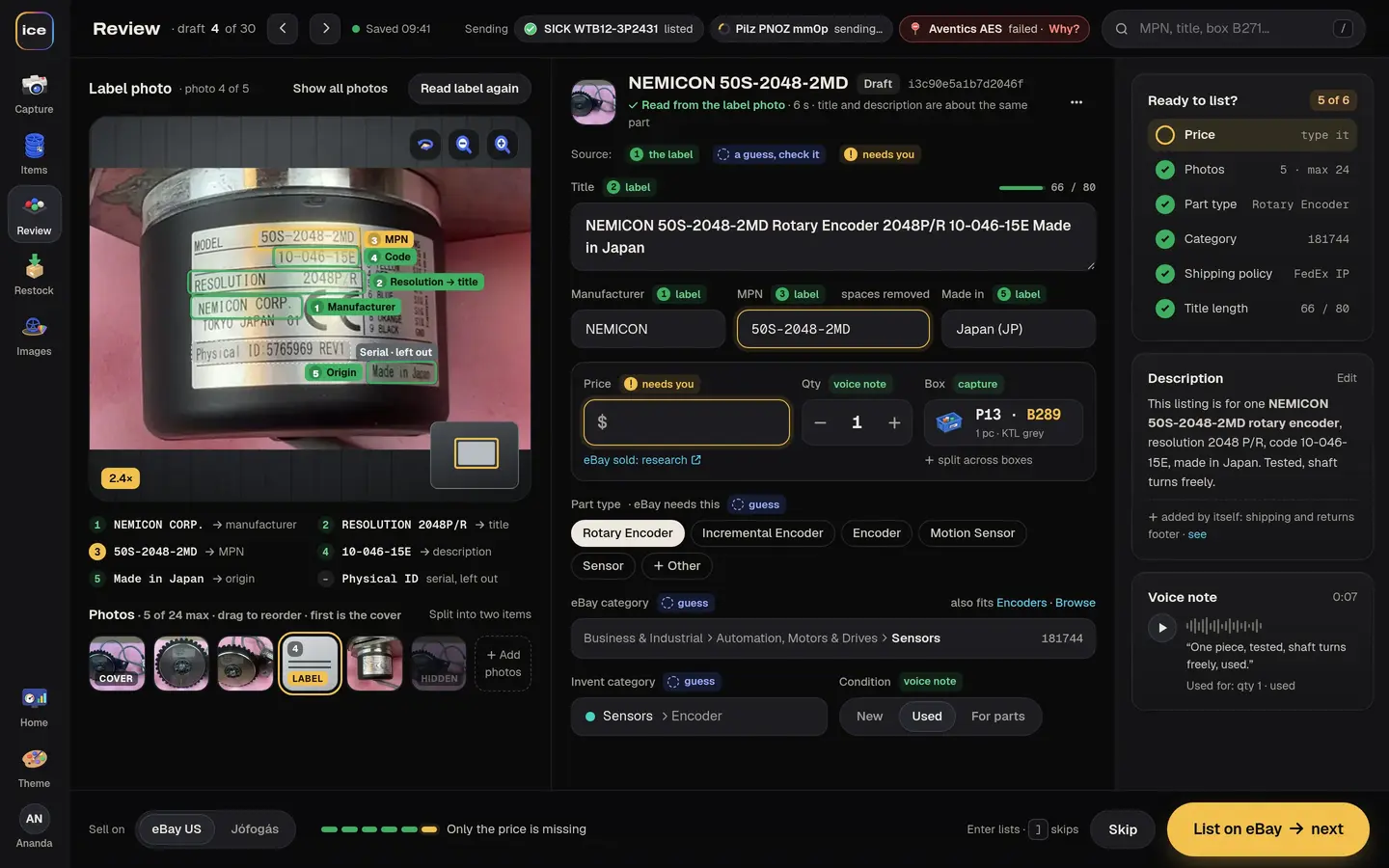
ICE, our listing app
The app reads the manufacturer and the long part number off a small, grimy plate and drafts the title and description. Serial numbers are left out on purpose. Staff say “two pieces, one has a cracked housing, box 14” and the app fills in the quantity, condition and box, saved only once the person confirms.
Plain emails turned into inquiries
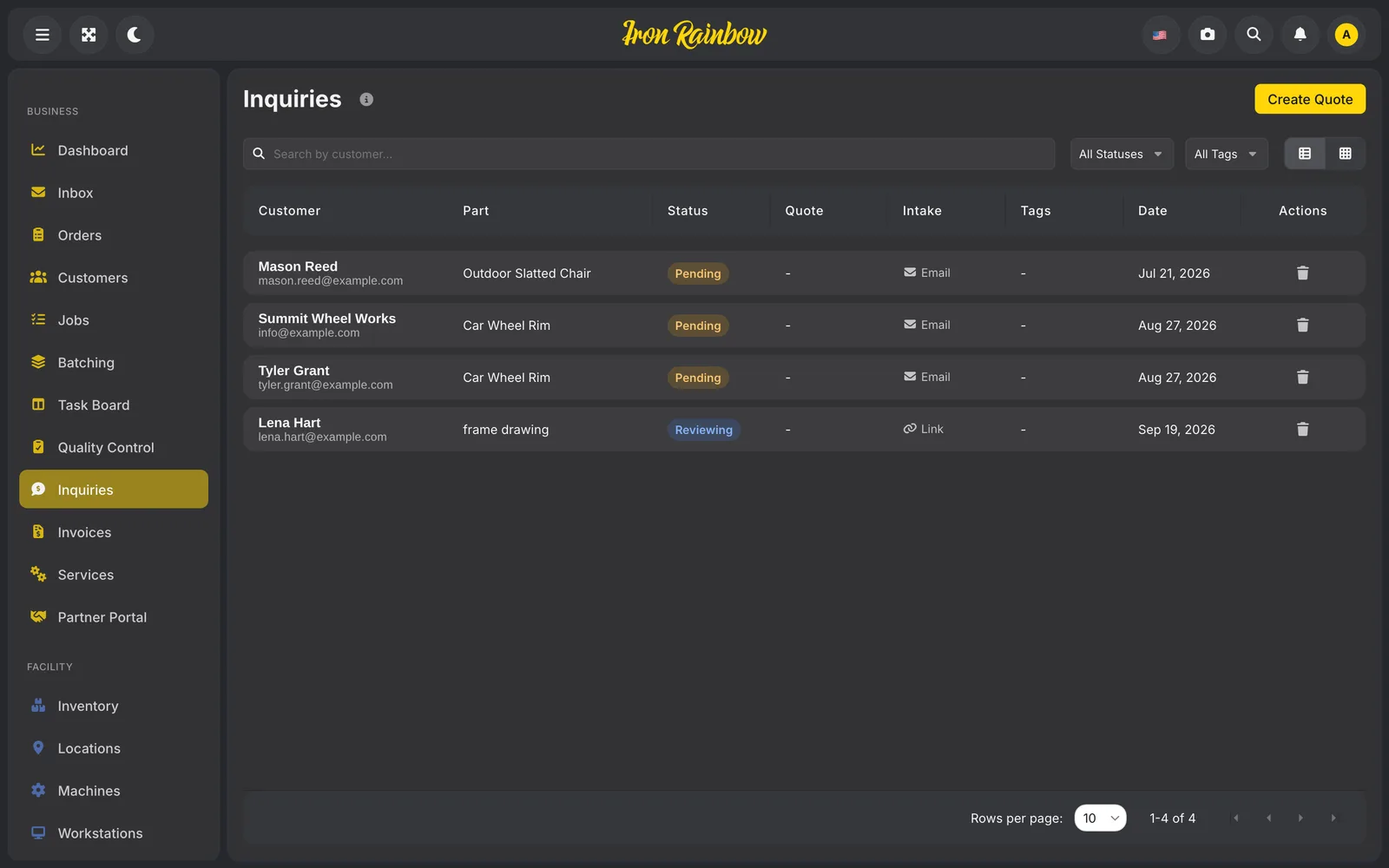
Rainbow Flex, for coating shops
Many customers still send a coating shop a plain email. An AI reader turns those into proper inquiries with the part and the finish. Our first partner shop pointed out that “a set of wheels” means four, and the reader learned that.
A book cataloged from its title page
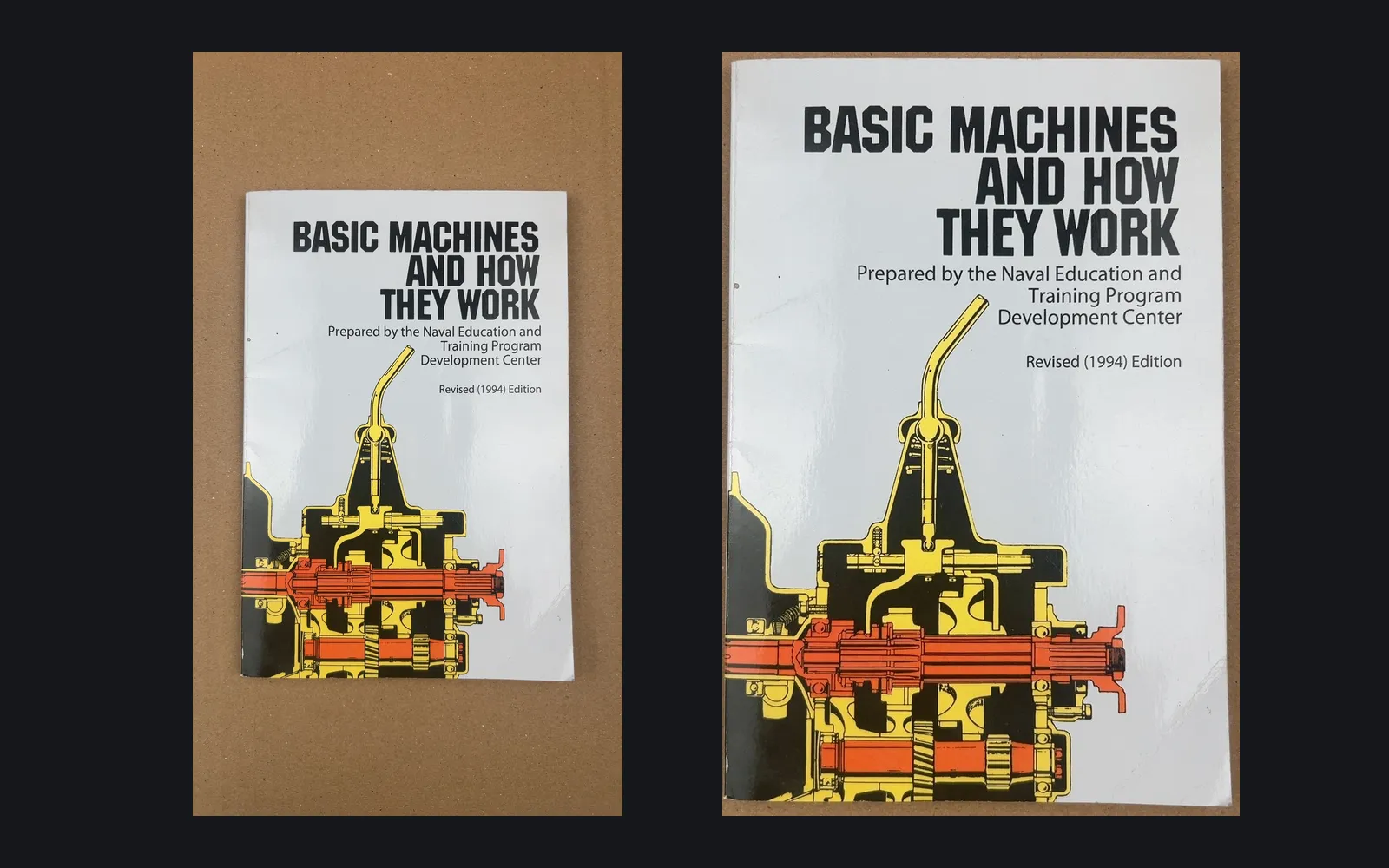
Kakapo, for an antiquarian bookseller
A vision model reads the title page and cover and fills in the title, author, publisher, year and edition. The description is drafted in the bookseller’s own order and wording, and the moment he edits it by hand, the draft stops and the text is his.
Shop websites read and judged
The CRM we built for Iron Rainbow
For each business found on a map, the system reads its website and decides whether the business does powder coating, how big the oven is and which markets it serves. Anything it is unsure about goes into a queue for a person.
What we never let AI do alone
Our rule for the order desk: anything that costs money or speaks to a buyer in a new way waits for a human.
We learned how far to trust a model on the bookshop’s publishing side. A small vision model read old print beautifully and also made things up: it rewrote a clause in fluent period English, dropped lines, and once ran on for more than ten times the words on the page. Now three different readers vote word by word, and only the disagreements reach the editor.
- Prices
- In ICE a listing cannot be published without a price, and the price is the owner’s to type.
- Money going out
- Outgoing payments in our order desk are only ever drafts until someone approves them. A refund is something the owner does himself.
- Anything new said to a customer
- Every buyer reply waits for a person. In the CRM the system books a meeting from an email reply only when it is very confident the person picked one of the times offered; otherwise it makes a card for the team.
- The final send
- In Kakapo Publisher each email or upload waits in an outbox until a named person approves it with a PIN, and every attempt is recorded.
Most of a workflow needs no AI
Business process automation is mostly rules. In our order desk, eBay orders arrive every five minutes, the label and the courier pickup are booked in one step, the pickup date skips Hungarian holidays, and bank lines are sorted by rules. None of that uses a model, and none of it ever guesses.
AI earns its place where a rule cannot be written: a nameplate photographed at an angle, a buyer’s message about a late parcel, an email that says “a set of wheels”.
A good first step to automate
- Your team does it at least a few hundred times a month.
- You have samples we can test on: old emails, scanned forms, photos.
- One named person can approve the output while it beds in.
- A wrong answer can be caught before it reaches a customer.
Our 30-Day AI Workflow Sprint puts one such workflow live in your tools for $7,500€6,800, then $300 a month€270 a month plus model usage at cost. If it misses the accuracy target we agree after the test week, we keep working at no charge until it hits it, or refund the Sprint.
Questions about AI automation
What is AI workflow automation?
A workflow where one or more steps are done by an AI model, usually reading something messy (an email, a photo, a document) and drafting the next action, while ordinary software handles the rules, the queue and the hand-off to a person.
What can AI automate in a small business?
Reading and sorting incoming messages, pulling fields out of photos and documents, drafting replies and descriptions, and checking long lists for the few items that need a person. In our own businesses it sorts eBay messages, reads part nameplates and catalogs books from photos.
What should not be automated with AI?
Anything that costs money or says something new to a customer without a person seeing it first: prices, refunds, payments and the final send. Steps that follow fixed rules, like booking a label or picking a VAT line, are better done by plain software, which never guesses.
What is human in the loop AI?
A set-up where the AI prepares the work and a person approves, corrects or rejects it before it takes effect. The corrections are logged, so you can see how often the AI was right and tighten the rules.
Can our data stay private?
Yes. We can run open models on our own GPU servers, or on yours, so documents and messages never go to an outside AI provider.
How do you know it works before it goes live?
We test it for a week on your own samples, measure how often it is right, and agree an accuracy target with you in writing. You also get the cost per task before anything goes live.
Read next
- Custom software developmentWhat we built for an eBay parts seller, coating shops and a recycler, what it costs and how a build runs.
- What is an API?The plain-words answer, with the FedEx label our order desk books every day as the example.
- API integration serviceseBay, carriers, invoicing, payments and Google, connected so nobody retypes an order.
- Zapier or a custom integrationWhen a ready-made connector is enough, and when it costs you more than building one.
- The 30-Day AI Workflow SprintOne AI workflow live in your tools in 30 days, with an accuracy target in writing.
- CoatCheck, a research prototypeAI that names a powder coating defect from photos, with people reviewing every label.
Find the step worth automating first
Thirty minutes with us. Tell us which reading, sorting or typing eats your team’s week, and we tell you whether AI fits it, what the test would look like and what it costs.