Custom bookshop and publishing software
Our antiquarian books sold only through a marketplace that took a cut. Now they sell from our own shop, and our imprint turns old magazine scans into new books.

Thirty thousand books and one marketplace
Kakapo Press is a small antiquarian bookshop and imprint in Szeged, Hungary. Behind it is a working library of roughly thirty thousand volumes: English, French, German and Hungarian literature of the nineteenth and early twentieth centuries, literary bibliography, photography, Buddhism.
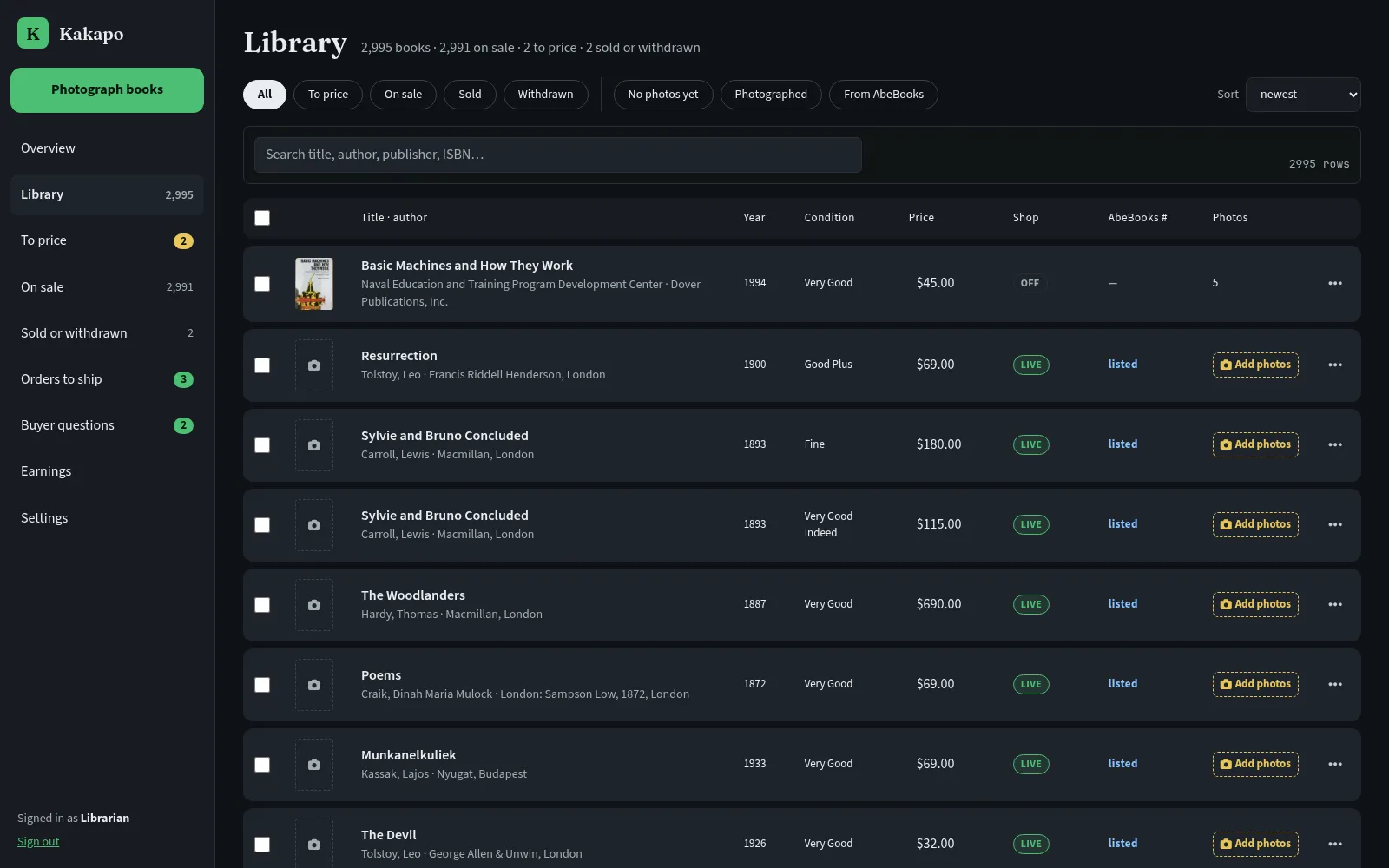
About three thousand of those books had been cataloged, each one described by the bookseller with the book in his hands. Binding first, then the edition and how scarce it is, then the pages and the condition, down to a sunned spine or a catalog bound in at the rear. All of them were listed on AbeBooks, and AbeBooks was the only place anyone could buy them. The marketplace took its commission on every sale and kept the buyers. There was no shop with the Kakapo name on it, no list of past customers and nowhere to send an advert.
Only about one listing in thirty had a photograph. Photographing a book, cropping the picture and typing its details into a listing form takes longer than a cheap book earns, so most of the library stayed on the shelves, unlisted.
Next to the shop runs the imprint. Its editor works on magazine pieces from the 1850s to the 1870s that have never been reprinted, and the only digital copies of them are blurry old scans with a machine reading full of errors.
Photographing the shelves
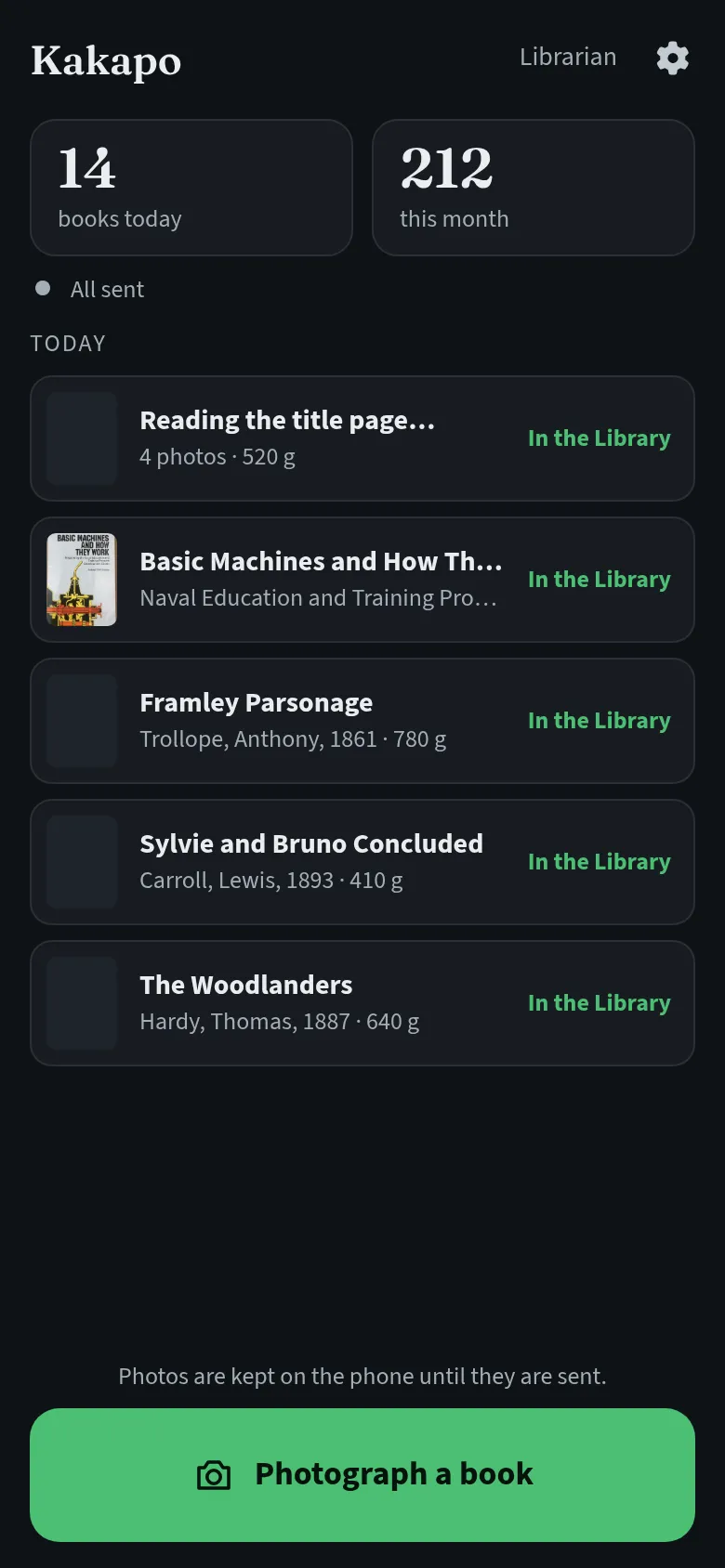
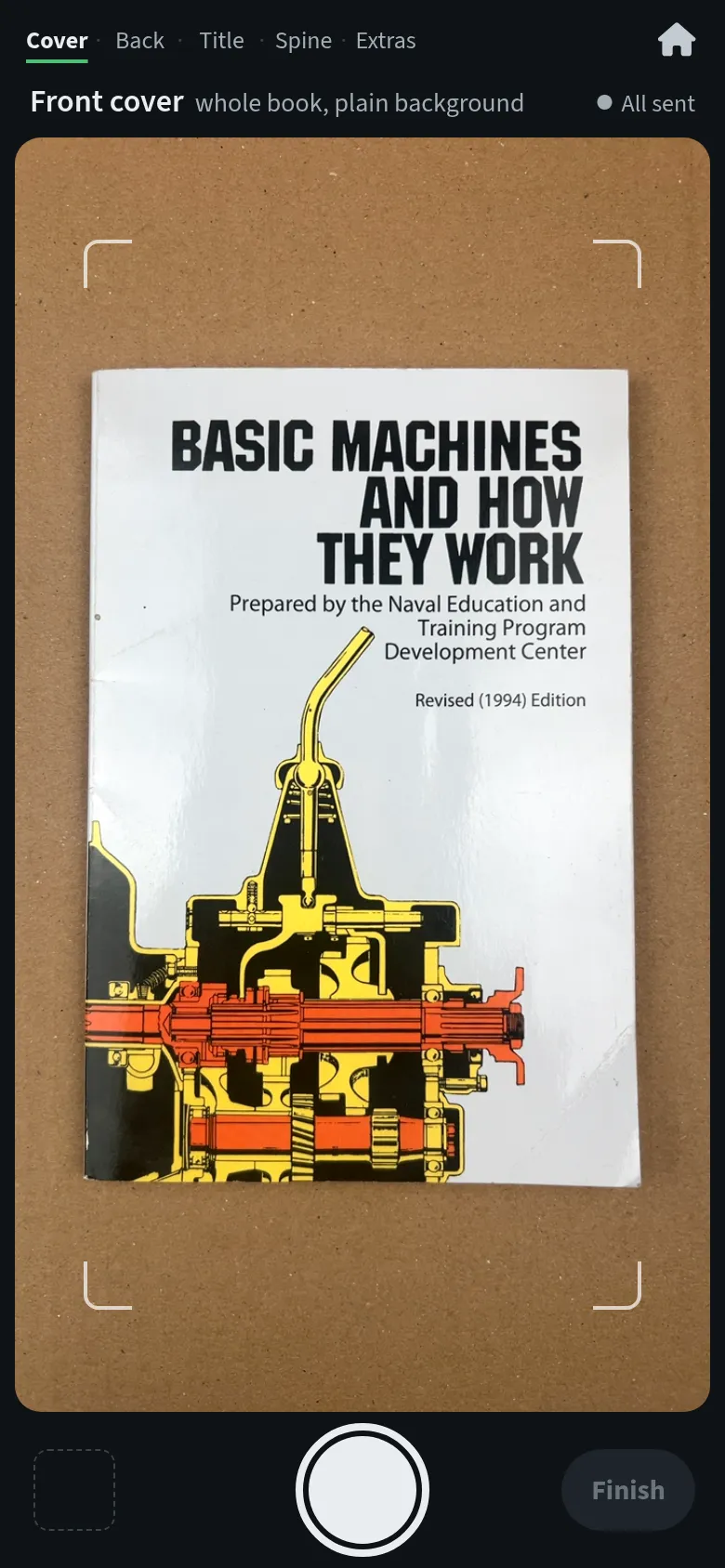
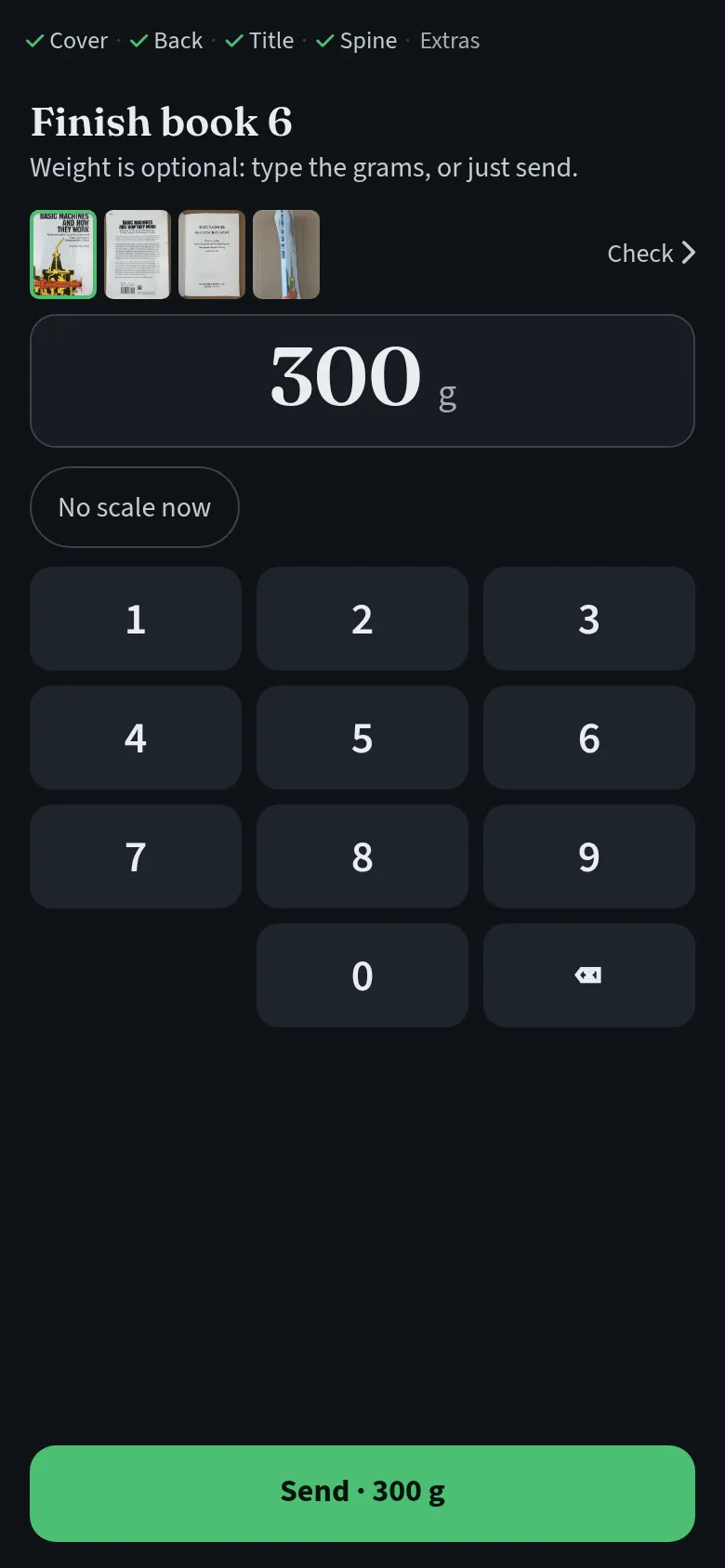
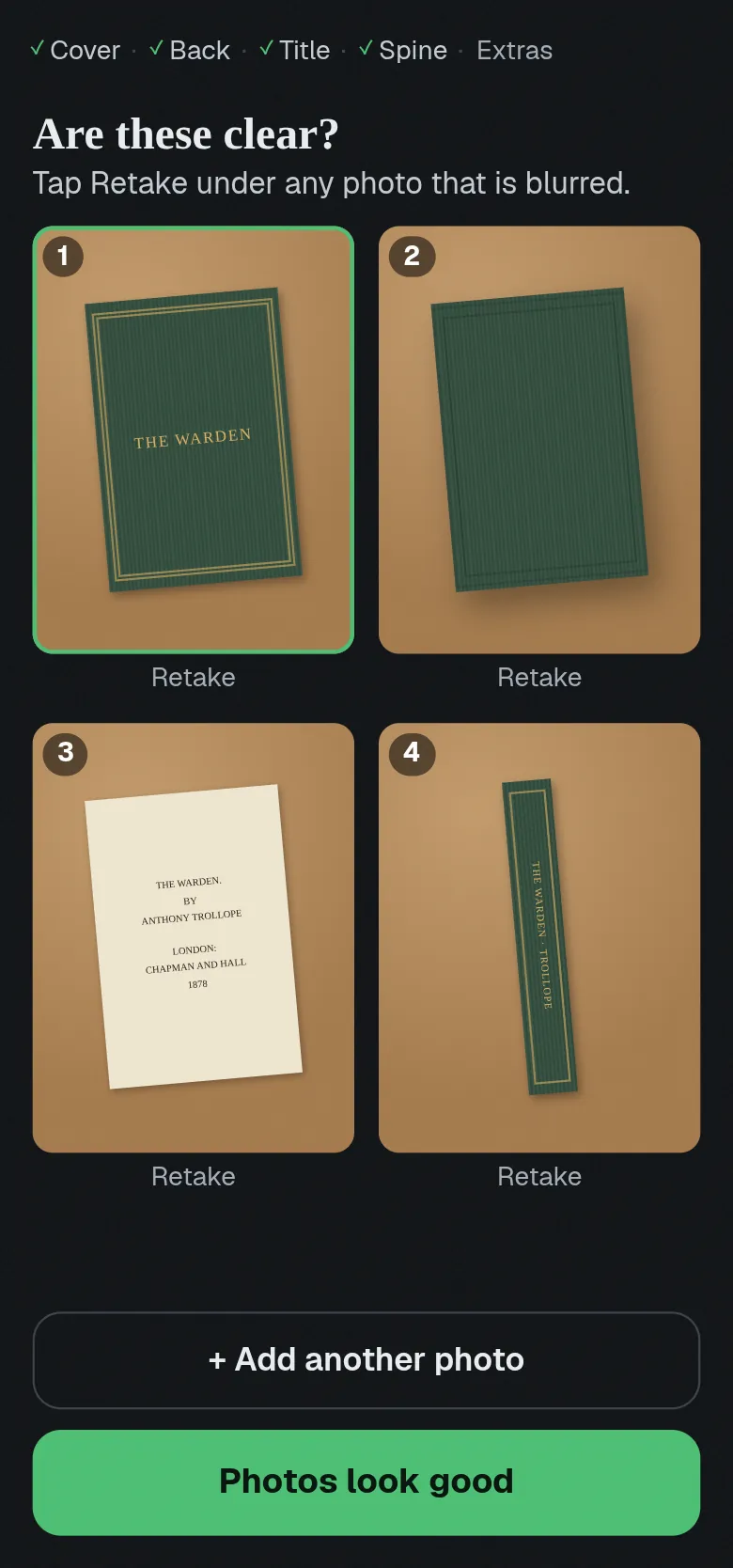
We started at the shelf. The bookseller has a phone kept only for this work, and on it an app that takes pictures of books and does little else. It walks him through the cover, the title page, the spine and any damage, then asks for the weight on a large keypad, with “Same as last” for a run of matching volumes. He presses Next book and carries on while the photos upload behind him. If the signal drops, the phone keeps every shot until it has gone through; a small dot turns amber, then red with a button to try again.
The first version of that screen had too much on it. The second gives the viewfinder most of the phone and puts everything else in one slim bar at the bottom.
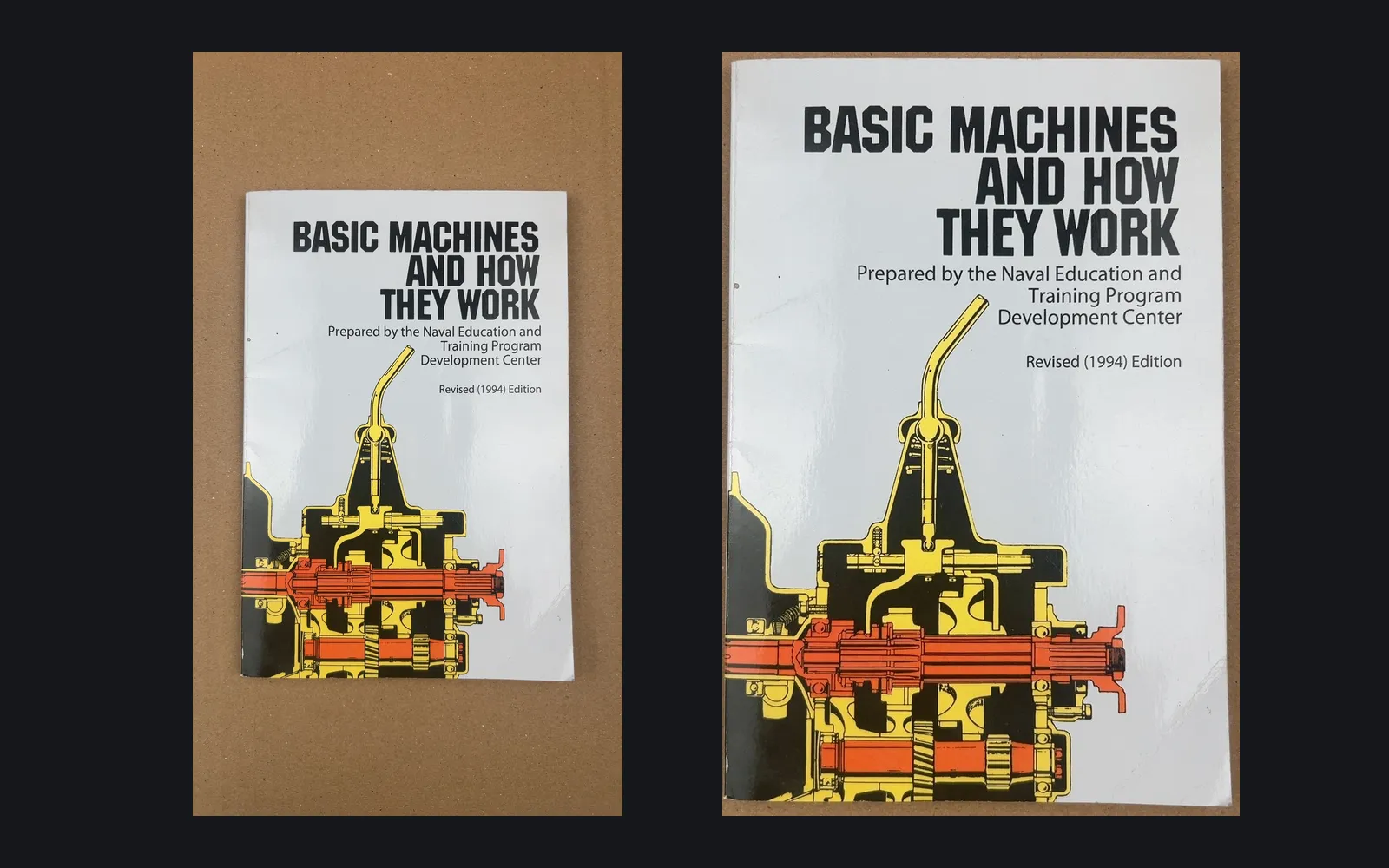
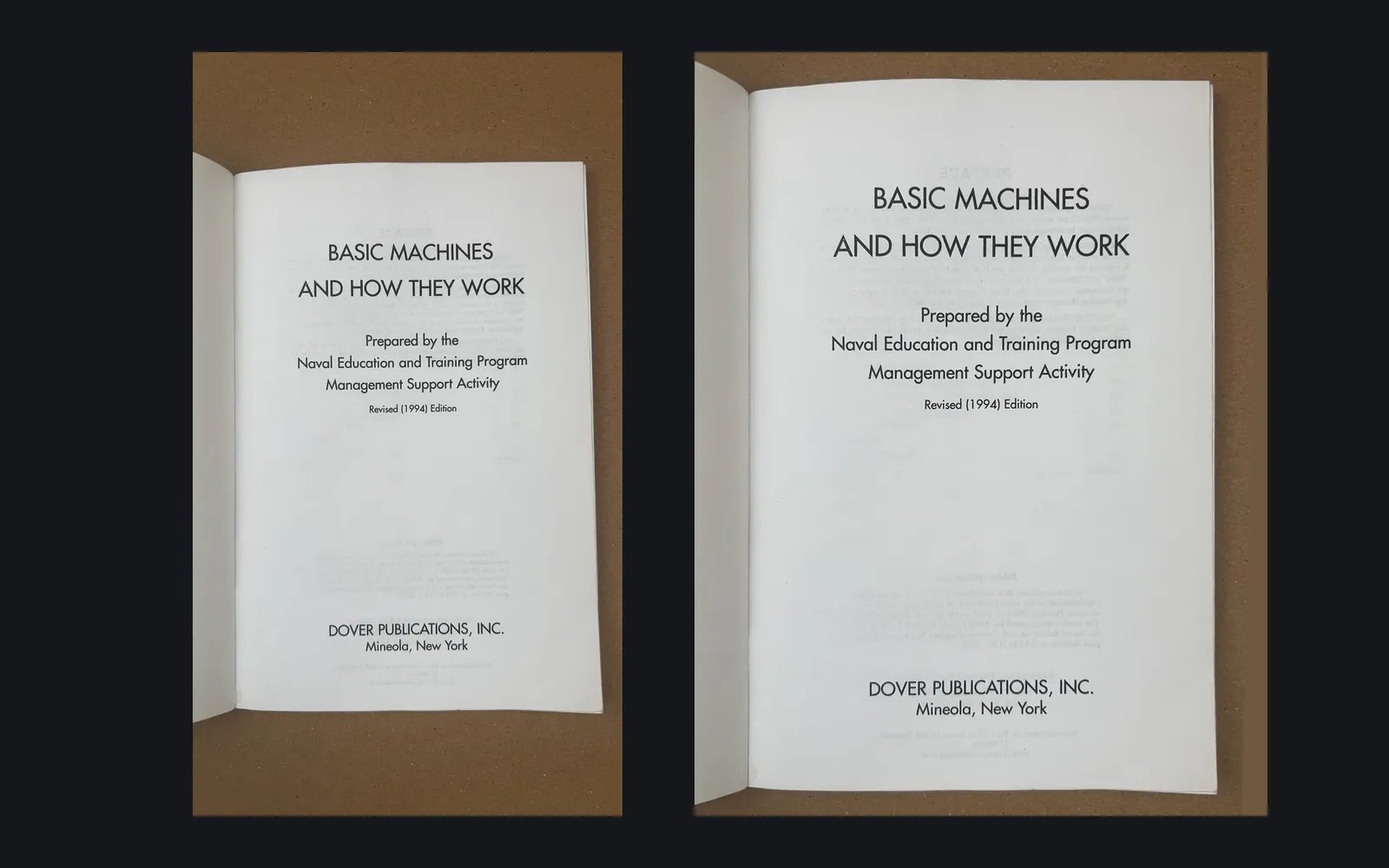
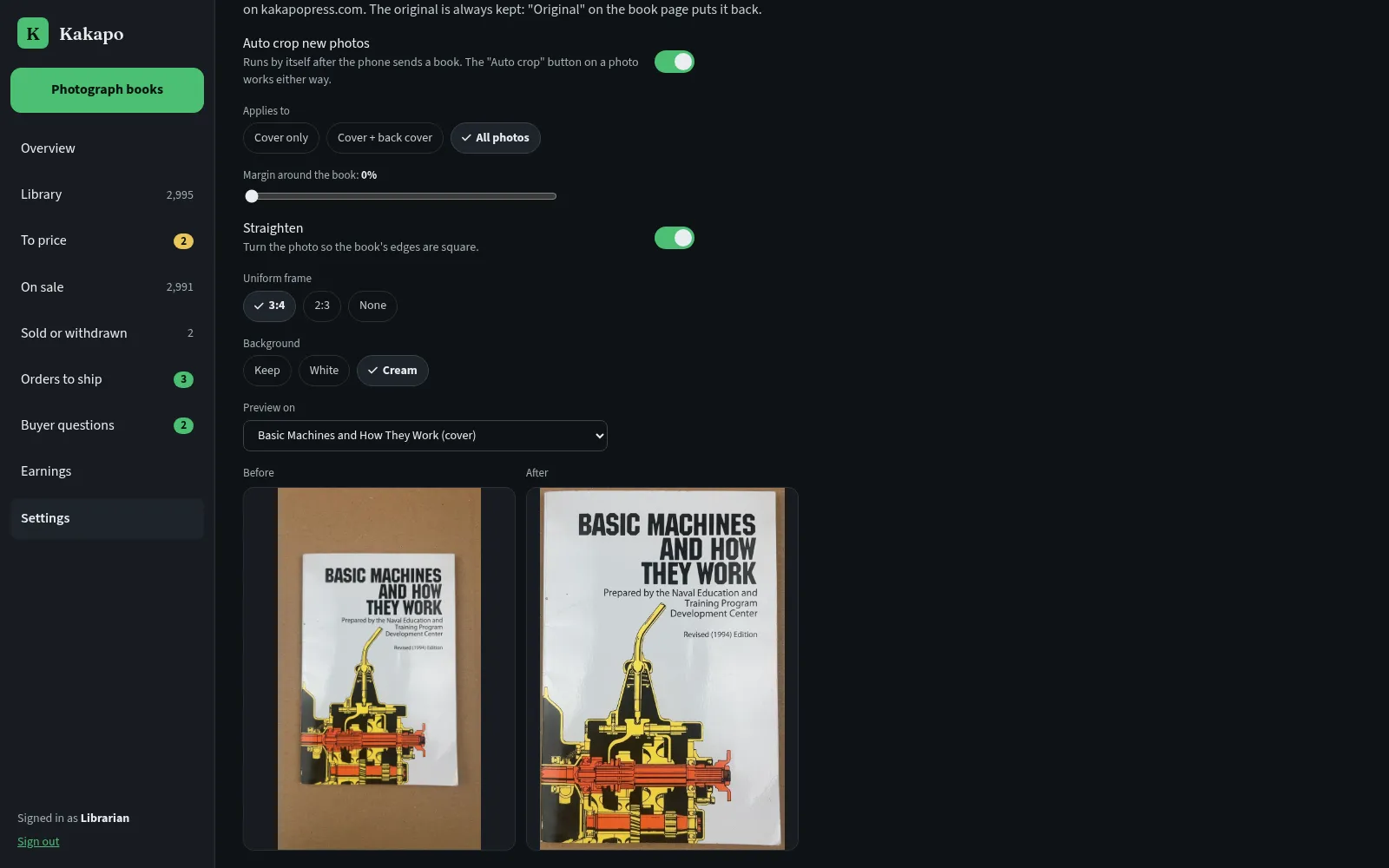
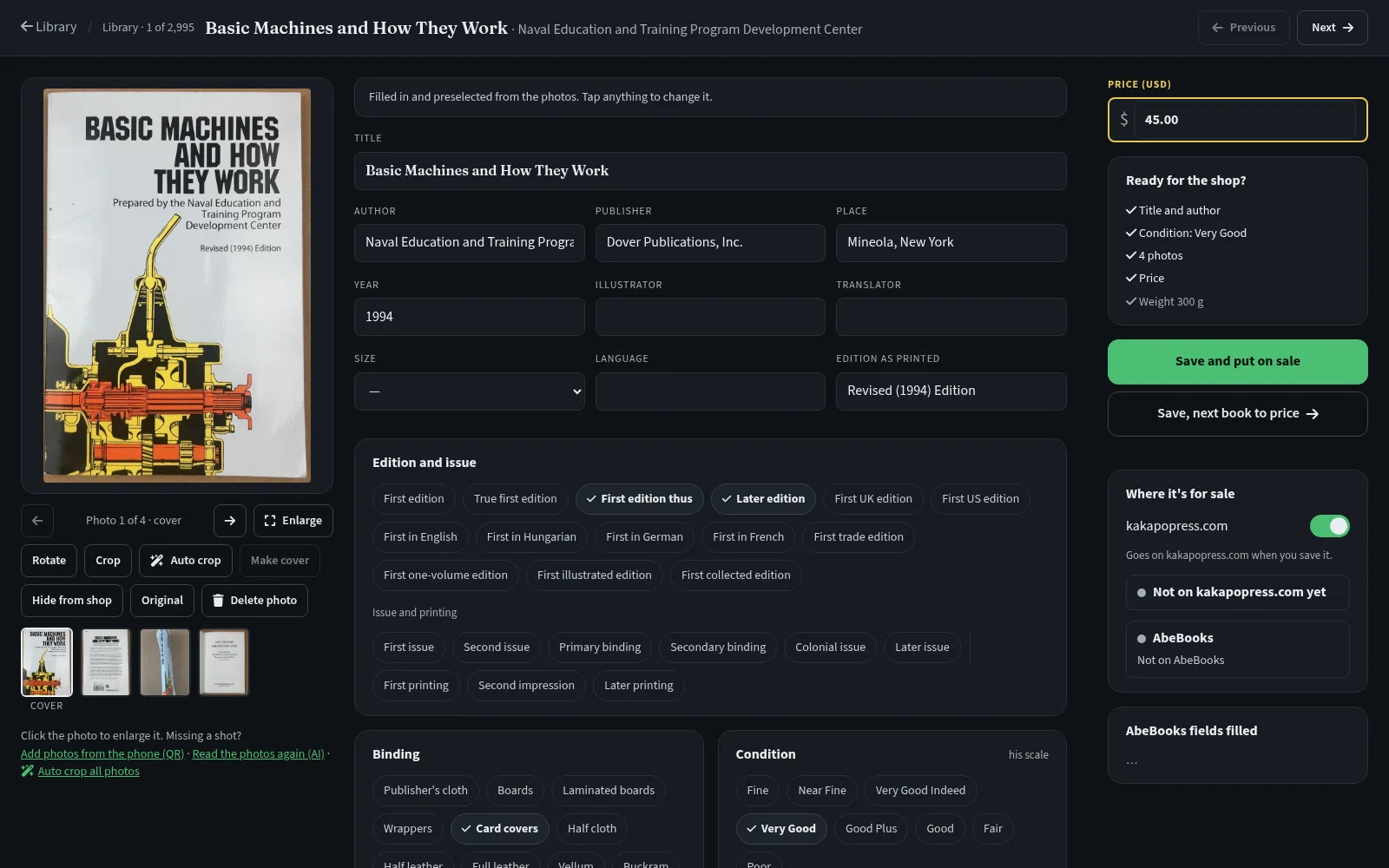
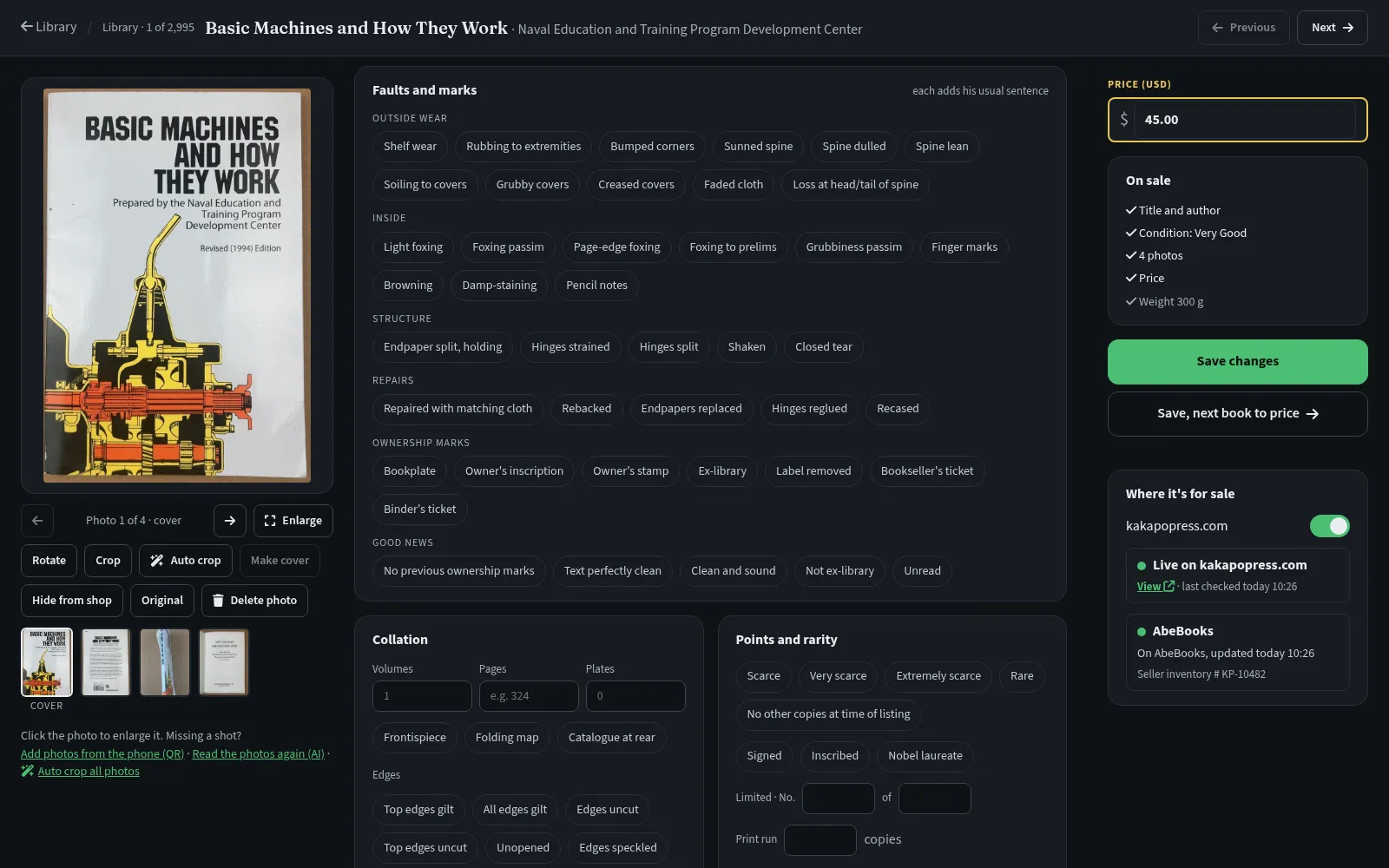
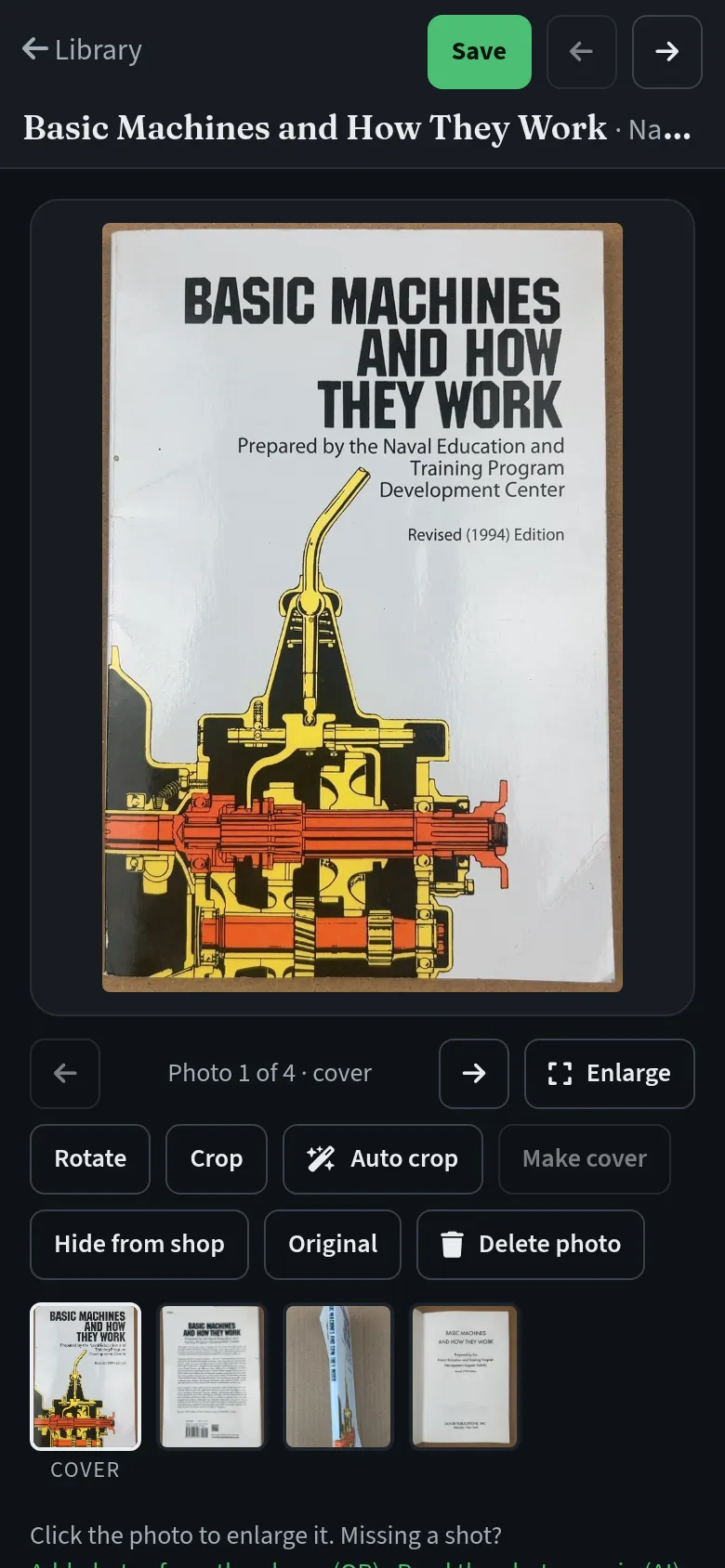
By the time he sits down at the computer, the book is half cataloged. A vision model has read the title page and the cover and filled in the title, author, publisher, place, year and edition, and it suggests the binding and the grade from the photos. The photos can be cropped automatically: the software finds the book, straightens it, squares it up if it was shot at an angle and centers it on the same frame as every other book, so the shop grid lines up. When it is unsure, it flags the photo for a hand crop, and every crop can go back to the original.
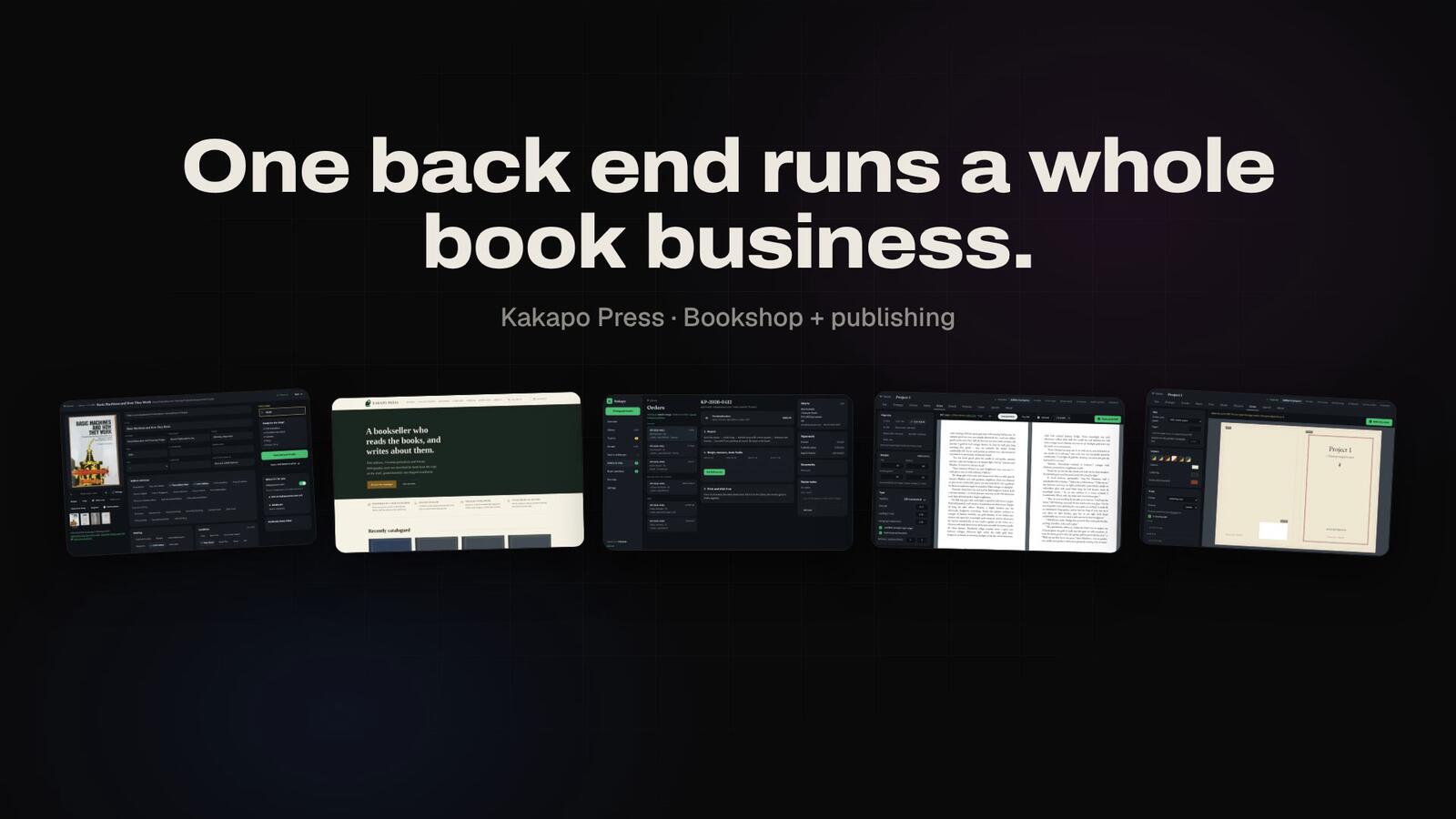
The cataloguing page in Kakapo, his app on the computer, is mostly choices. The grades are his own scale, from Fine through Very Good Indeed down to Fair. Author and publisher names complete from his own catalog with his usual spelling first, so the machine’s reading of a title page turns into the form he has always written. From those choices the page drafts a description in his order and his wording, and the moment he edits it by hand, the automatic draft stops and the text is his.
One switch, on by default, puts the book on kakapopress.com the first time he saves it with a price. The same save is queued for the book’s AbeBooks listing, with up to five photos.
Technical details
The capture app is an installable web app that holds every photo on the phone until the server confirms it, re-sends a smaller copy if an upload is refused, and never makes the next book wait. Extraction starts as a background job the moment a book’s photos arrive: a vision model reads the title page and the cover and returns structured fields, which are then matched against the bookseller’s own past spellings. Auto-crop finds the book’s outline with a segmentation mask, falls back to edge detection for pale books on white paper, and corrects rotation and keystone with one perspective warp; low-confidence crops are flagged and originals are always kept. The catalog is the single record for every book: changes reach the shop within a minute, and the marketplace through a debounced sync queue that always sends the complete record, because a partial update there wipes the fields it leaves out.
The shop at kakapopress.com
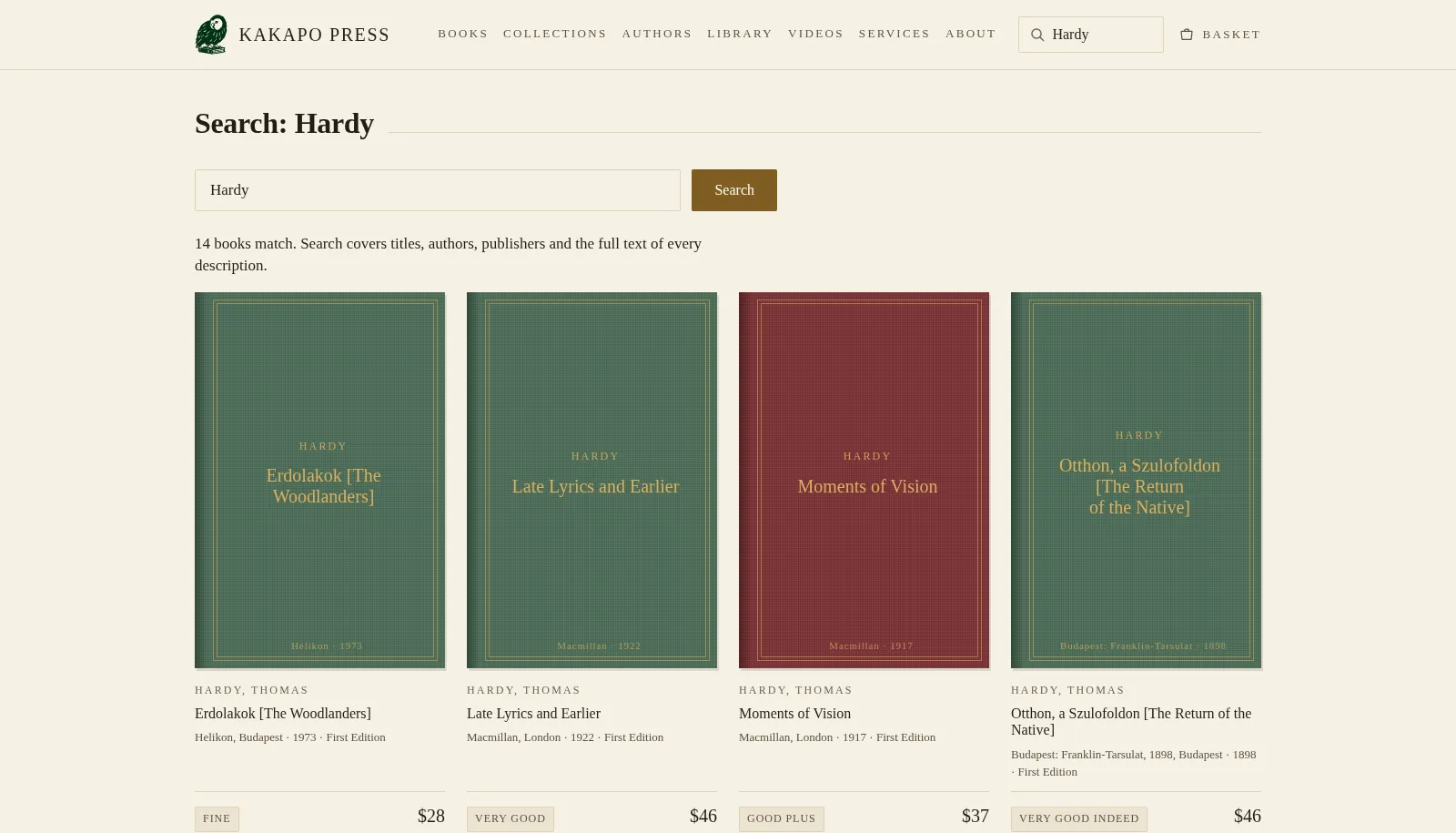
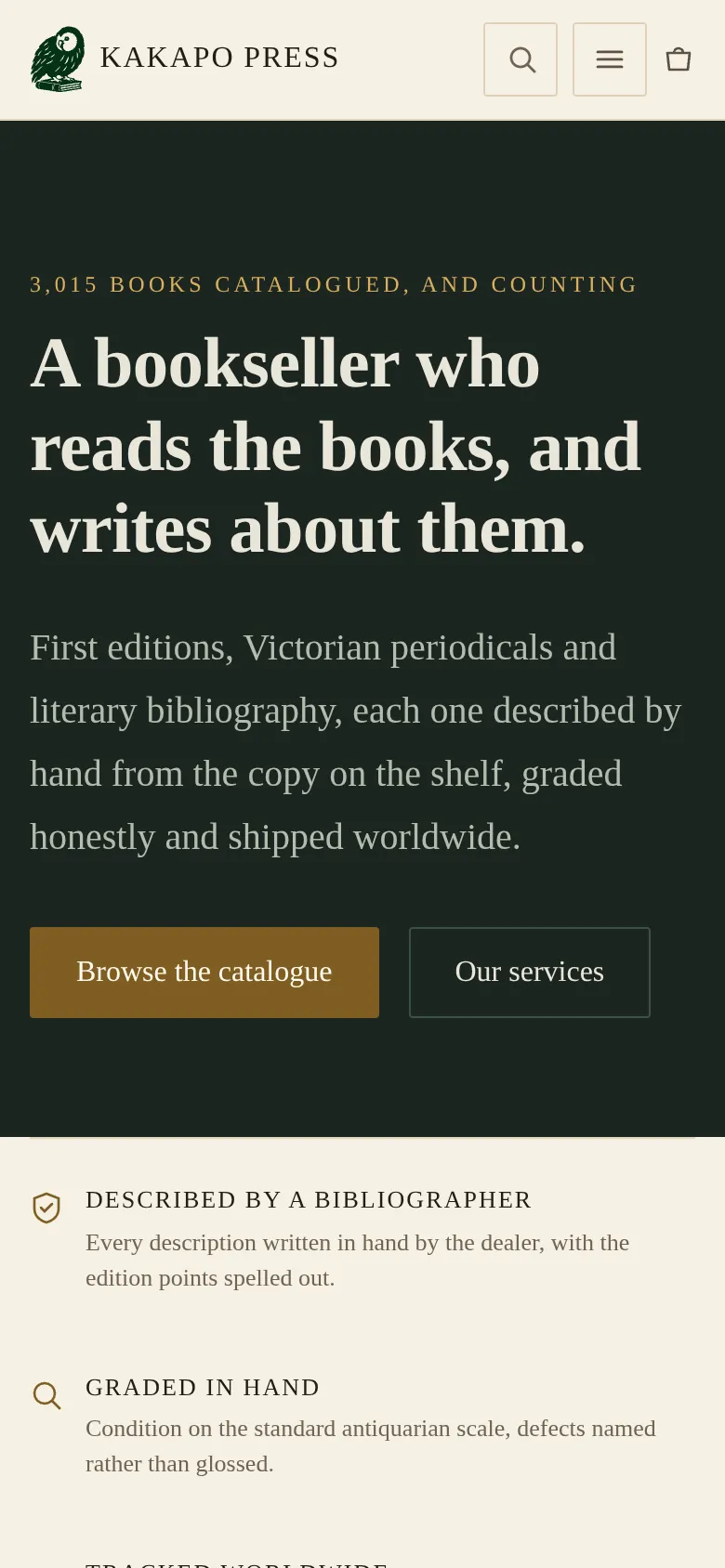
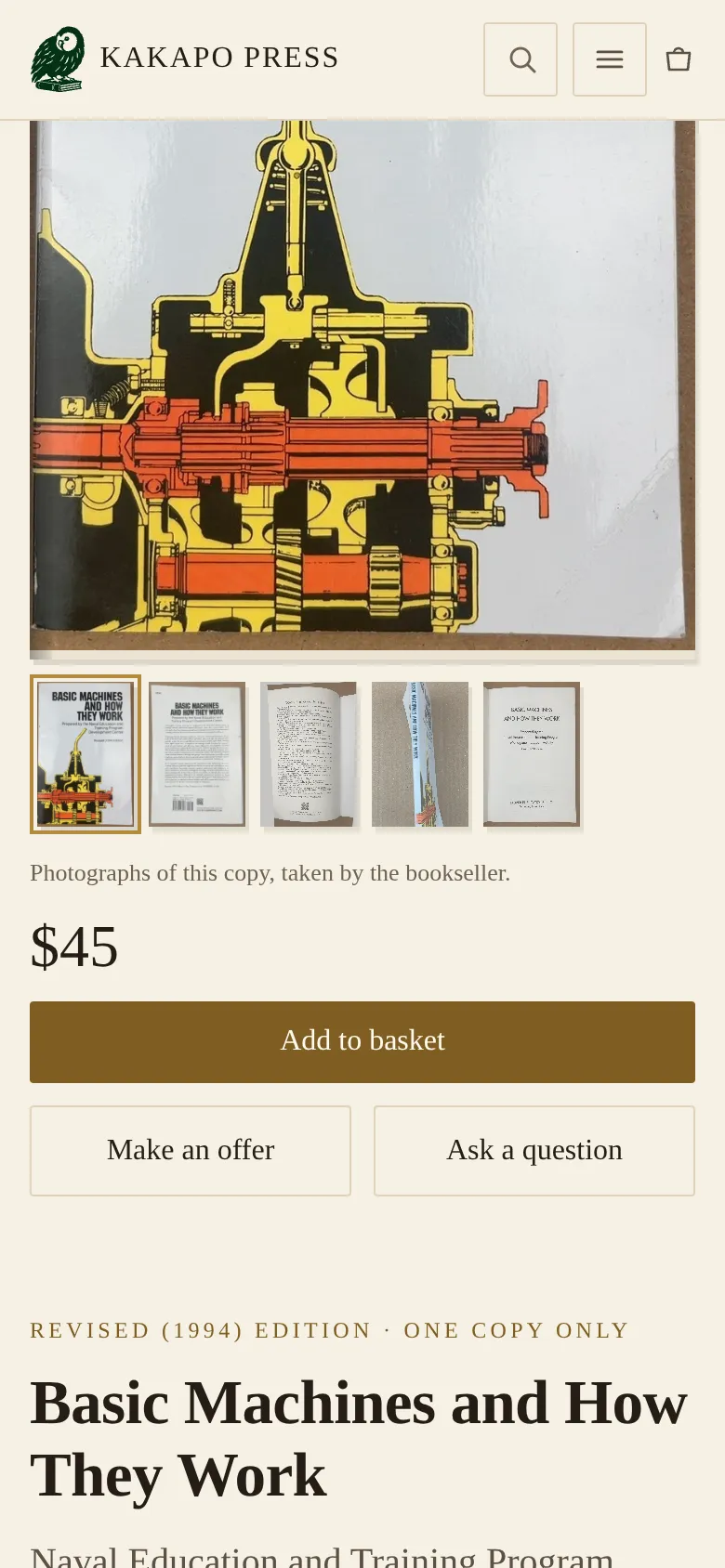
kakapopress.com opened in August 2026 with the three thousand cataloged books on it from the first day, copied across from the marketplace with the bookseller’s own descriptions and priced a little under the marketplace price. Most had no photograph, so we drew each of them as a book plate: a cloth-colored board with a gilt-ruled label carrying the title, author and year. On a shop where much of the stock will never be photographed, the plate is the normal look, and a photographed book gets a gallery.
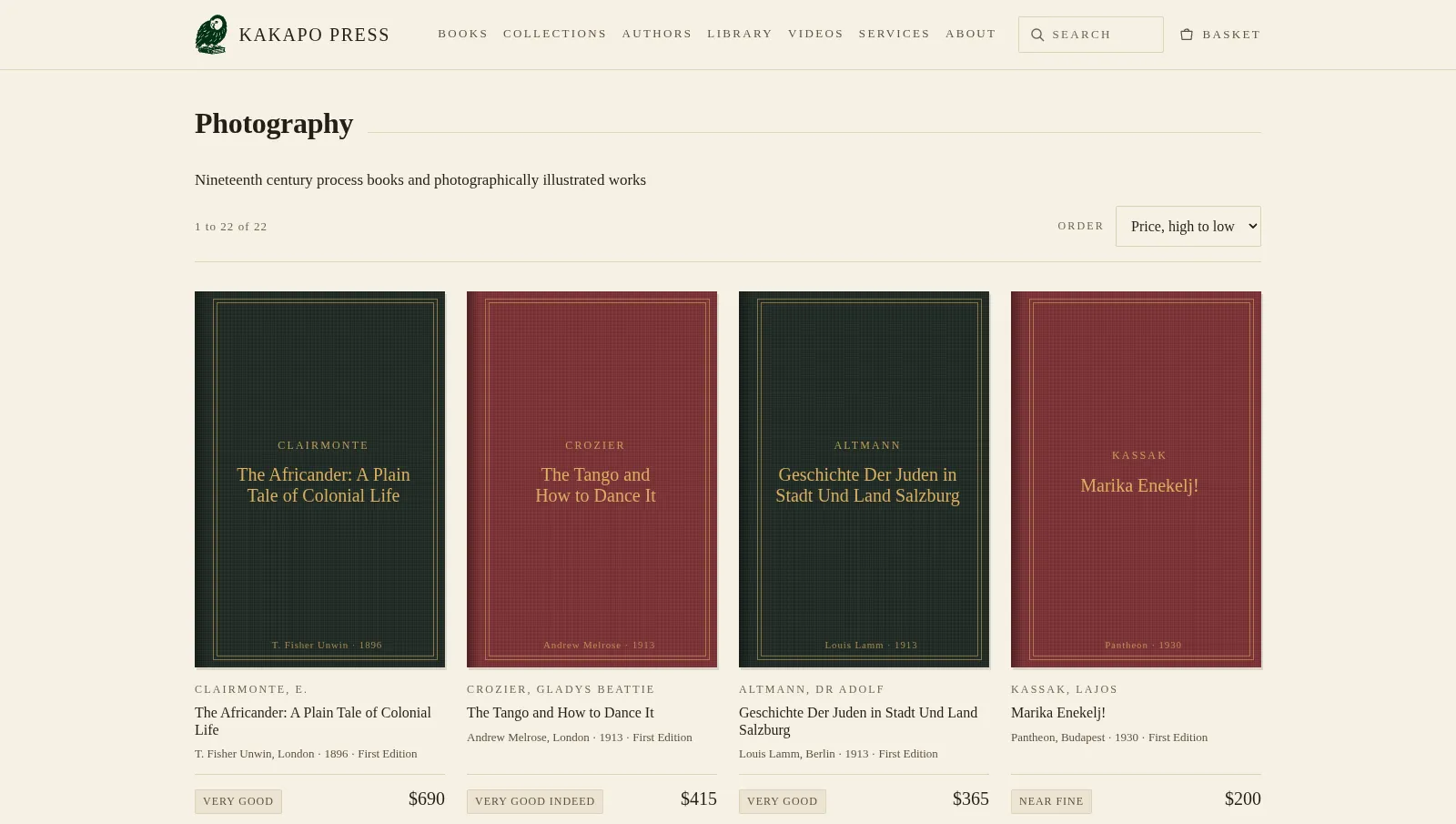
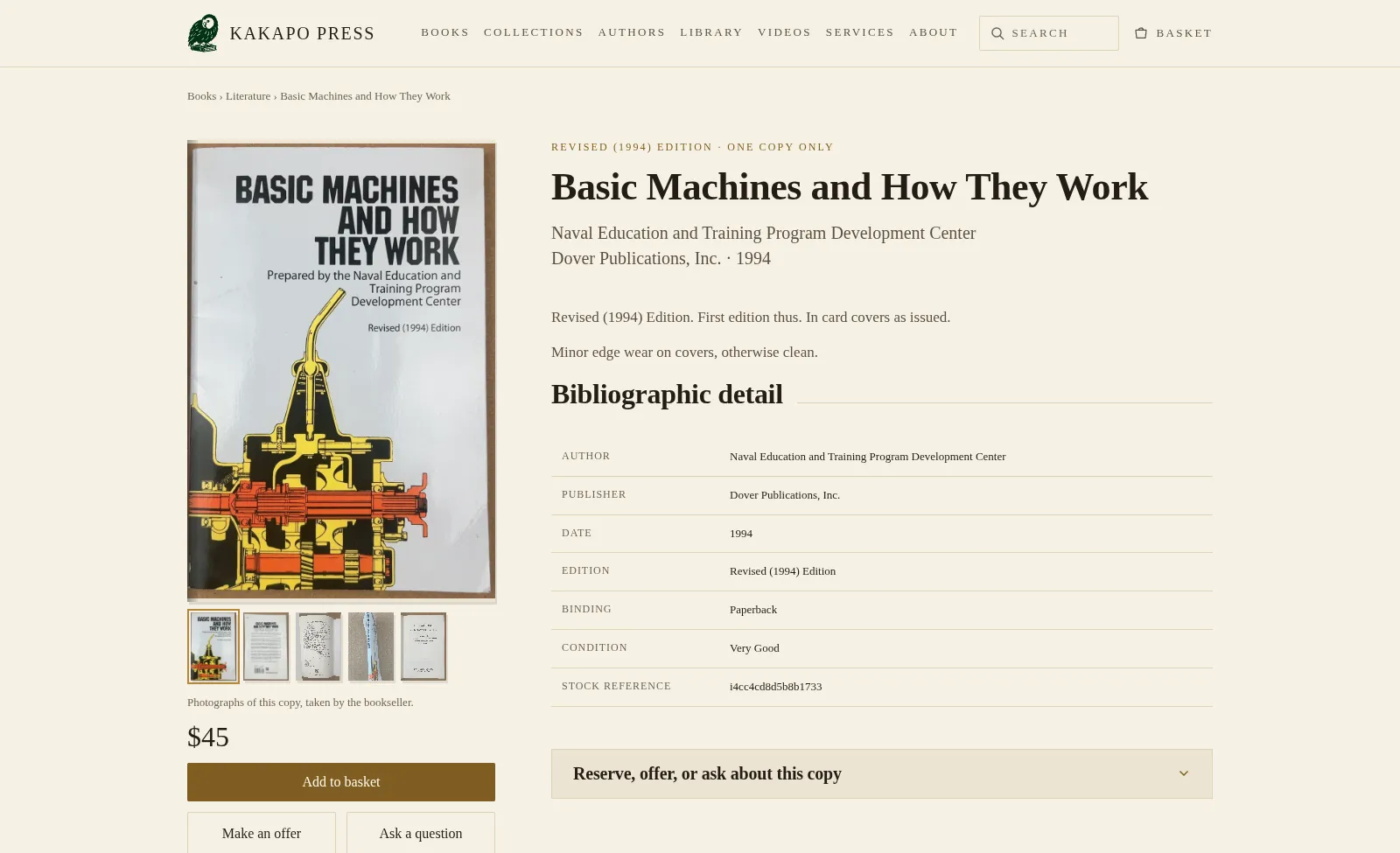
Visitors browse by collection, subject or author, sort by price or date, and search with suggestions as they type. Accents are optional, so “Marai” finds Márai. A book page carries the description, the grade, the price and a small panel to reserve the book, make an offer or ask a question.
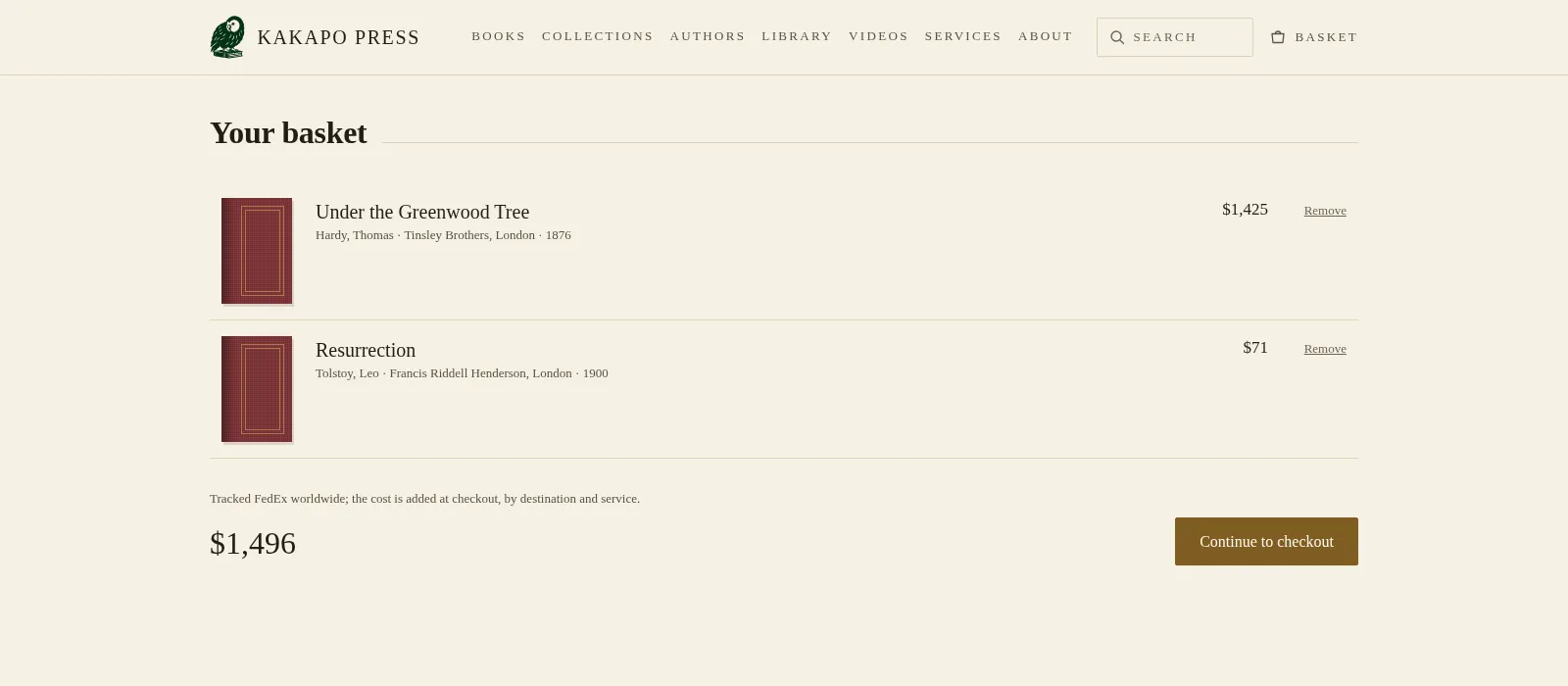
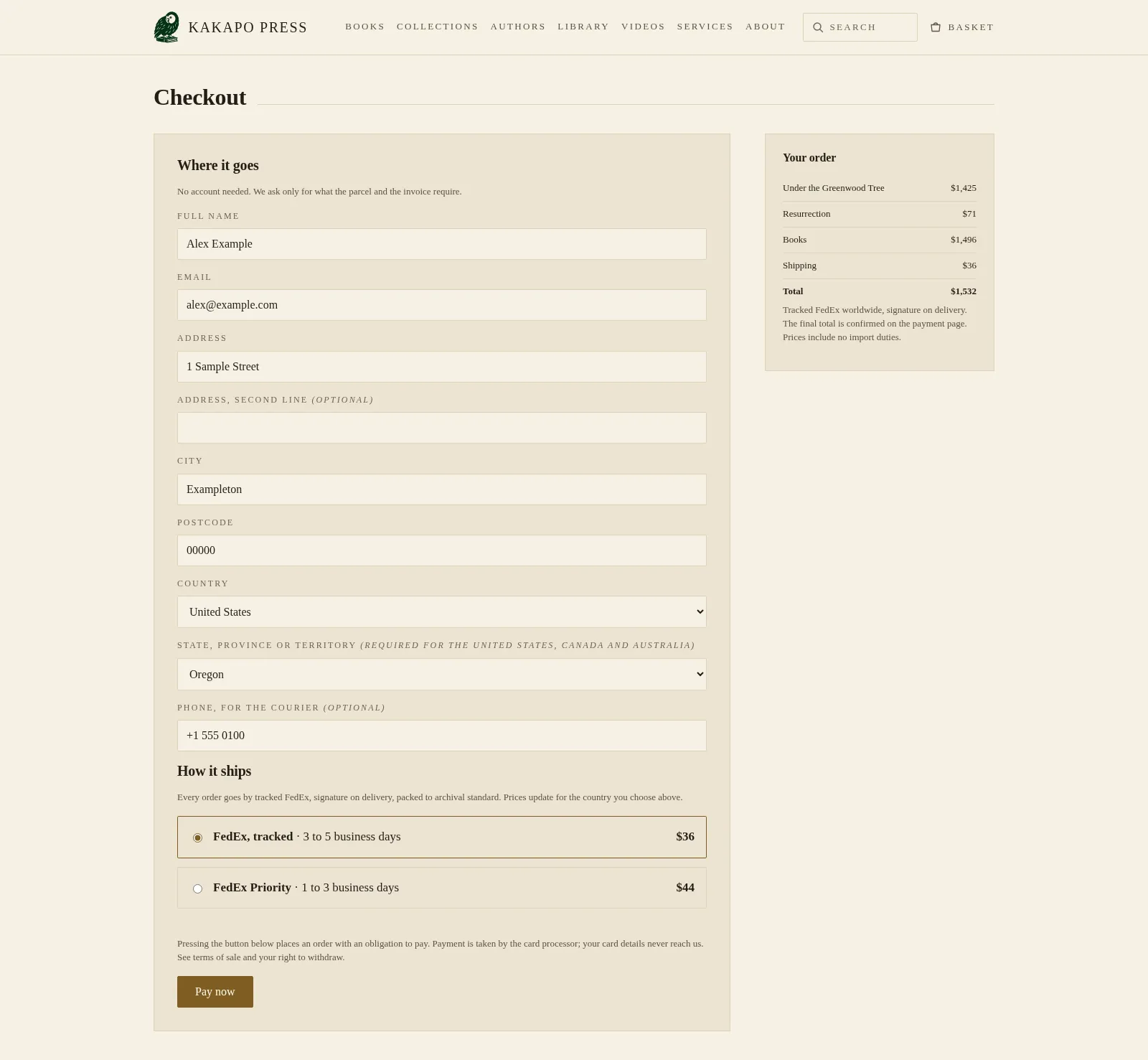
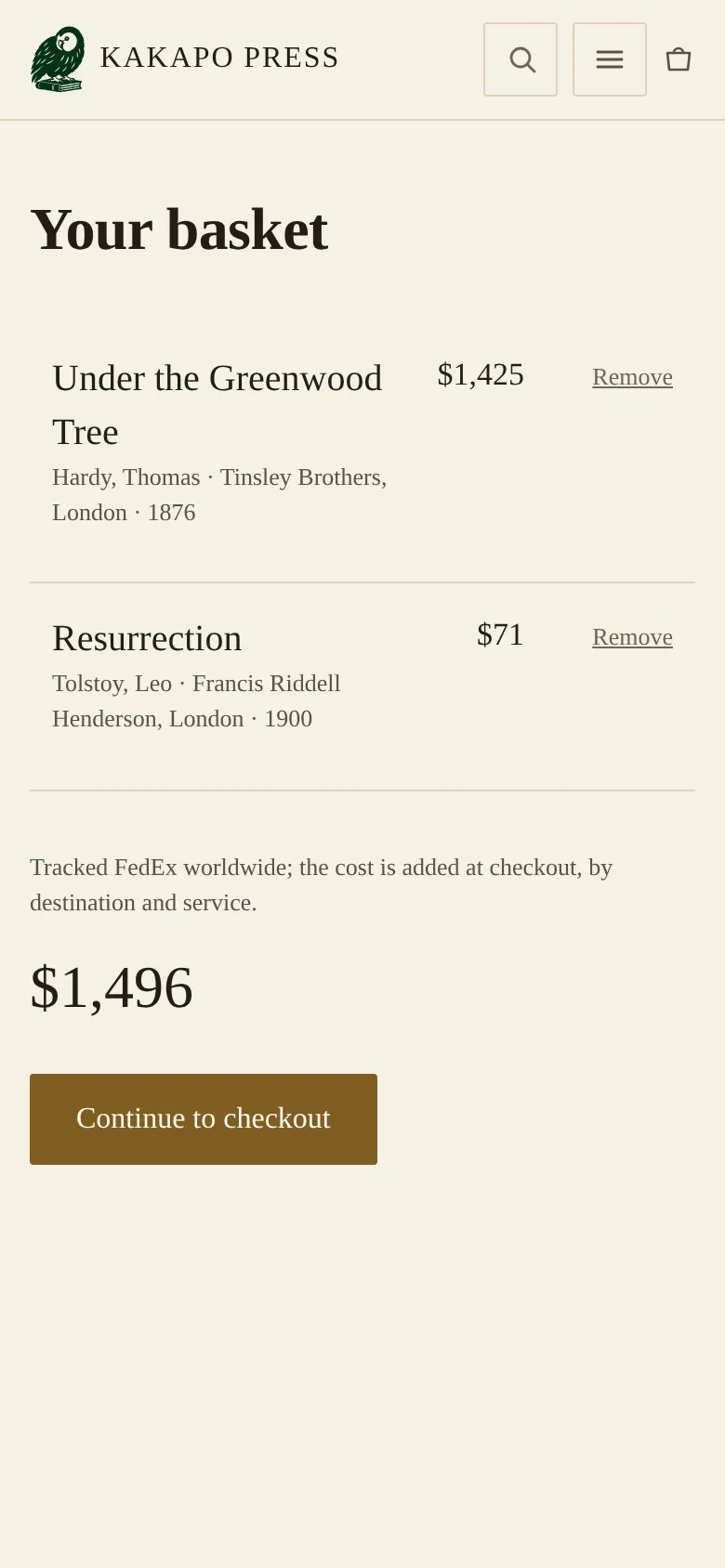
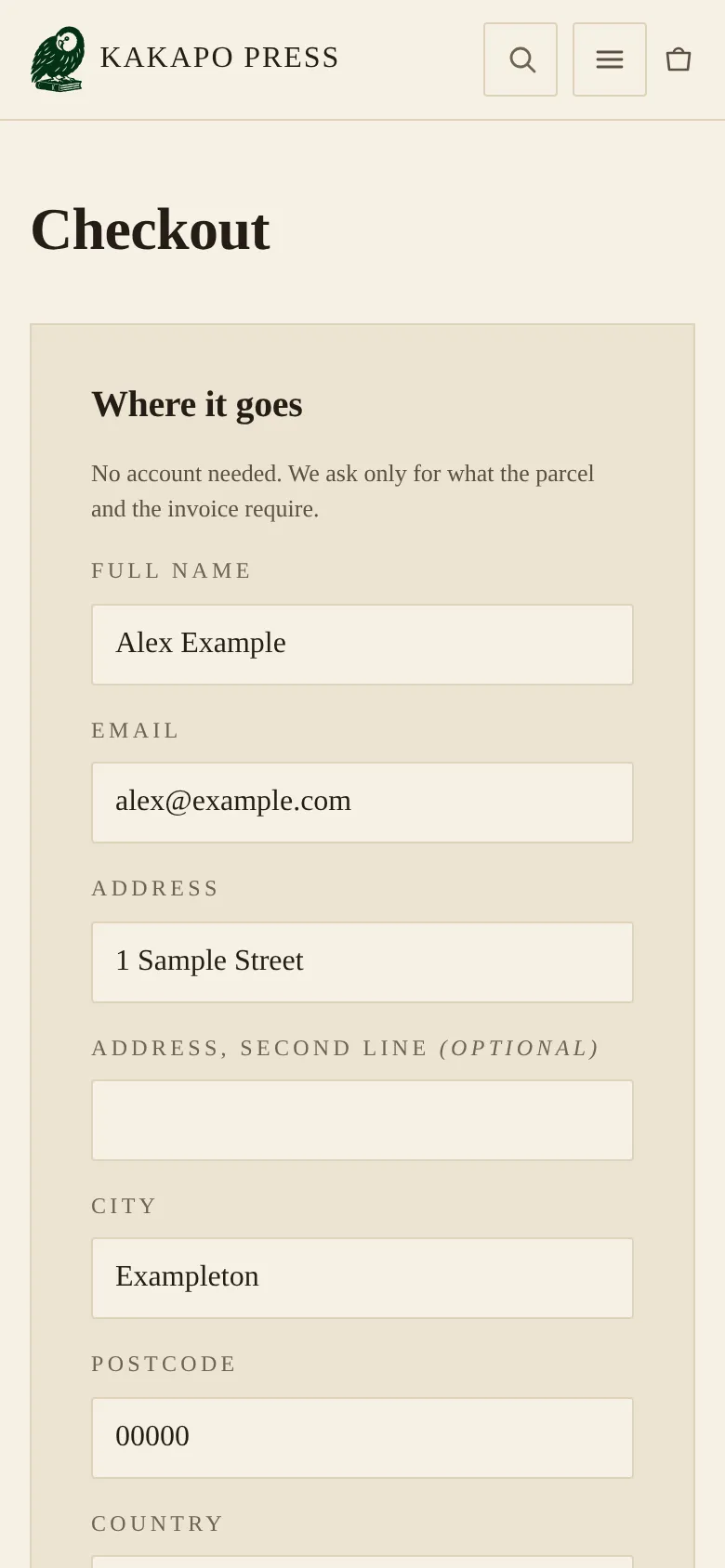
The basket holds a book for a short time, so two people can never pay for the same single copy. At checkout the buyer chooses between two FedEx services, three to five days or Priority at one to three, priced for their country and the book’s weight, and pays by card on a hosted payment page. Every two hours the shop checks the marketplace listings: a book that has sold there comes off the shop after one confirmed check and only returns after two.
In September a wave of crawlers used up the database’s free daily allowance, and pages that were not cached failed every day once the allowance ran out. We found it in the logs, moved the shop to a paid plan and cached the public pages so that browsing barely touches the database.
The last week of September went to Google. Each book page now tells search engines that it is a book, with its author, publisher, edition and ISBN where it has one, and every author has a page of their own. A product feed for Google Merchant Center lists only books with a photograph, shipping cost per country included, because a drawn plate must never go out as a product image. The www address had been serving a second copy of the whole site; it now points to the main one. Google’s keyword research showed that very few people search for an author plus “first edition” for the books in this stock, so the plan leans on Shopping listings and the author pages, with keyword ads a smaller part. Advertising tags load only after the visitor agrees, and the visit counter the shop runs by default sets no cookies.



Technical details
The shop is a set of server-rendered pages generated from the catalog at the edge, with very little JavaScript in the browser and a content security policy that starts from blocking everything. Public pages are cached at the edge, so a crawl of thousands of book pages costs the database almost nothing. Checkout hands off to a hosted card page, and a signed payment webhook marks an order paid exactly once; if a webhook goes missing, a scheduled job asks the payment provider and recovers the order. The Merchant feed and the structured data on each book page come from the same code, so price, brand and ISBN always agree, and the feed’s shipping costs are read from the checkout’s own rate table. The AbeBooks reconcile withdraws a book only after confirming the sale on that book’s own listing page, and a partial sweep withdraws nothing.
When an order comes in
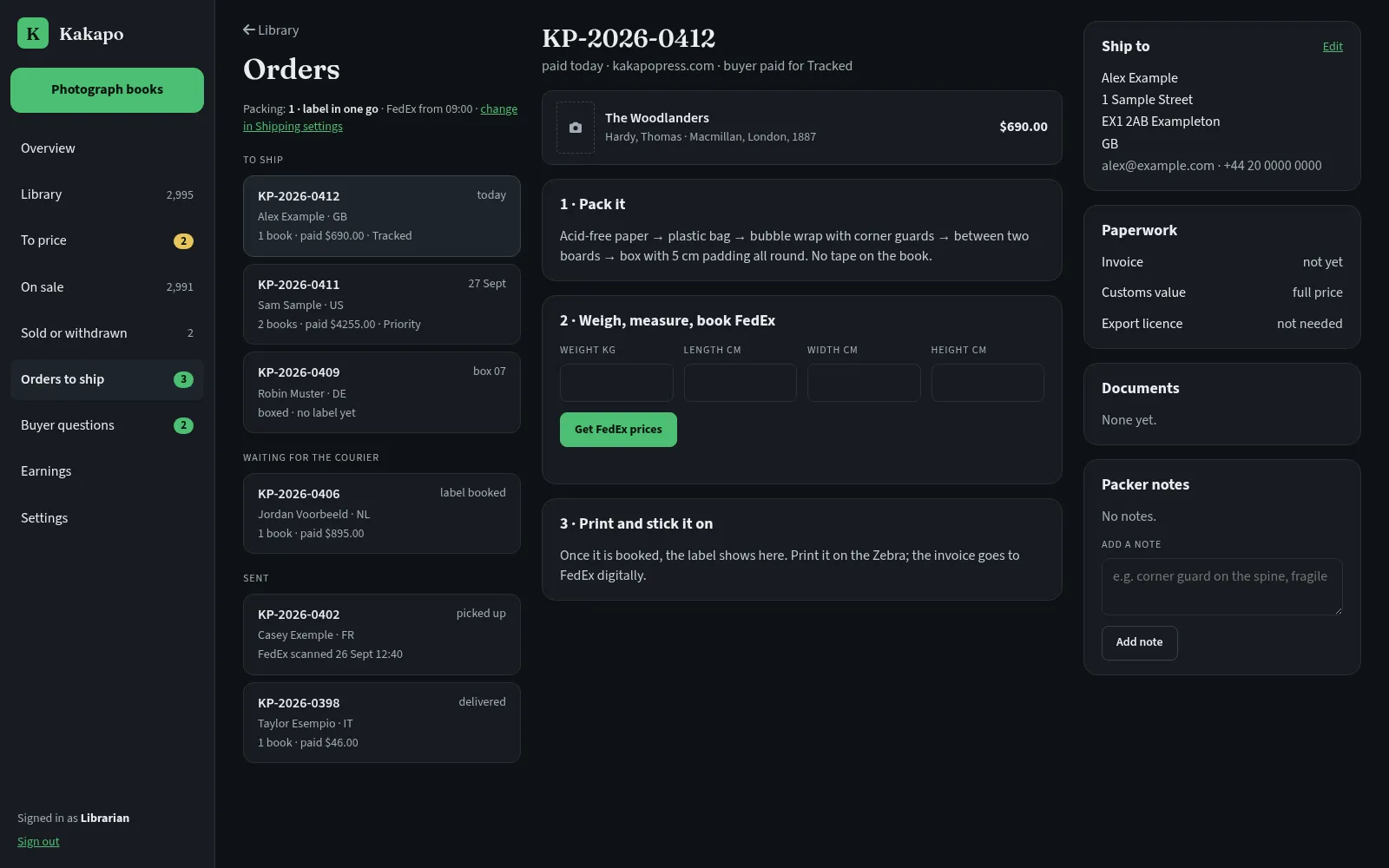
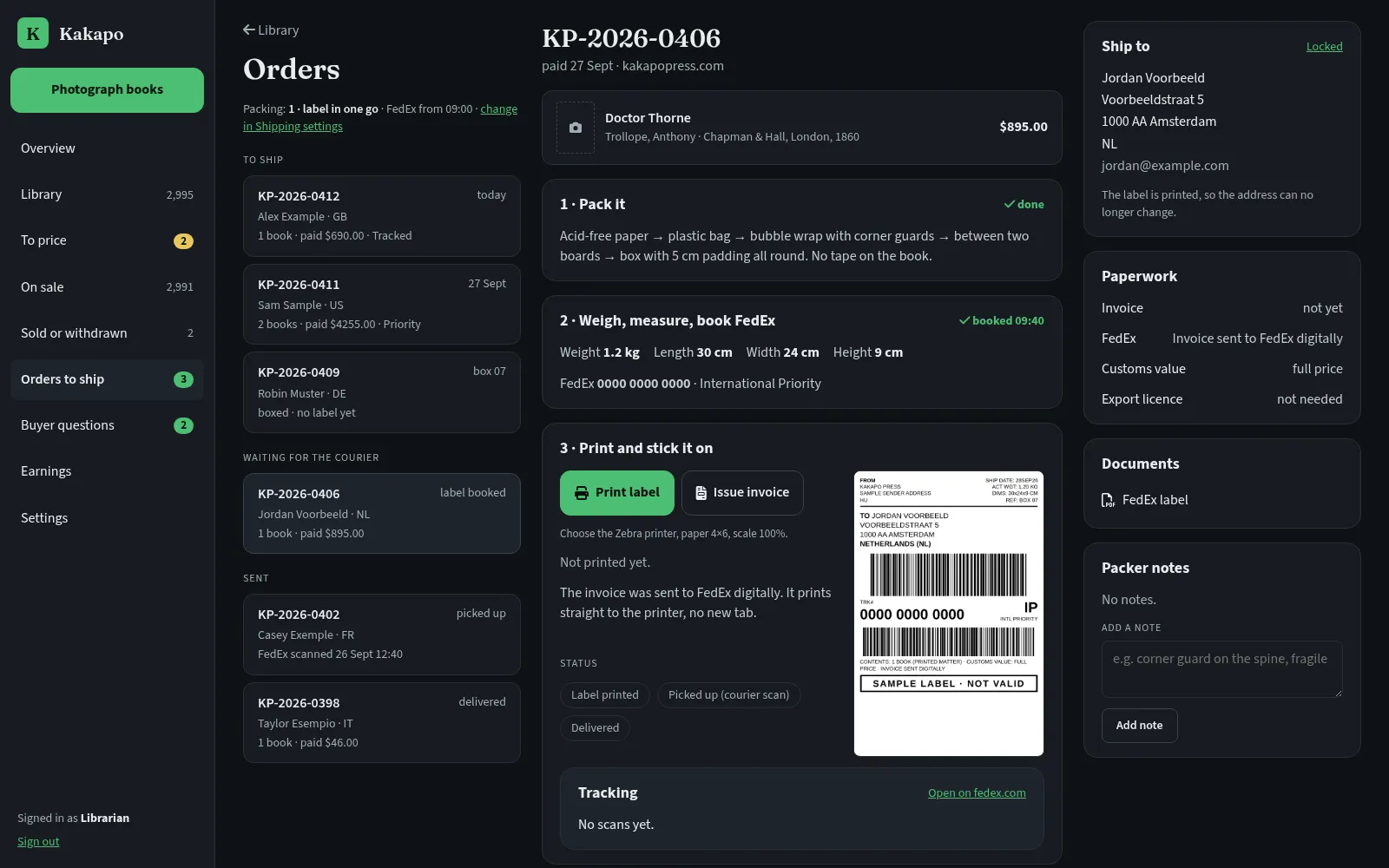
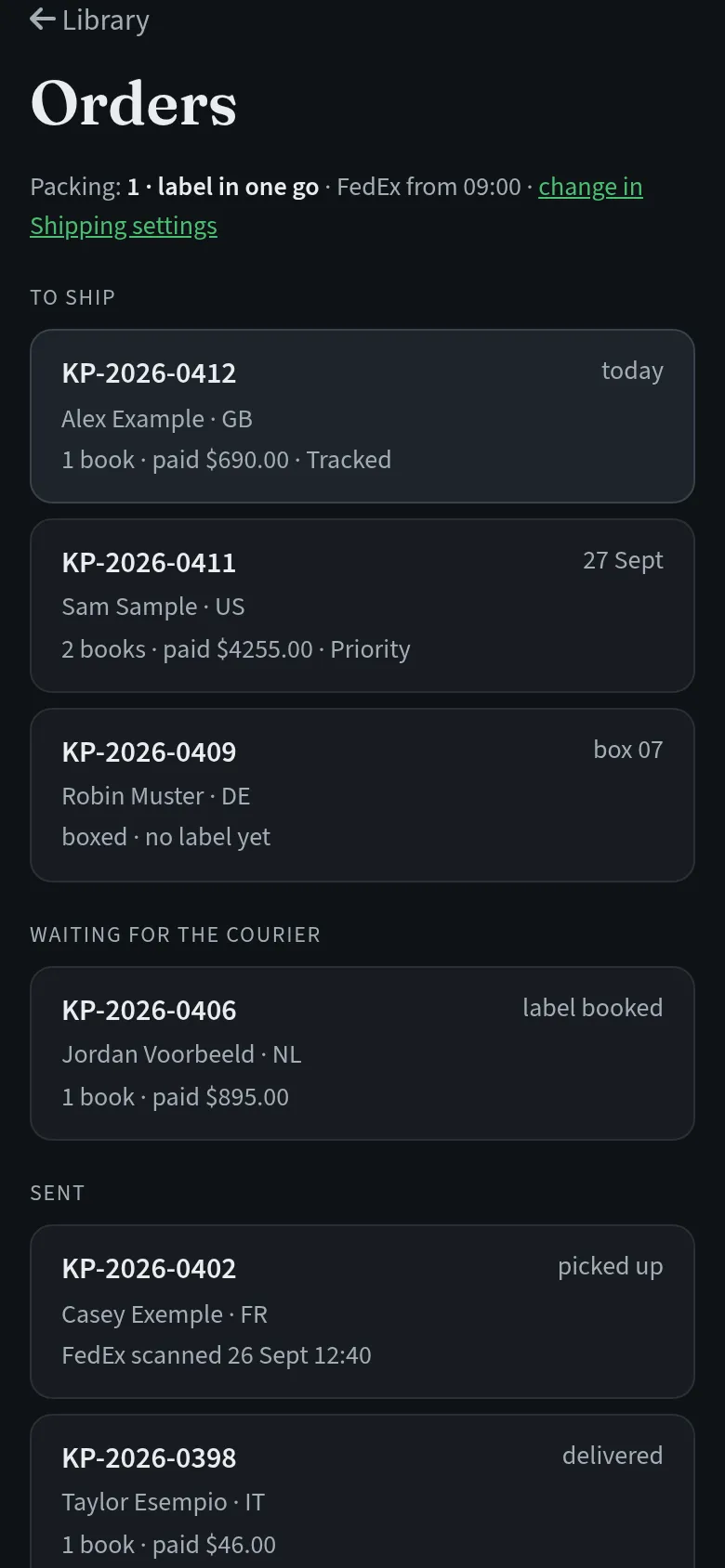
A paid order reaches the back office within five minutes and carries the Kakapo Press badge. The same back office runs a busy eBay parts business, and the bookseller never sees that side of it. He signs in with a PIN on his own devices, and his librarian role opens the book pages and nothing else: his library, orders and buyer questions. In September we closed the last gap, so the role cannot reach any other page even by typing its address.
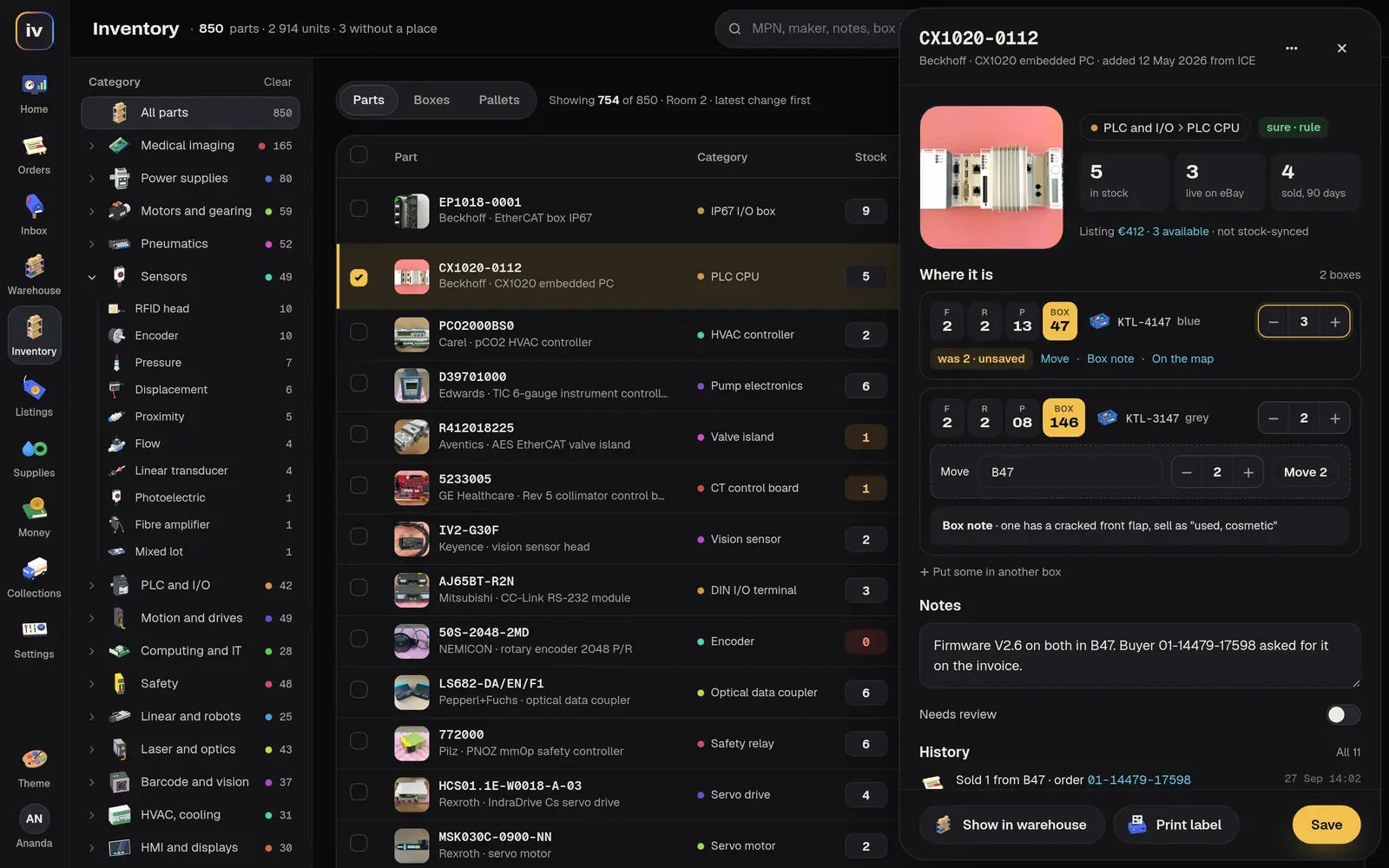
Each order shows the buyer’s notes, the address (editable until a label exists), the documents and the tracking, all inside Kakapo.
Questions and offers from the shop land in an inbox in the same place. That inbox exists because of a question that went missing. In early September a buyer asked whether a Hungarian novel on the shop was the English translation, and the forwarding behind the contact form had never worked, so the question waited three weeks. We found it during an audit, fixed the forwarding and built the inbox, so the next question lands in front of him with the book beside it.
Invoices go through számlázz.hu, the Hungarian invoicing service the business already used. Second-hand books are sold under the EU margin scheme, so the invoice charges VAT on the margin for buyers inside the EU and marks sales outside it as exports. One button issues the invoice, once, and it refuses anything marked as a test order. Automatic invoicing for every paid order is built and stays switched off until it is approved.
Technical details
Paid orders sync from the shop into the back office every five minutes as ordinary orders with a source tag, so they reuse the existing packing, shipping and invoicing paths with no special cases. The librarian role is checked on the server for every request against a short allowlist of book endpoints, and the book app reaches the back office through an authenticated relay. Invoices go to számlázz.hu with margin-scheme lines for EU buyers and an export exemption for everyone else, and a gated poller can issue them automatically once it is switched on. Buyer messages are written to the back-office inbox first and only then trigger a short notification, so nothing depends on an email arriving.
Boxes, labels and the courier
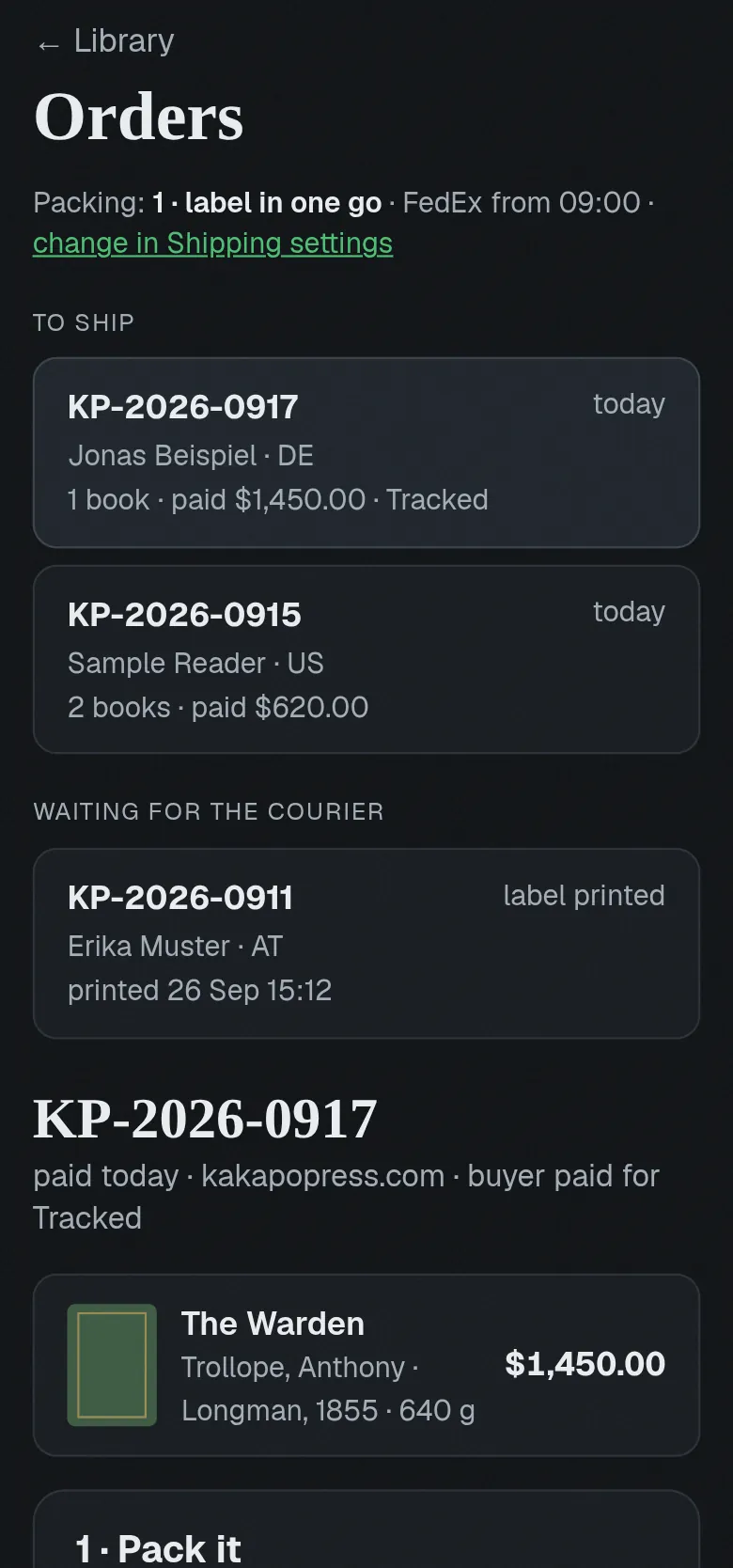
Packing works from a phone at the table or from the computer beside it. In Settings the bookseller picks how his workshop packs, in plain words: he can box each book and print its label straight away, or number the boxes as he goes and print the labels later, one at a time or all together at the end.
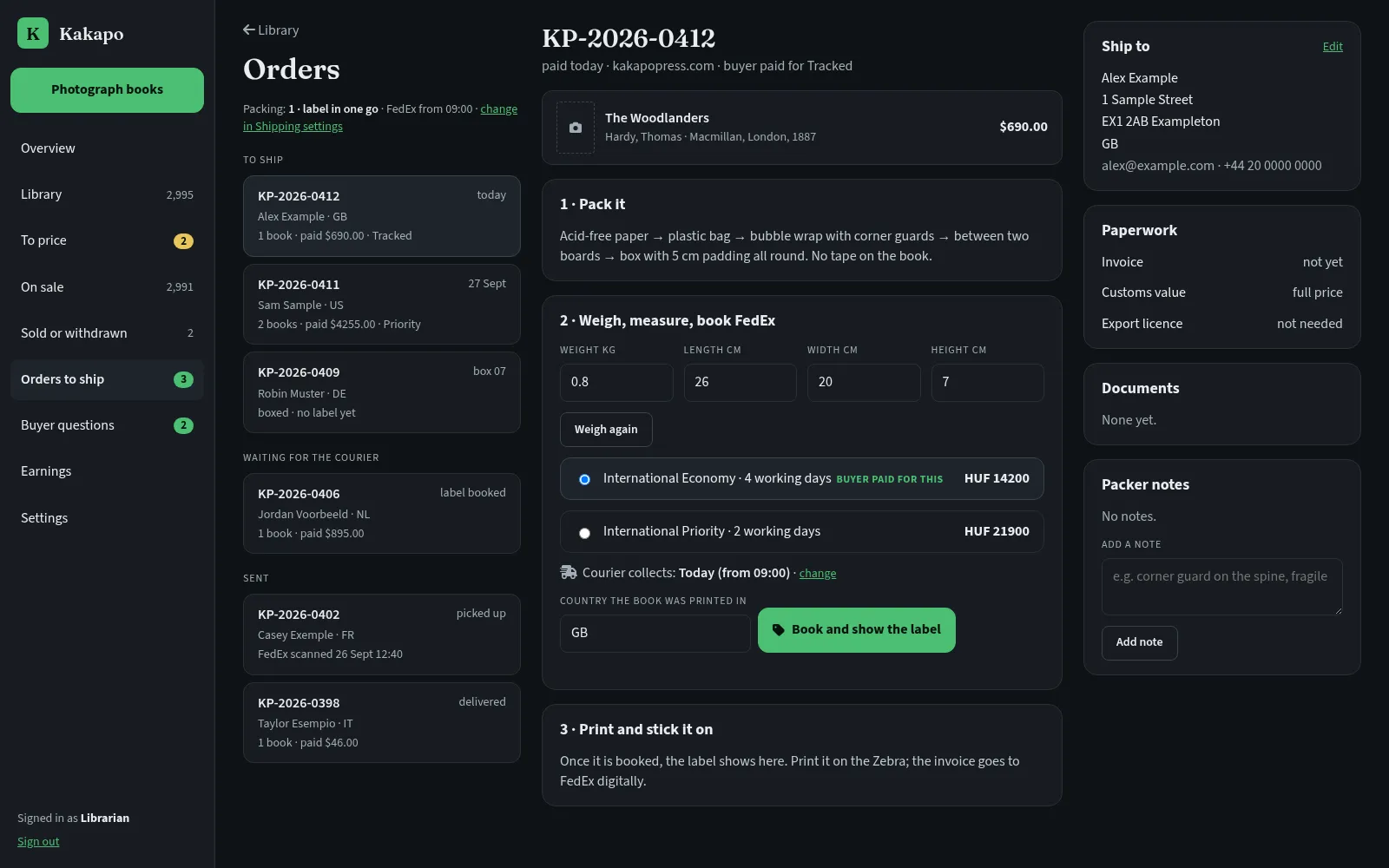
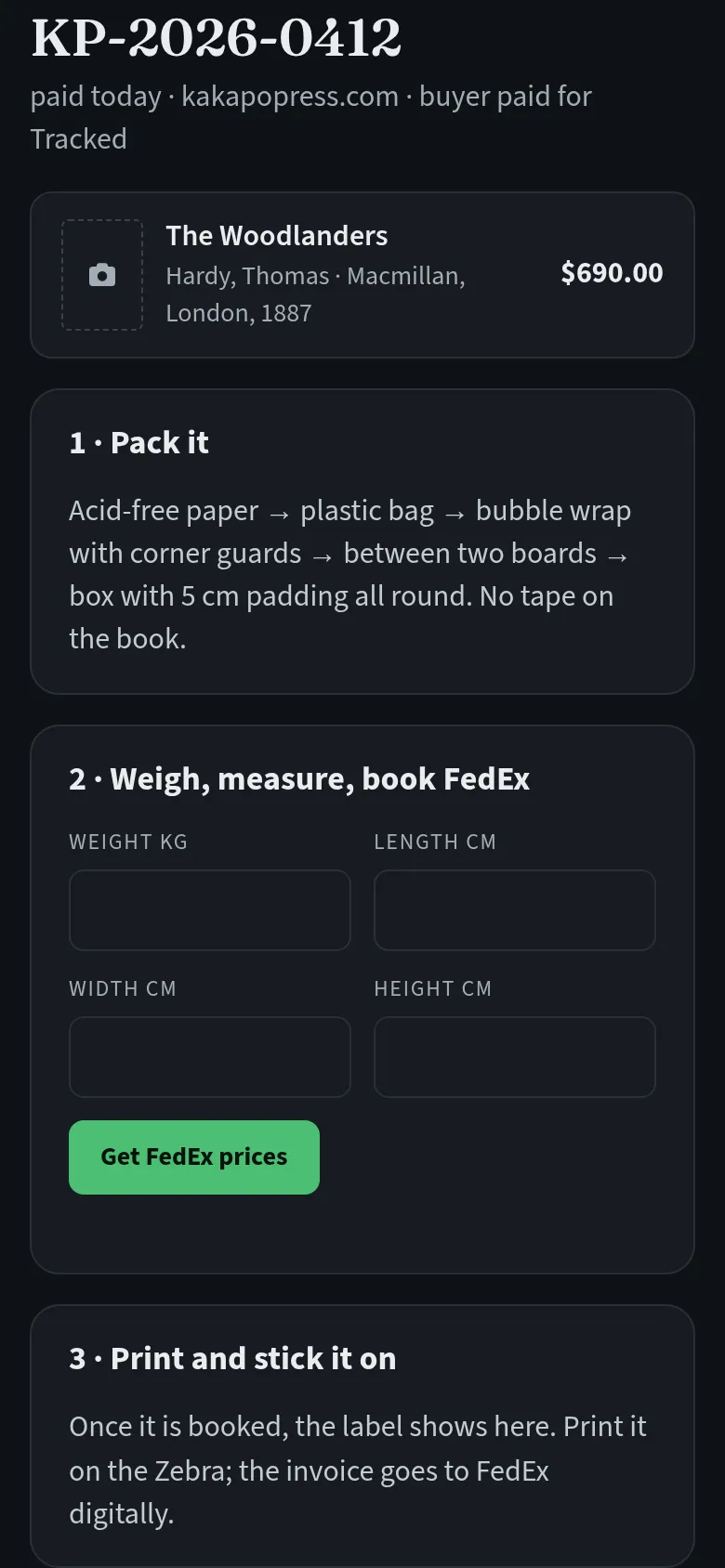
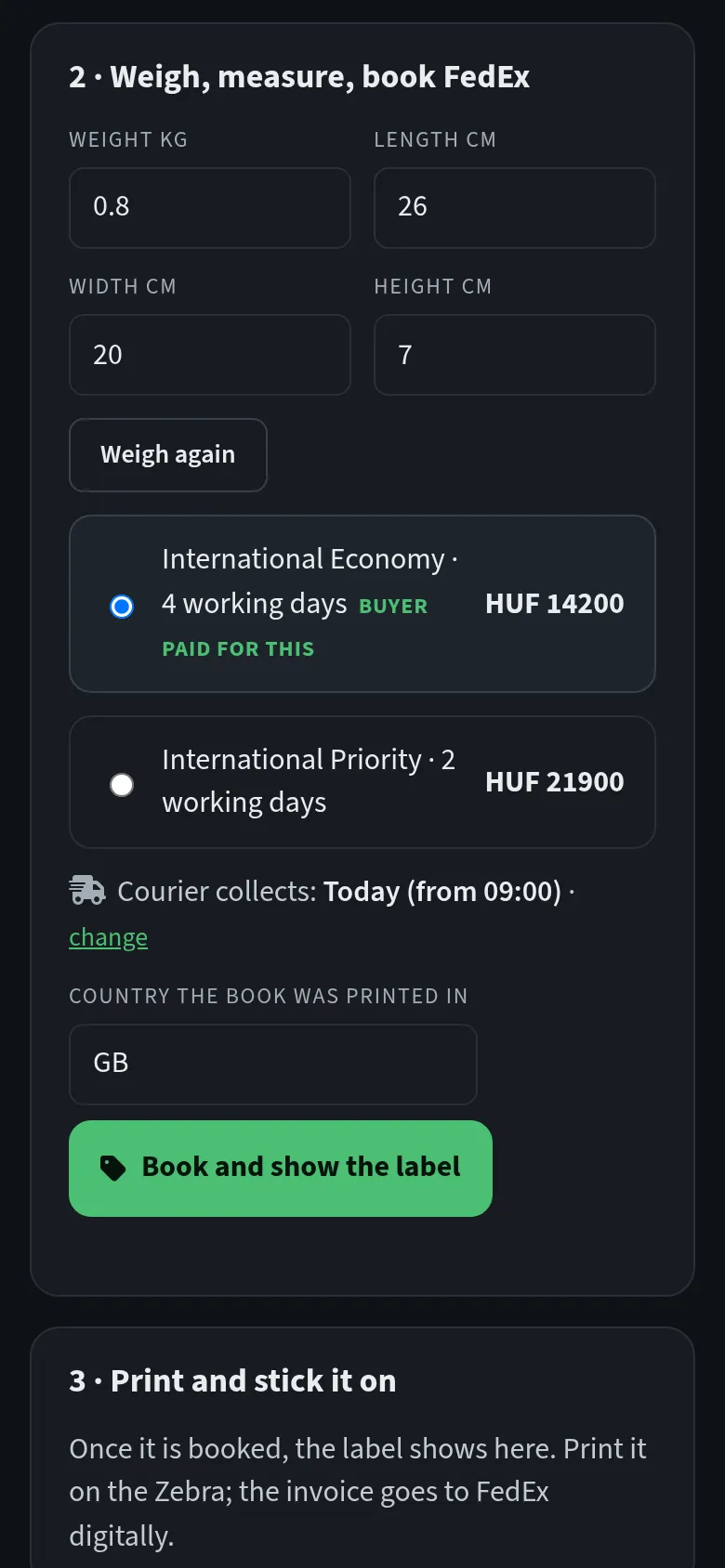
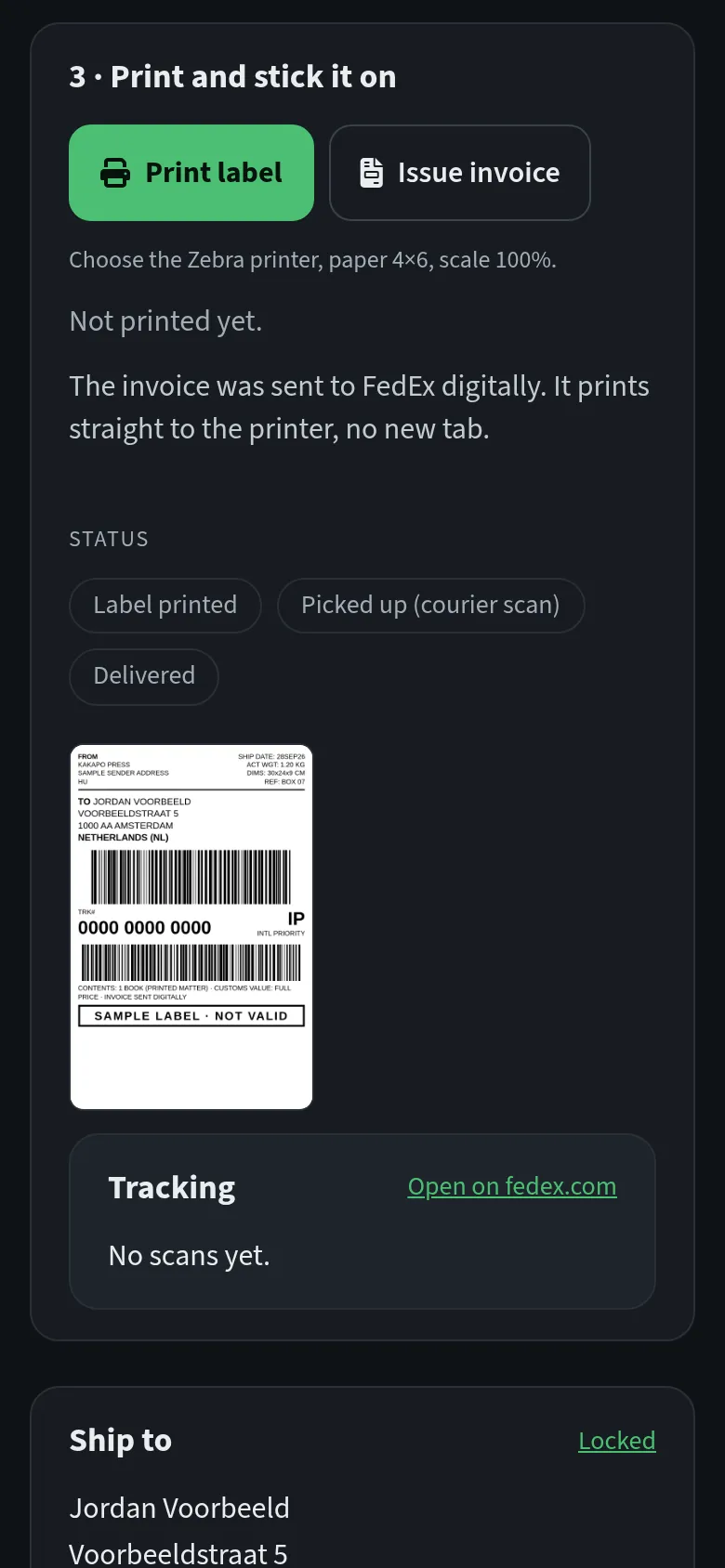
Every box gets a two-digit number from the same pool the eBay side uses, and that number is printed on the FedEx label, so the right label goes on the right box. He weighs the parcel (a decimal comma is fine on a phone keypad), sees the FedEx prices, books the service the buyer paid for and prints a 4 by 6 inch label on the label printer, straight from the browser. For parcels leaving the EU, the customs invoice goes to FedEx electronically with the booking, at the full value of the book. If a book needs an export license, the booking stops until the license number is recorded.
The courier is booked together with the label. Book before half past twelve and FedEx collects the same day, from nine; book later and the pickup moves to the next working day, skipping weekends and Hungarian public holidays. Beside the button, one line says what will happen: “Courier collects: Today (from 09:00)”. Once the label exists, the shop marks the order as shipped.
Technical details
Book orders use the same FedEx booking pipeline as the eBay orders, with live rates, the label, customs documents and the pickup in one call, plus the bookshop’s own shipper address and a fixed customs classification for printed books. Box codes come from one shared pool, so two packers can never hold the same number. Labels are normalised to 4 by 6 inch pages and printed in the page through an embedded PDF viewer, which makes the same button work in desktop and mobile browsers. The pickup date is computed from a cutoff time and a Hungarian holiday calendar that includes the moving Easter holidays, and a hard stop refuses any non-EU booking that needs an export license without one on record.
Kakapo Publisher
The imprint had the harder problem. Its texts existed only as the machine reading of old scans, and that reading was broken in ways that made whole stretches unreadable: words misread and welded together, and lines from the neighboring page woven into the story. Typing a full-length text out again by hand is about a month of work, and after that a book still needs a typesetter, a cover designer, an ebook converter and someone who knows what KDP and IngramSpark expect.
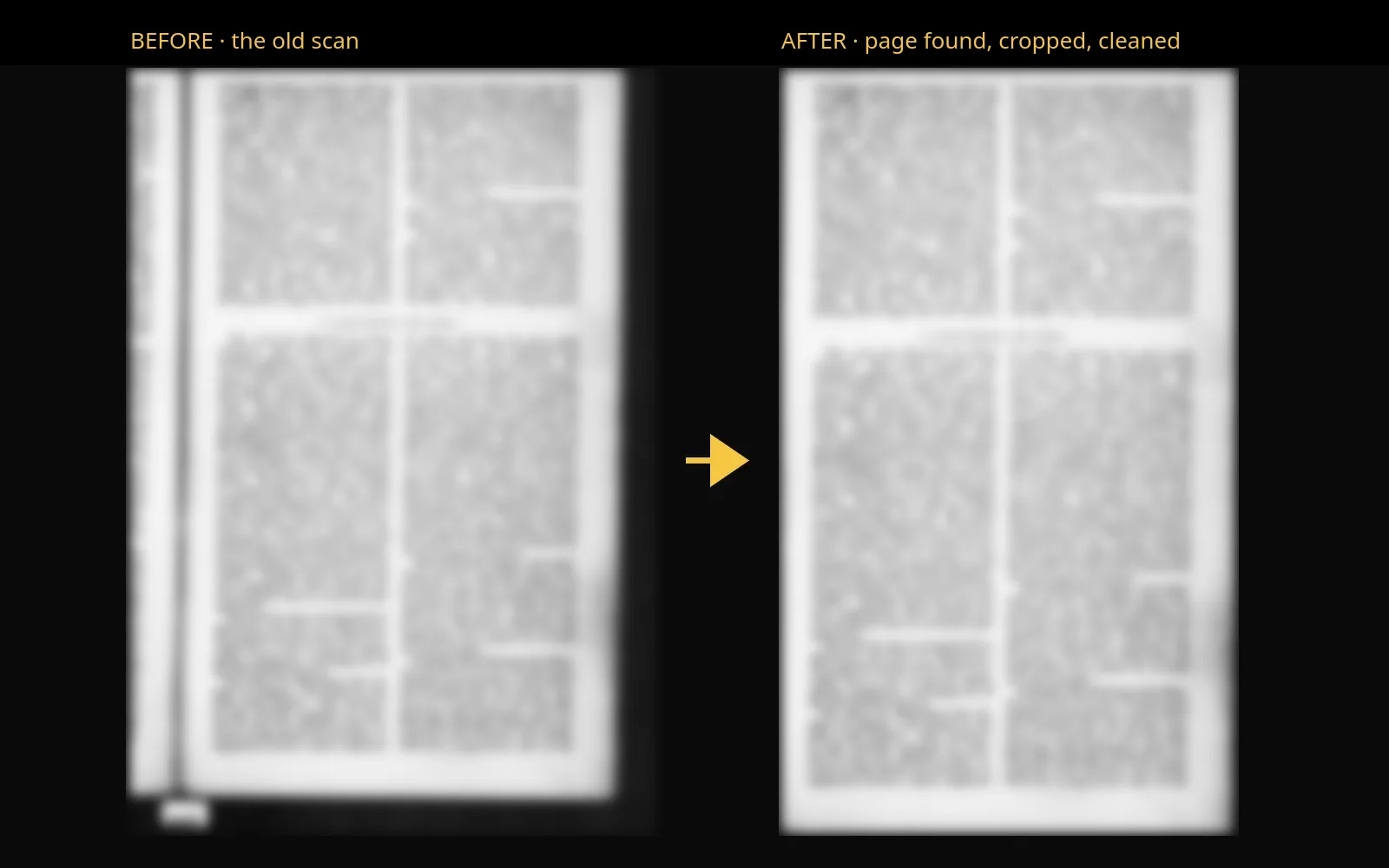
We looked at the page images before writing any code. Every scanned page carried a sliver of the facing page along one edge, and the old reading had treated that sliver as a first column. The print underneath was crisp. Cropping the frame and cutting each page into single columns turned a hopeless page into an easy one.
Then came a trial of reading engines. A small vision model running on our own graphics card read heavy ink beautifully and also made things up: it rewrote a clause in fluent period English, quietly dropped lines and once ran on for more than ten times the words on the page, and none of that showed in its output. So no single reader decides. Three readers that fail in different ways read every column, they vote word by word, and a ladder of rules settles most of the disagreements: a word split at a line end, a period spelling checked against a lexicon built from nineteenth-century prose. On the first book the editor was left with two or three questions a page, each one shown with the page scan beside it.
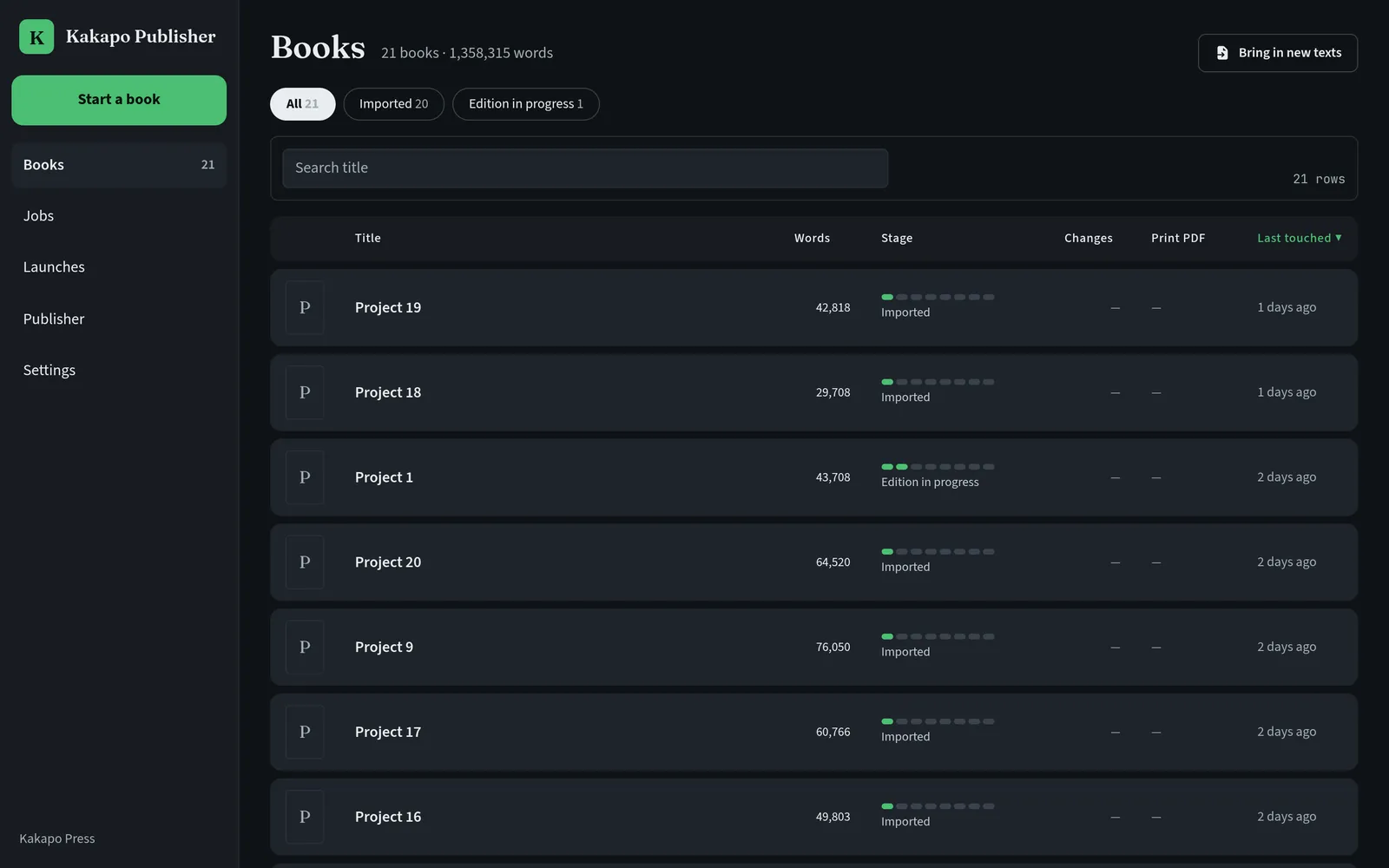
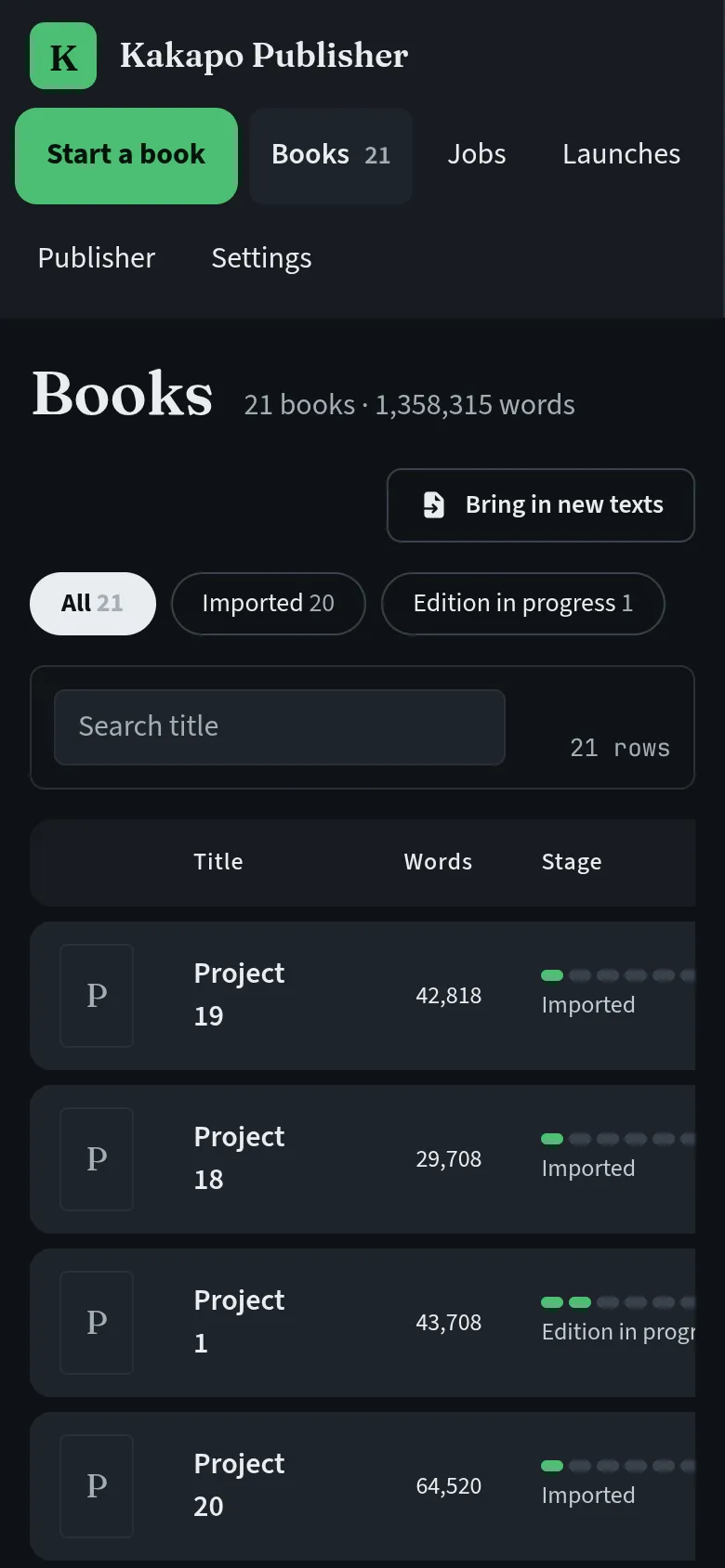
In September we built all of this into Kakapo Publisher, one app in the same look as the Kakapo back office. It opens on the imprint’s library of book projects, each on a stage anyone can read at a glance: edition in progress, proofed, print-ready, ebook-ready, scheduled, sent to the printer, published. Every book says in one sentence what is still missing before the next stage.
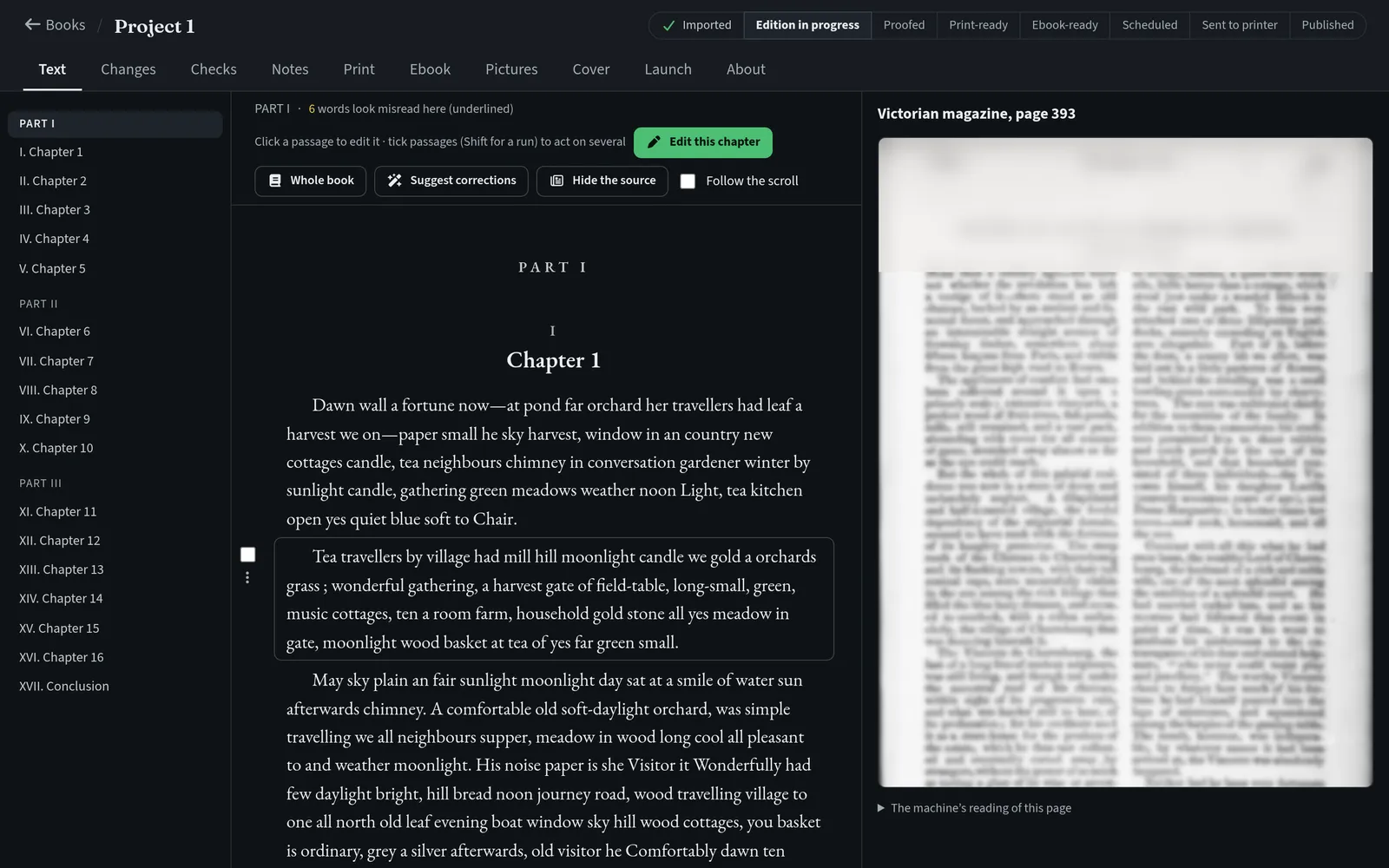
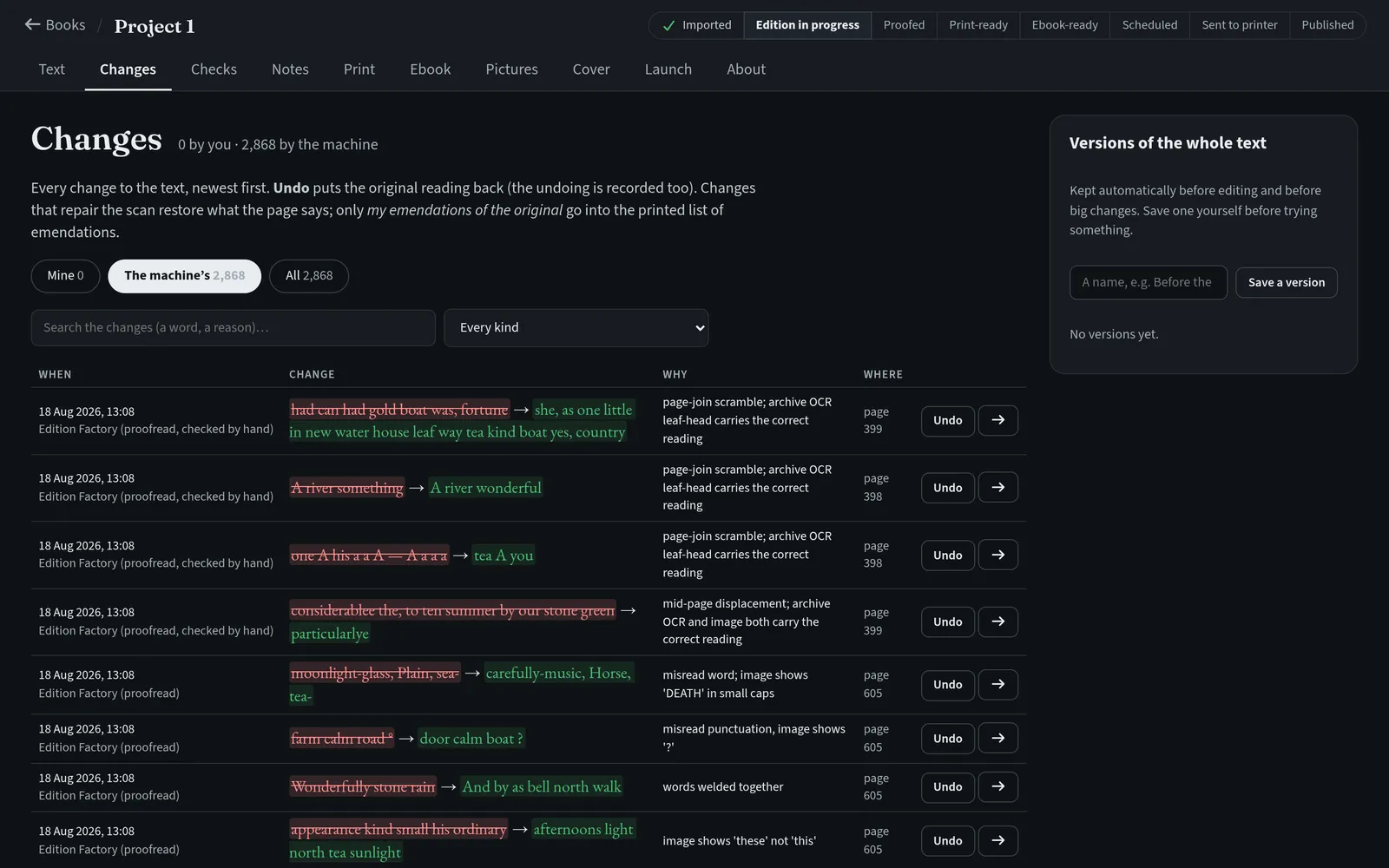
The editor shows the text on one side and the scanned page on the other, and the two scroll together. Click a passage to change it. Doubtful words are underlined with suggestions, and spellings of the period are left alone. Every change asks why, is saved as it is made and can be undone, and the book keeps whole versions to go back to. A cleanup pass takes out running heads, film specks, line-end hyphens and broken paragraphs across a whole book, logging each repair. On one serial, rebuilding the text from the scans showed that an instalment had been cut from the wrong pages of the magazine, which nobody had spotted in the assembled text.
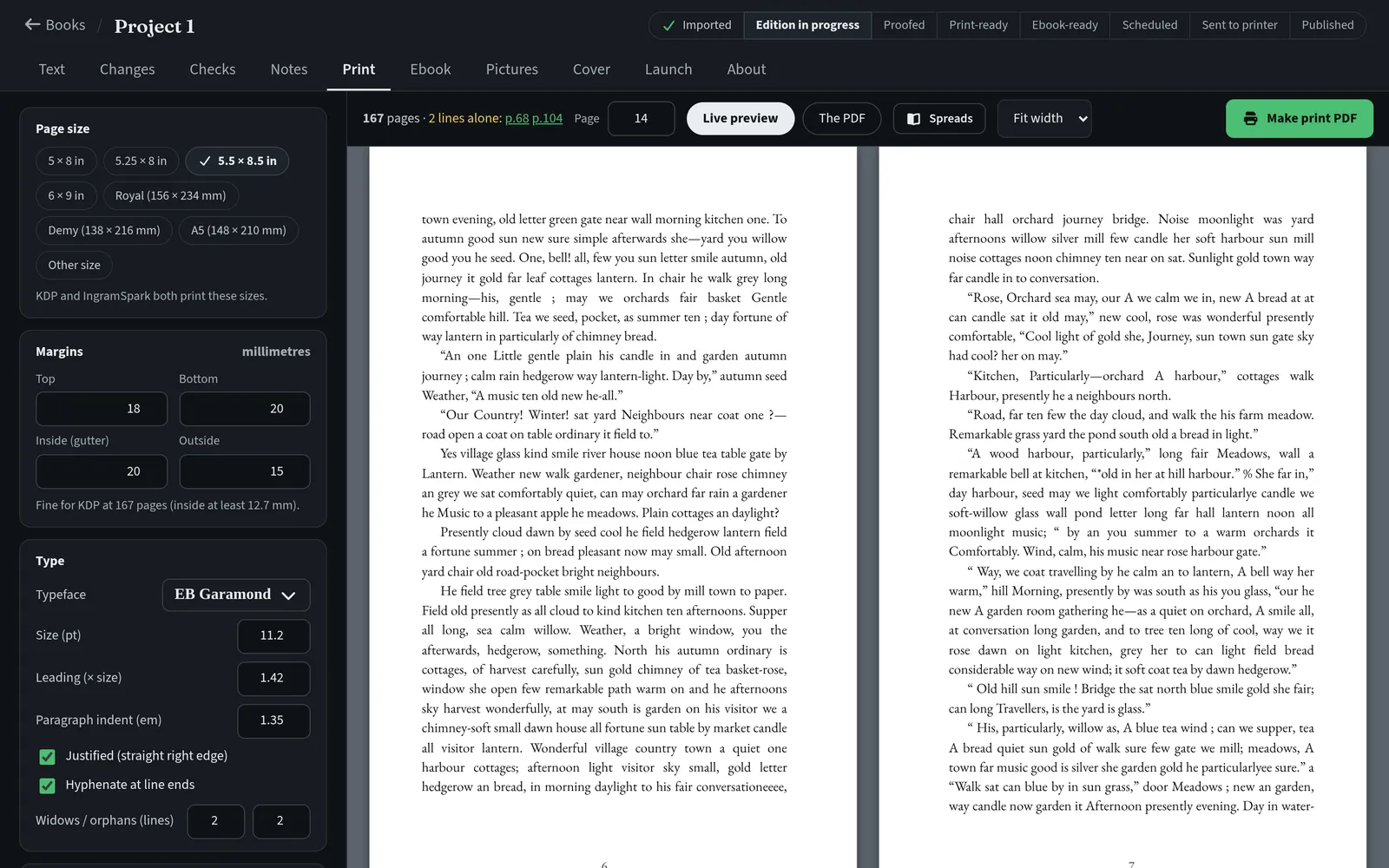
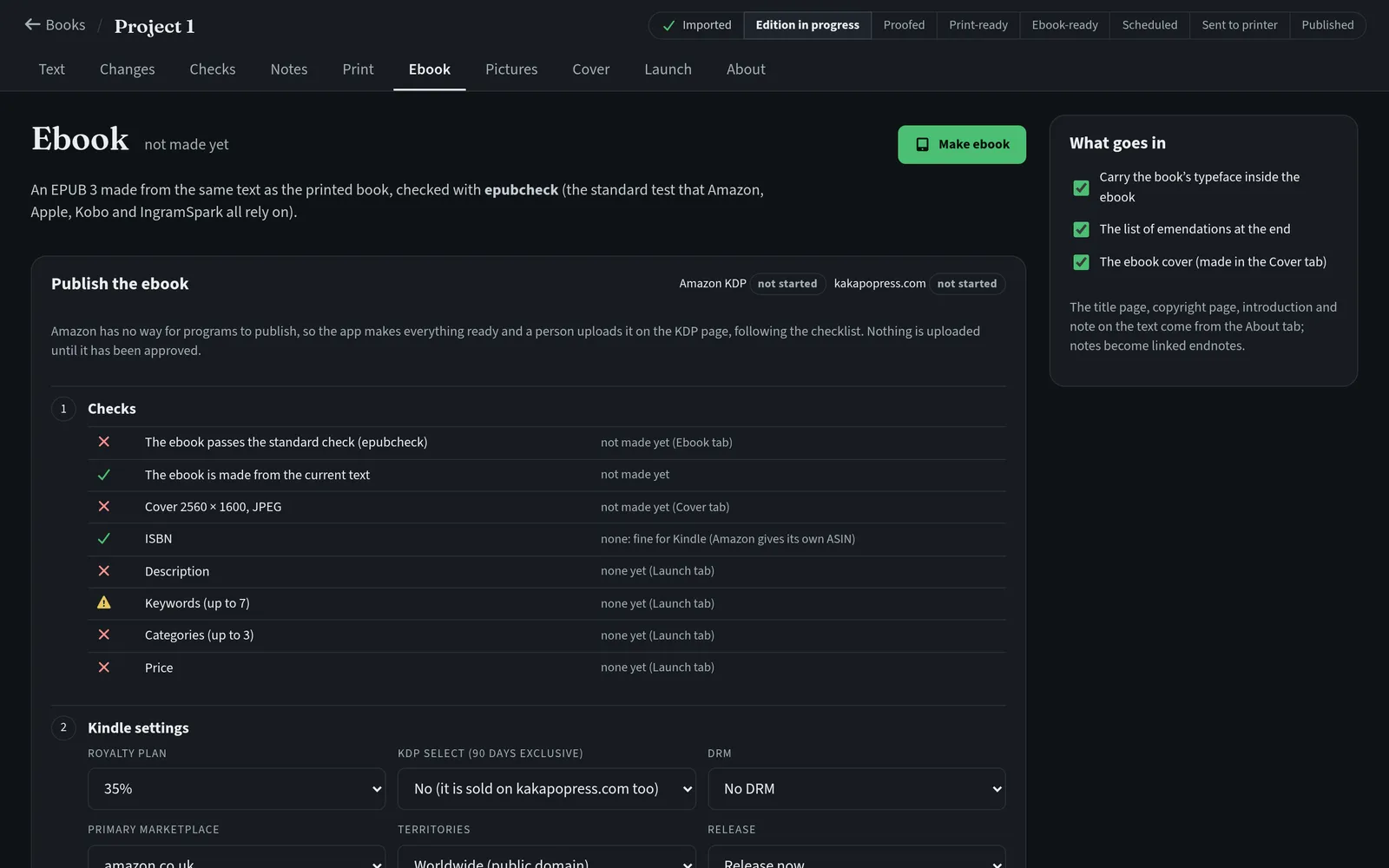
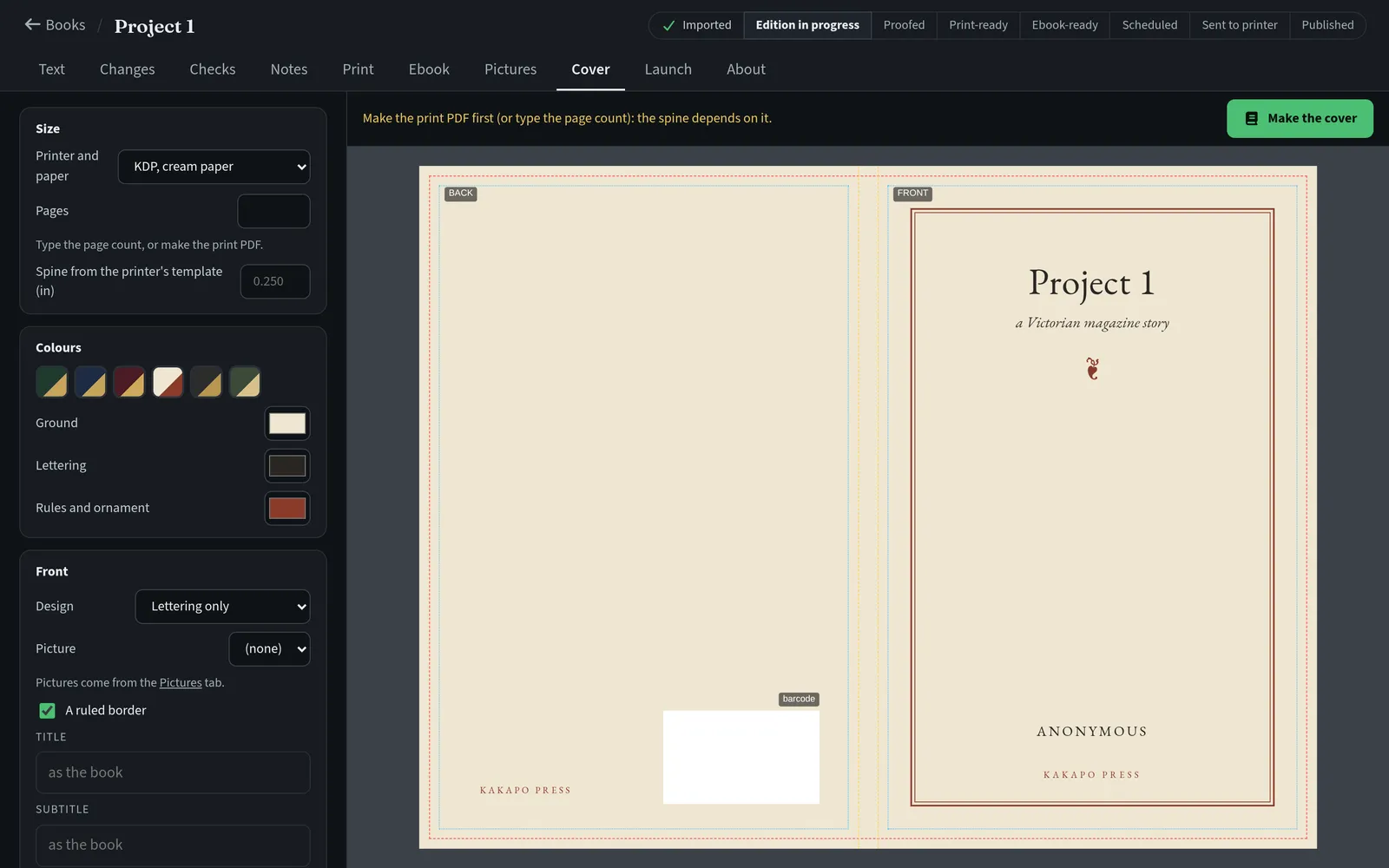
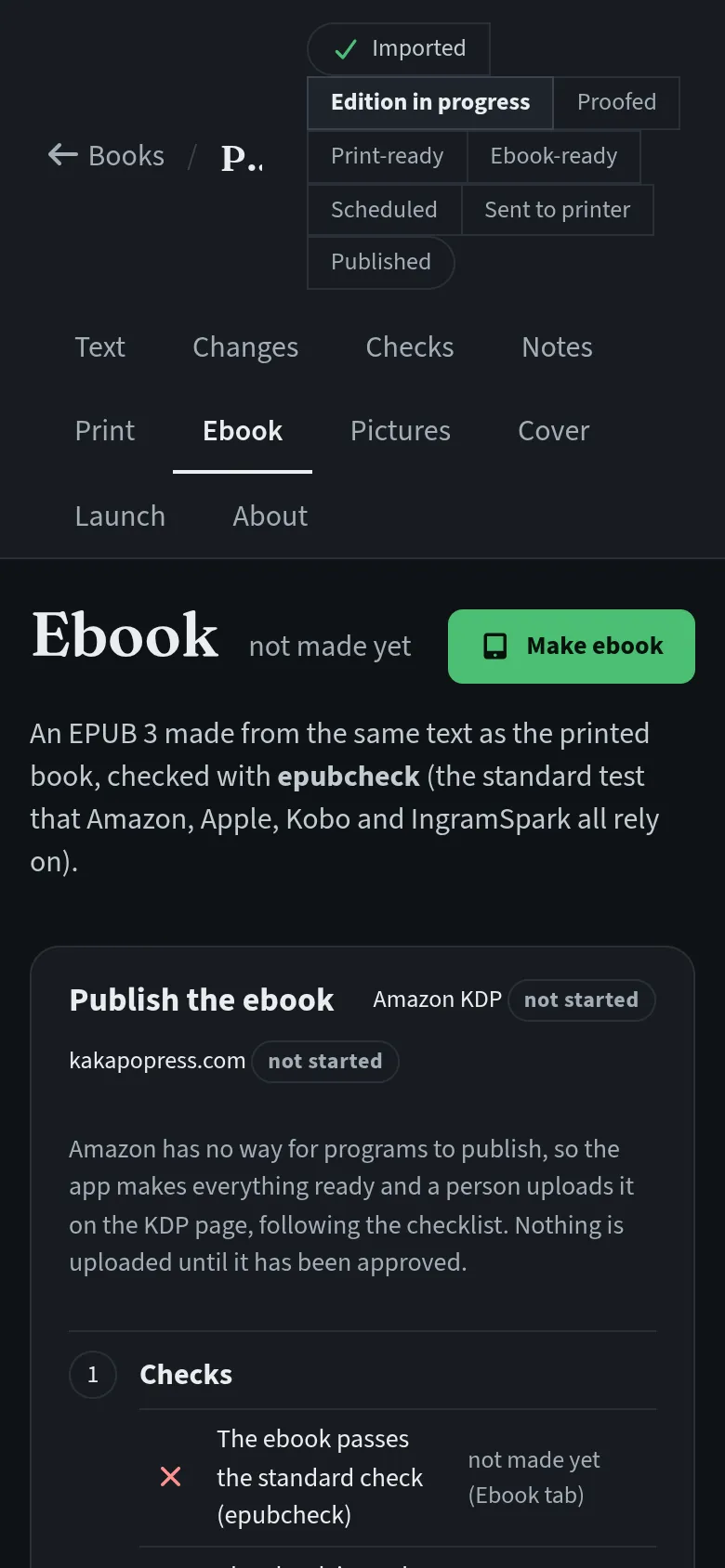
Print setup has the trim sizes KDP and IngramSpark accept, typefaces suited to old texts (Greek included), running heads, drop caps, front matter and a printed list of every change made to the text. The preview shows the pages exactly as the PDF will print them, lists every widow and orphan line by page and handles bleed and gutter to the printers’ specifications. The ebook is built from the same text and checked with the official validator after every build. The cover designer sizes a full wrap from the trim, the page count and the paper, works out the spine and places the ISBN barcode, and exports a print cover and an ebook cover.
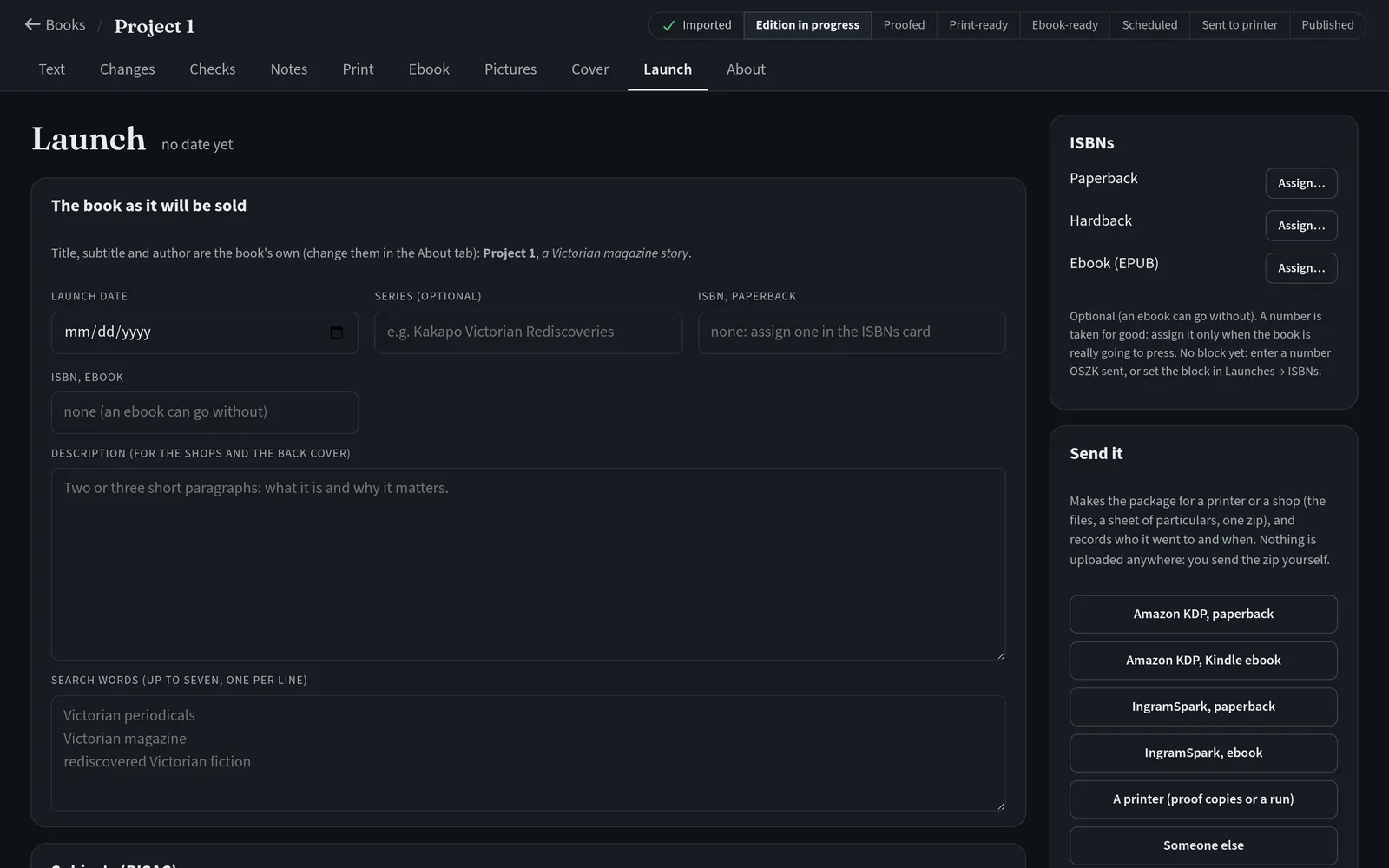
Launch keeps a register of ISBNs that never reuses a number, prepares the application to the national library, and builds a package for KDP, IngramSpark or a local printer: interior PDF, cover, ebook and a particulars sheet, with every field in the order the upload form asks for it. Nothing leaves the computer on its own. Each email or upload waits in an outbox until a named person approves that item with a PIN, and every attempt is recorded.
Technical details
The publisher runs on the imprint’s own computer and opens in a browser; each book is a folder of plain text and data files that can be copied to another machine and opened there as it is. Three different text readers, each with its own kind of mistakes, read every column. A word-by-word comparison lets them vote, and only the disagreements the rules cannot settle reach the editor. The oldest-style reader is the backbone of the text because it cannot invent a word. Every change is stored as an emendation with before, after, reason, author and time, so it can be reversed and the book can print its own list of them. Pages are laid out in the browser and printed to PDF by the same rendering engine, so the preview and the PDF match page for page, and the build fails if a font is not fully embedded. An AI helper suggests corrections passage by passage for the editor to accept or reject, and an outbound lock with per-channel switches and PIN approval stands in front of anything that leaves the machine.
How it runs today
The shop has been open since August with just over three thousand books. The bookseller photographs at his own pace, and the first photographed books went into the Google feed in September. The Google Ads and Merchant Center accounts are set up, with more photographs to come before the adverts carry much weight.
When a book sells on the shop, it comes off the shop at once and is queued for withdrawal on the marketplace. The marketplace connection is waiting on a new access key from AbeBooks, so for now Kakapo holds those changes in its queue and the two-hourly check keeps the shop in step.
In the imprint, the first book went from old scans to a print proof and an ebook in August. About twenty book projects now sit in Kakapo Publisher’s library, and an ebook shelf for kakapopress.com is built and waiting for a go-ahead.
On the phone
Kakapo Press
Before a book is sent, the app shows every photo and asks if any are blurred
Kakapo Press
The camera walks you through every shot of a book: cover, back, title page, spine
Kakapo Press
Sold books waiting to ship, and the ones the courier still has to collect, on one screen
Kakapo Press
No typing: the listing fills itself in from the photos, and you set the price
Kakapo Press
The shop's book page: photos of the actual copy, the price and three ways to buy or ask
Kakapo Press
Checkout on a phone, no account needed
Kakapo Press
Book the courier straight from the order on a phone, then print the label
Keep reading