AI eBay listings from a photo of the nameplate
Staff photograph a used industrial part on a phone. ICE reads the nameplate and drafts the eBay listing, and a person sets the price and books it into its box.
Pallets of parts waiting for a listing
ICE is the listing tool of our own parts business. We trade industrial automation gear, and our stock comes in by the pallet from factory sell-offs: servo amplifiers, EtherCAT terminals, RFID processors, PLC cards. Almost every part is worth something to somebody on eBay. The catch is that each one has to be listed before anyone can buy it, and one pallet can hold many different parts.
Our orders, shipping and invoicing run on Invent, which we also built. ICE is the step before that: getting a part from a pallet onto eBay and onto a shelf.
Squinting at nameplates
Listing a used industrial part starts with its nameplate, the small metal or printed plate with the manufacturer, the model and a long part number on it. On surplus stock those plates are often small and grimy, and the part number can run to thirty characters. One wrong character and the buyer searching for that exact number never finds the listing.
After reading the plate, someone had to pick the right eBay category, fill in the fields eBay insists on for that category, write a description, upload the photos and set a price. If a required field was missing, eBay rejected the listing with an error message that did not say much. Then the same part had to be entered a second time in the warehouse system, with the box it was going into, so it could be found when it sold.
The phone does the reading
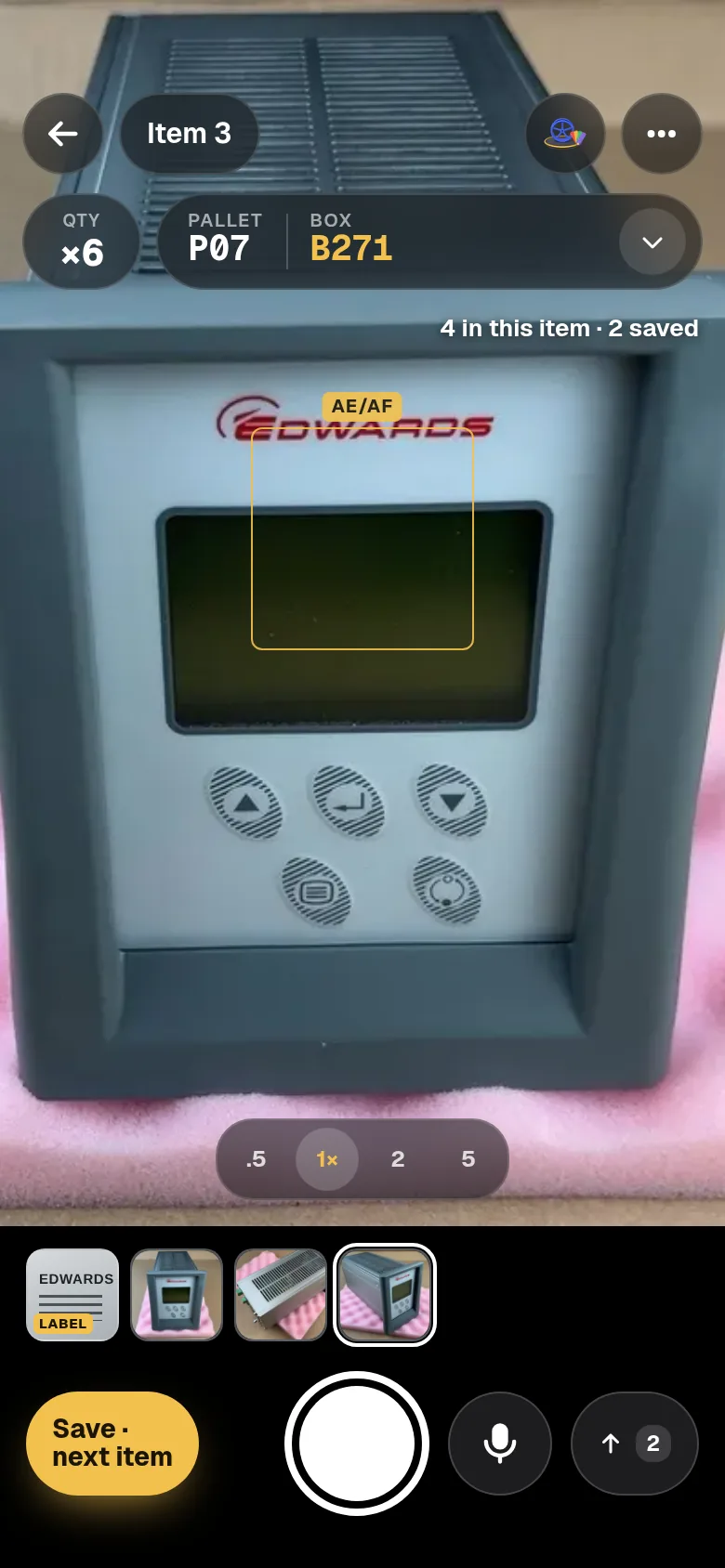
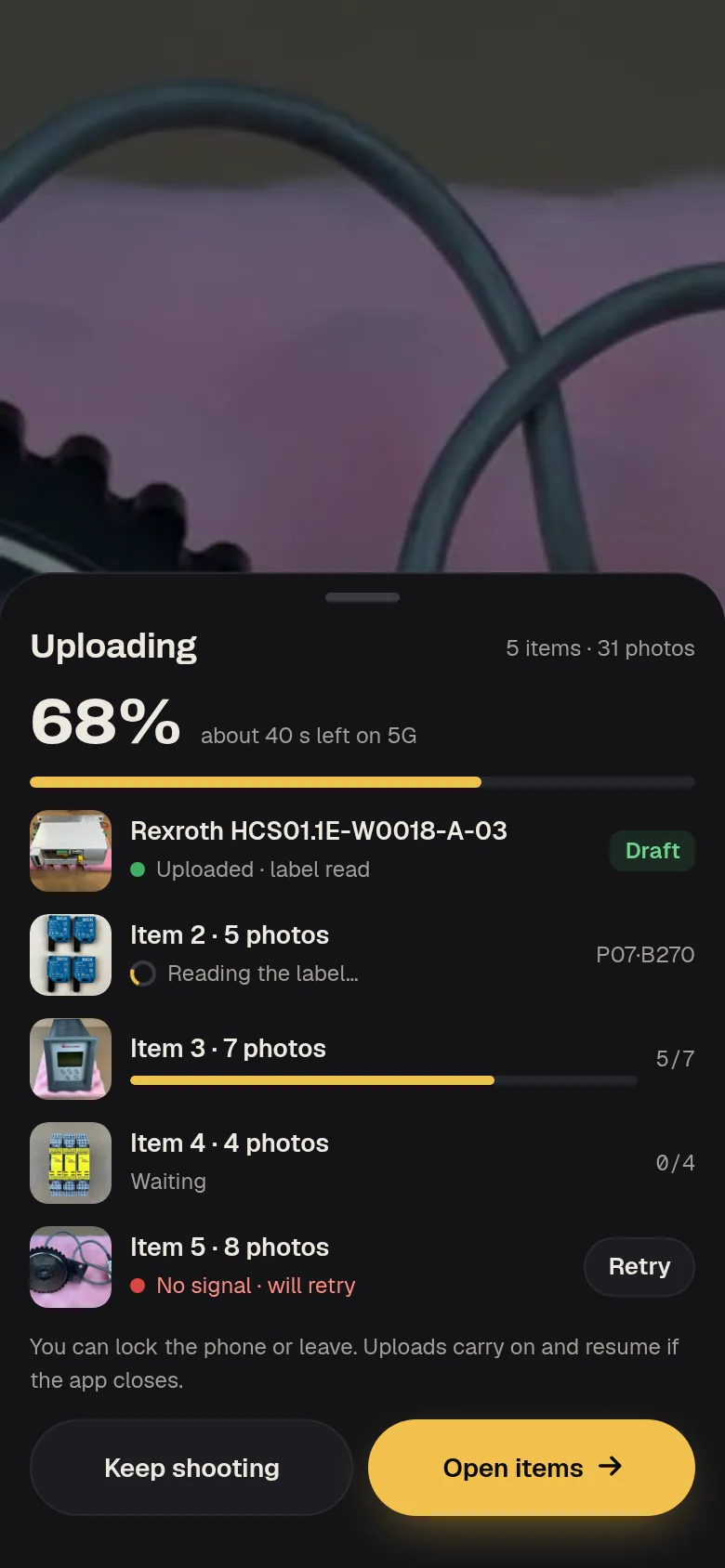
ICE is a web app built for the phone in your hand on the warehouse floor. The camera page stays open between shots, with zoom and a lens switch, and a small location button to say which pallet and box the part is going into. If the signal drops, the photos wait on the phone until they can upload. For bigger batches there is also a desktop upload where photos can be dragged into folders, and a tool that splits a long run of photos into items by the time they were taken.
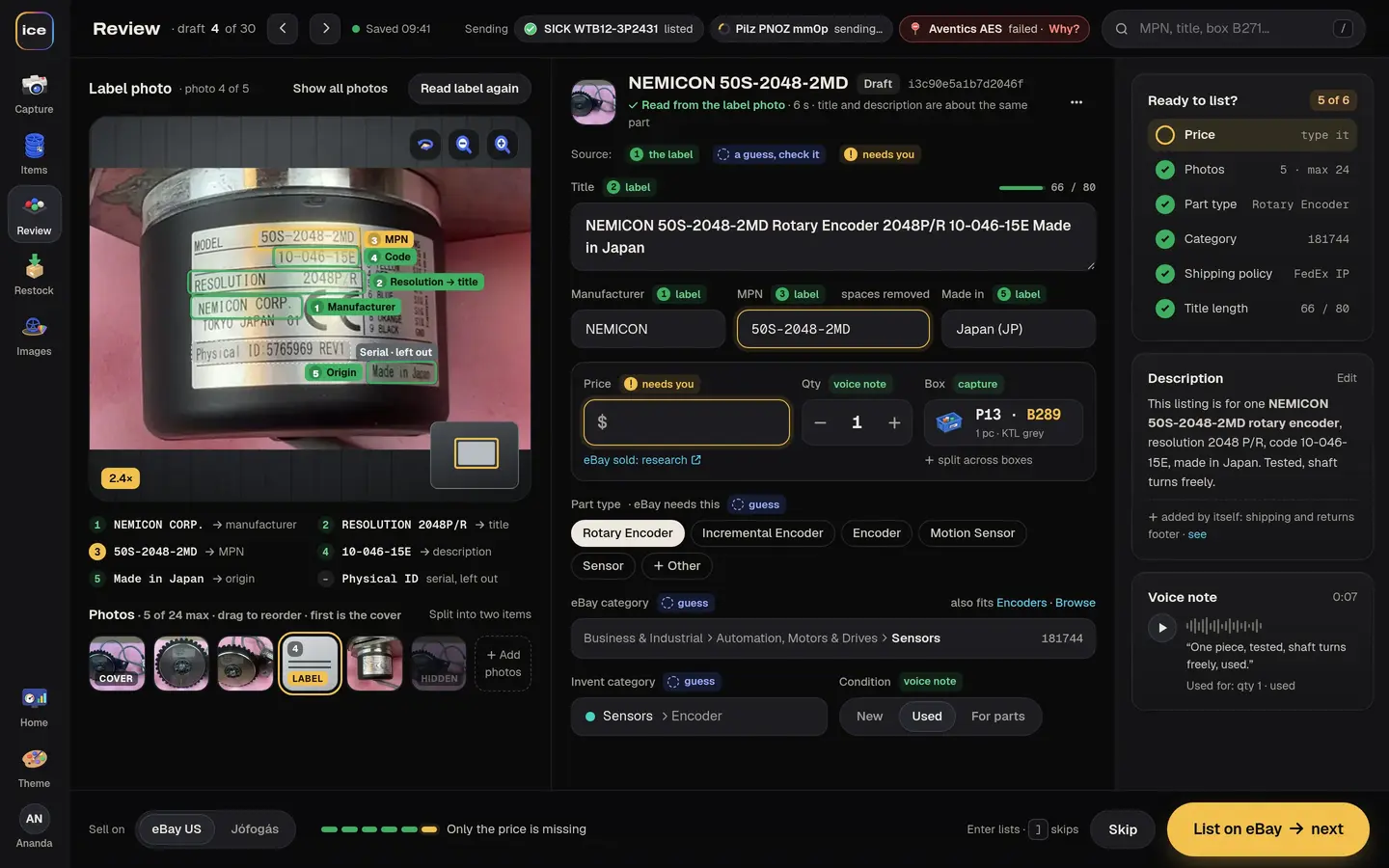
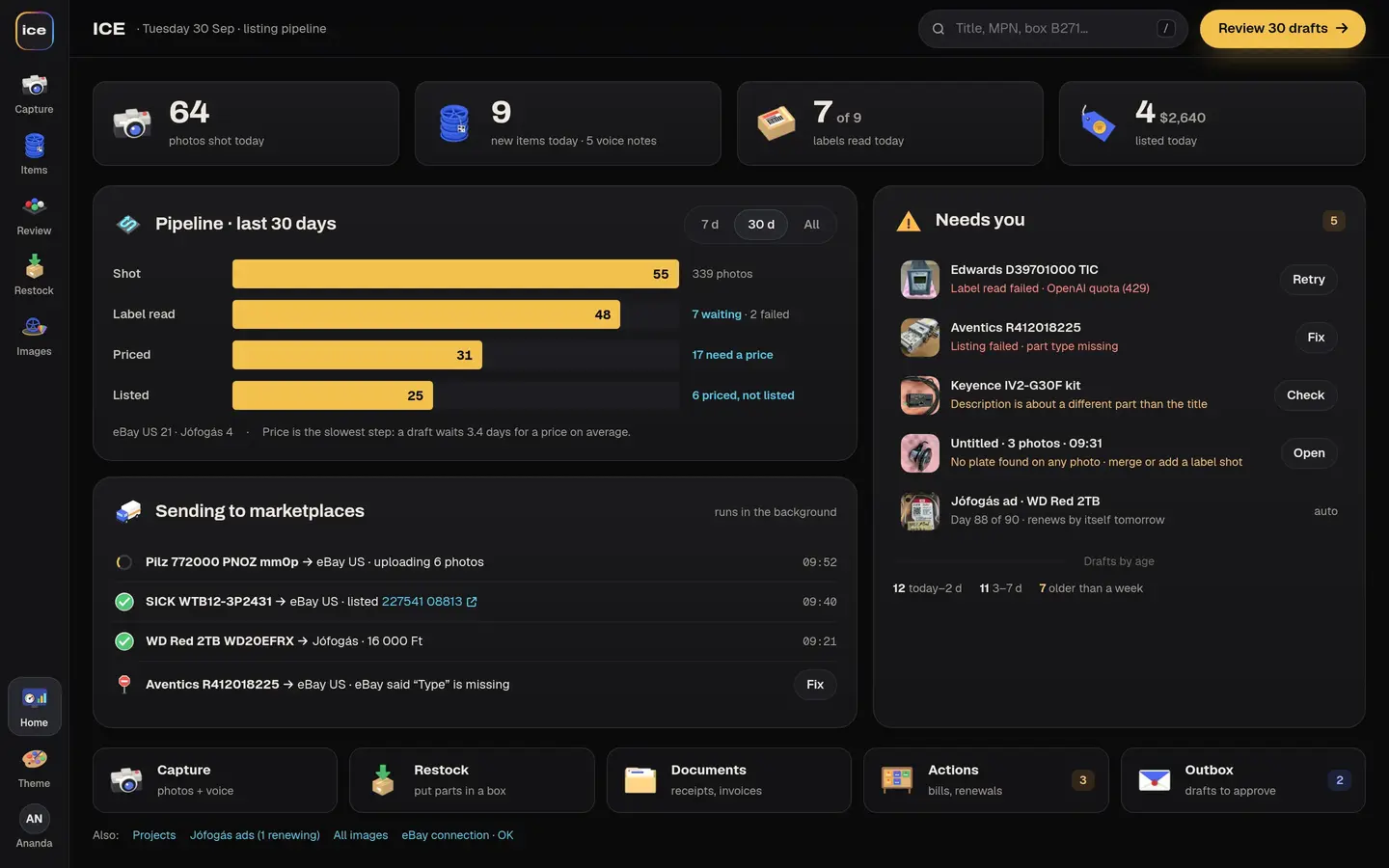
Once the photos are in, ICE picks out the ones that show the nameplate and reads them. It fills in the manufacturer, the part number and the part type, writes a title short enough for eBay, and drafts a description with a “What’s included” list and the key specifications. Serial numbers are stripped out on purpose, since they identify one specific unit and the buyer does not need them.
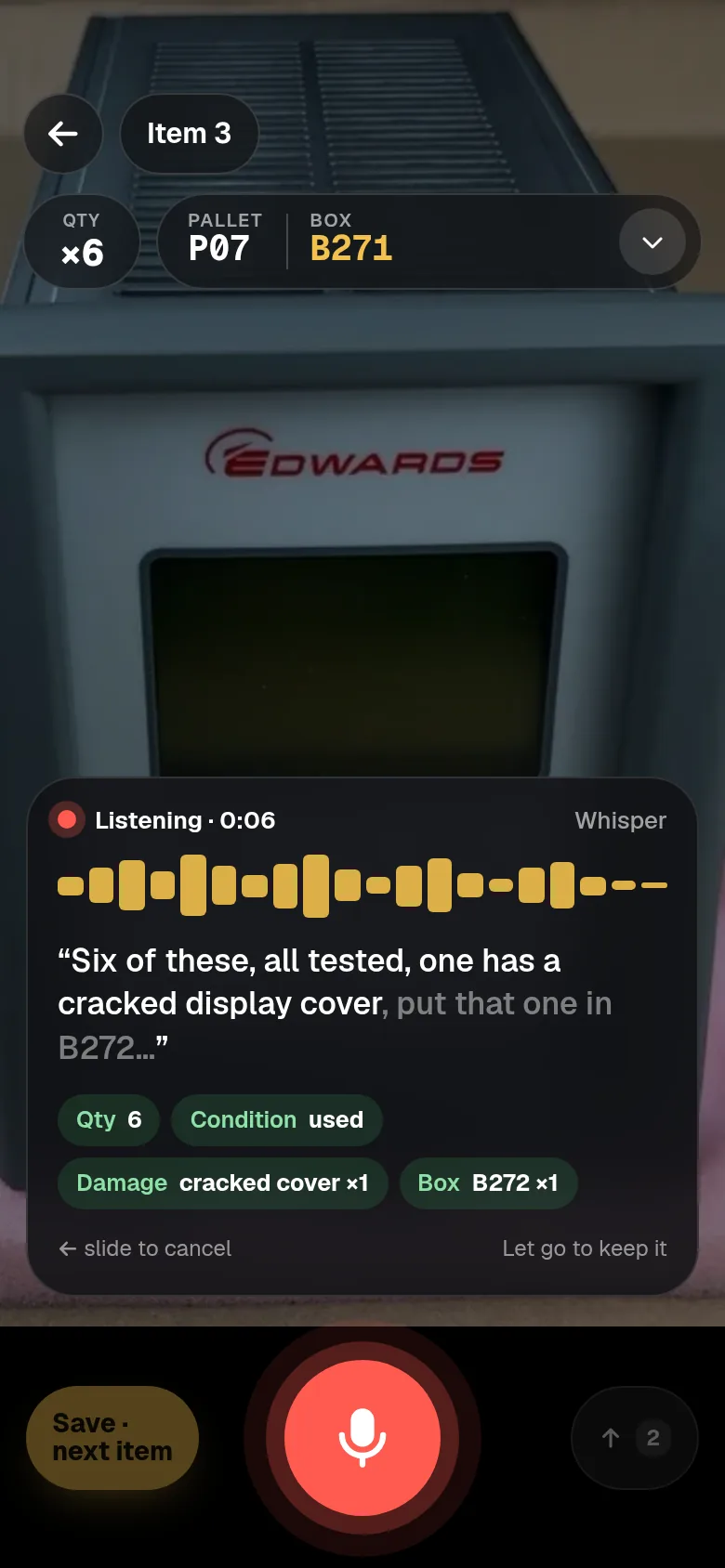
Staff can also talk. They hold the mic button and say something like “two pieces, one has a cracked housing, box 14”. The note is written out on the screen as they speak, and ICE picks up the quantity, the condition, the offer settings and the storage location from it. Nothing from the voice note is saved until the person looking at the screen confirms it. This is how our own team describes parts on the bench today.
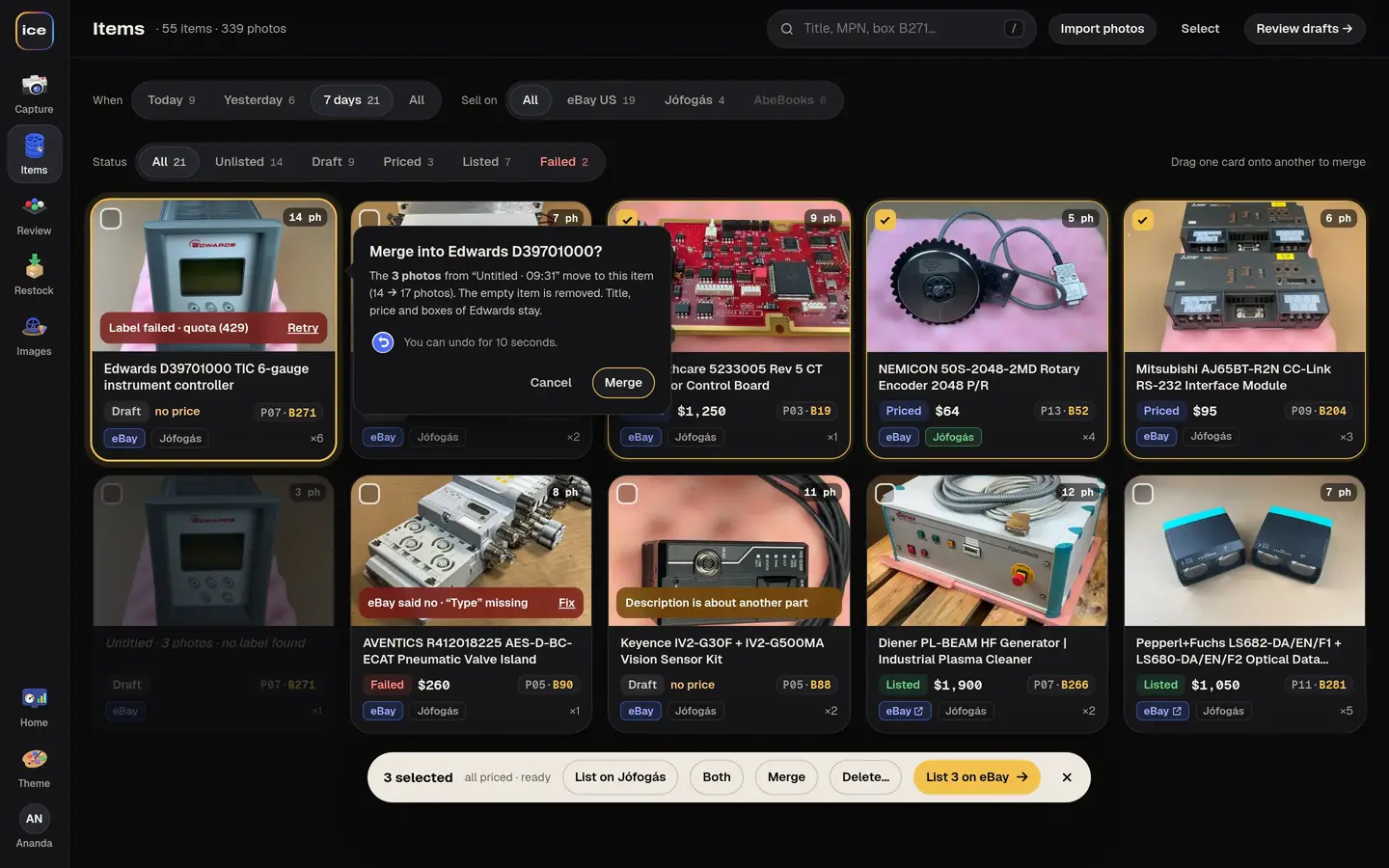
On the review screen the eBay category is suggested from eBay’s own category data, and the brand, part number, type and country of manufacture are already filled in. The person chooses the condition, sets the price and checks the whole listing. Best Offer and an automatic accept price can be switched on. When they press List, the listing goes live on eBay, and nothing goes live any other way.
Parts that suit a Hungarian buyer can go to the classifieds site Jófogás instead. ICE lists and edits them there, and renews them before they expire.
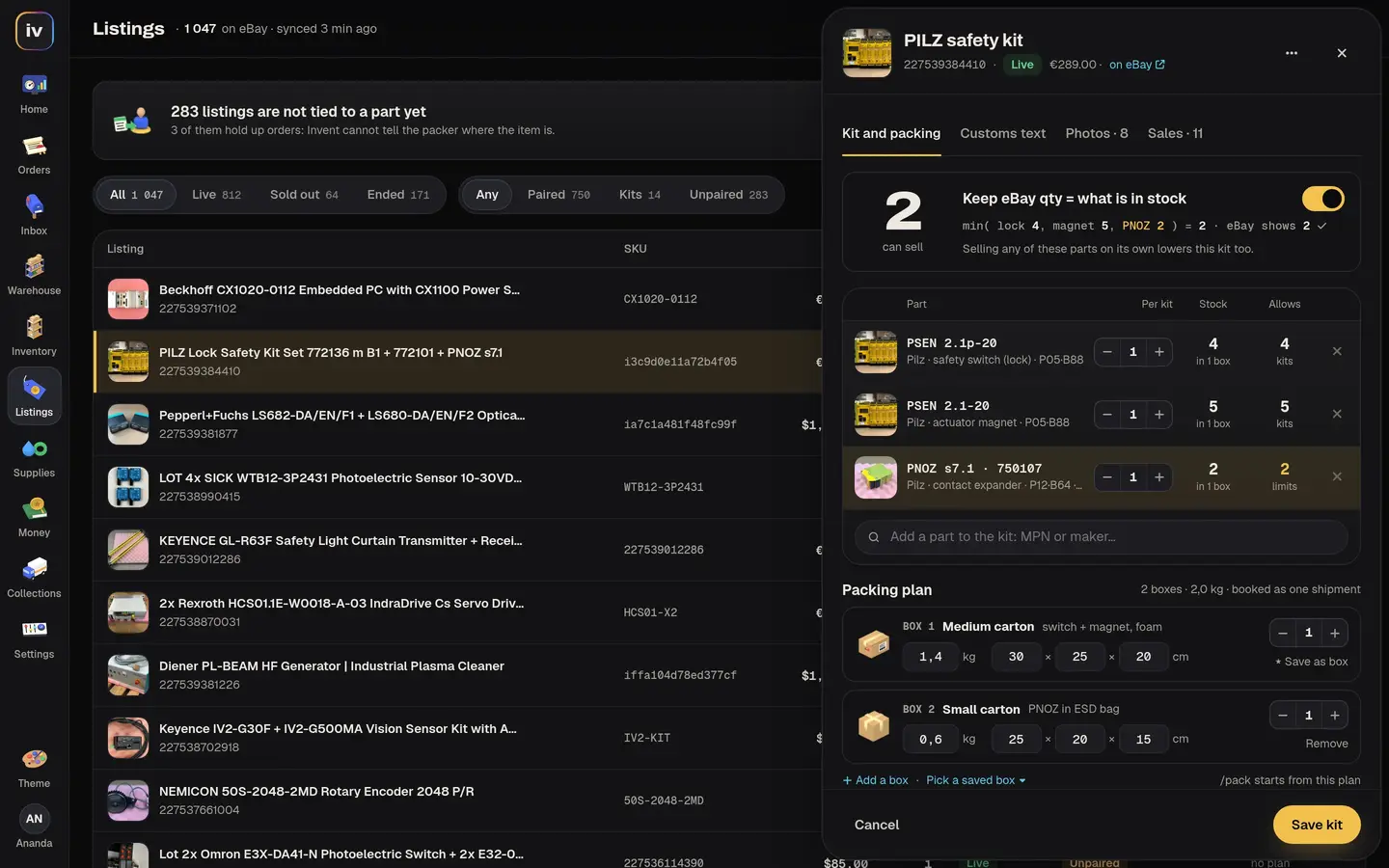
The moment a listing is published, ICE tells Invent about it, including which boxes the units went into. When the part sells weeks later, the packer’s phone already shows where it is. There is a restock screen for putting parts away and for spreading one item across several boxes.
Decisions made on the warehouse floor
We list our own parts with it, so the rough edges were found by the people who had to live with them. Missing eBay fields and slow uploads were reported from the floor and usually fixed the same day.
Grouping photos into items was the first big choice. We built an automatic grouping tool that sorts photos by how alike they look. In practice, photos taken one after another are already nearly grouped, so the live flow uses a quick manual split with drag-to-merge, and the automatic tool stays on the shelf.
Pricing was the second. Price suggestions from sold listings are not built. The owner knows what these parts sell for, so for now the price is his to set, and a listing cannot be published without one.
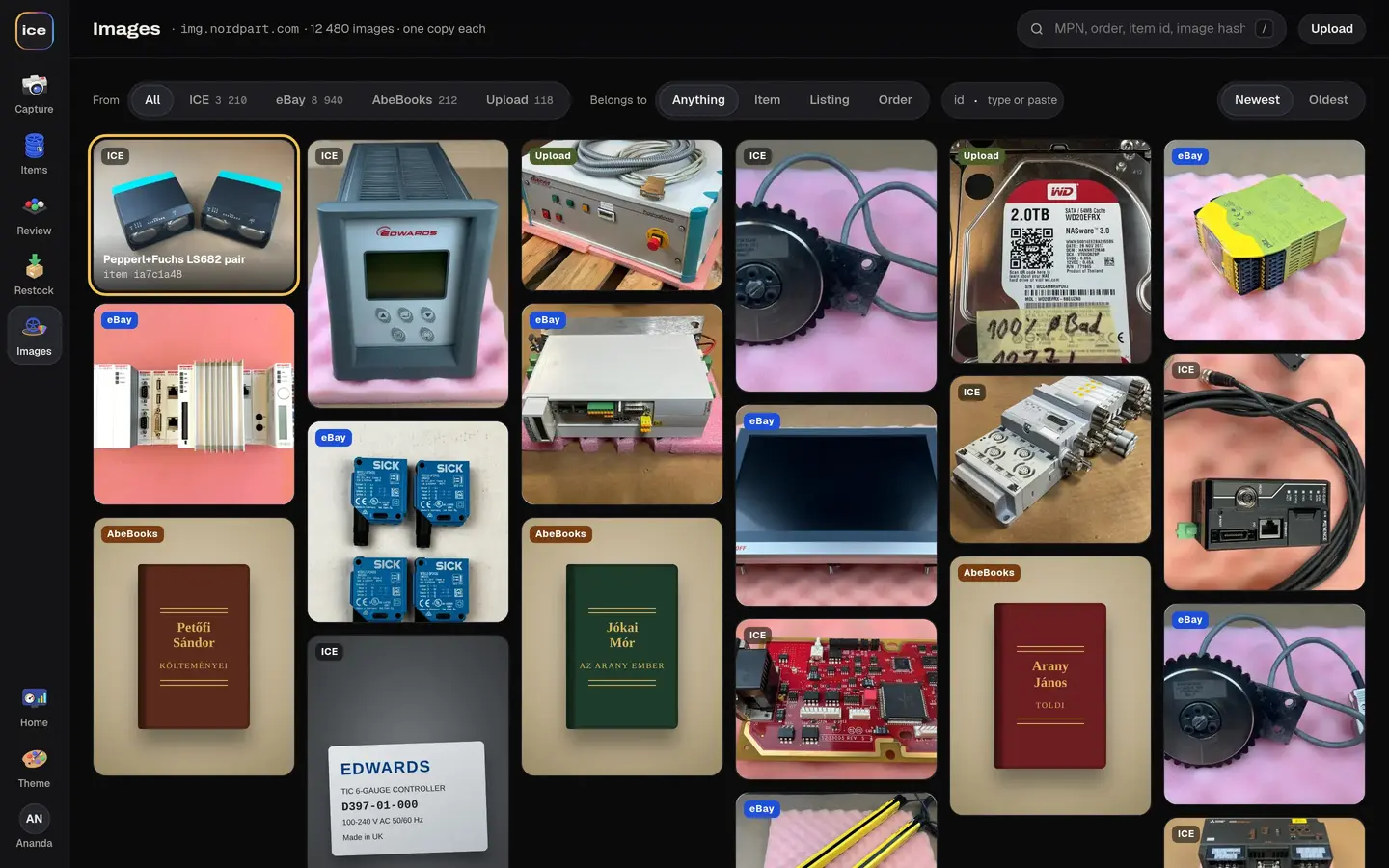
We also settled early on where the stock count lives. ICE never keeps its own stock count. Every published listing and every box placement goes to Invent, and ICE signs people in with the same account they use there. All the photos go into one shared image store, which keeps a single copy of each image however many times it is used.
Listing a part today
Someone takes a part off the pallet and photographs it from a few sides, with the nameplate close up. Then they hold the mic and say how many there are, what condition they are in and which box they are going into, and put the part away. By the time they open the review screen, the title, brand, part number and description are waiting. They look it over, pick the condition, type a price and press List.
When a nameplate is too hard to read, the fields stay empty and the person types them in, the way it was done before. That still happens with some plates, and it is the part of ICE we would most like to improve.
Screens
From the bench to a live listing
Follow one part from the cleaning bench to its box on the shelf. The phone takes the photos, ICE reads the nameplate, and a person sets the price and lists it.
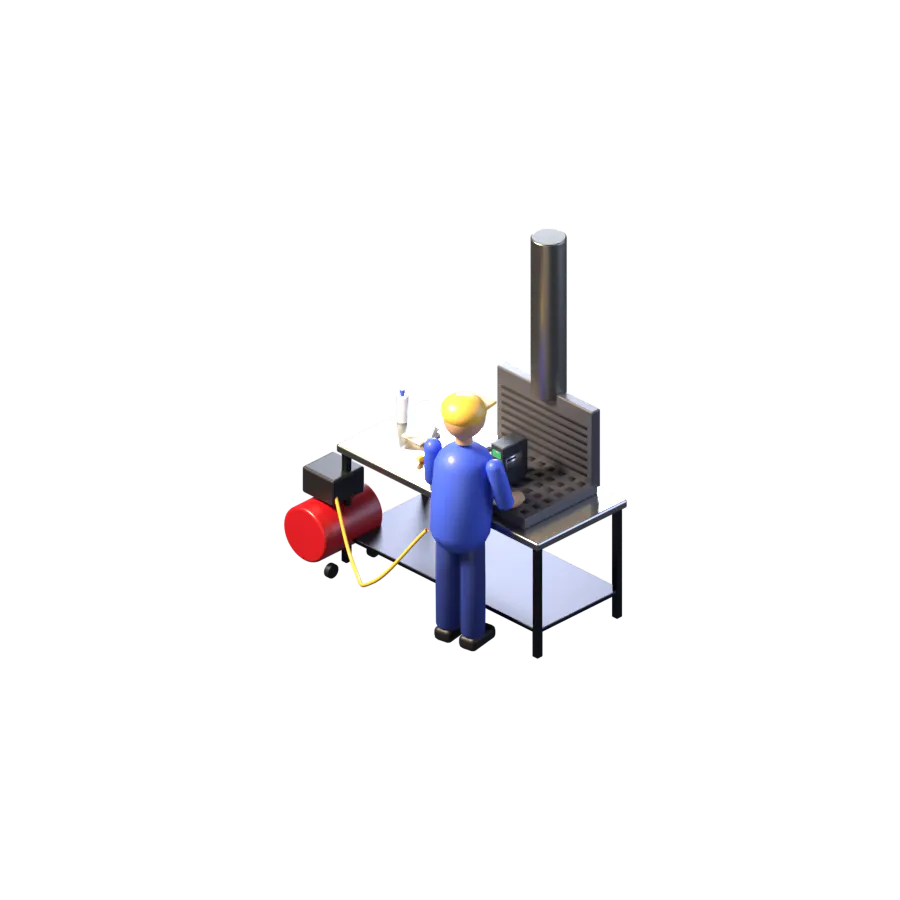
1. Cleaning. The part is cleaned before its photos. Buyers see the part and a nameplate they can read, not years of factory dust.
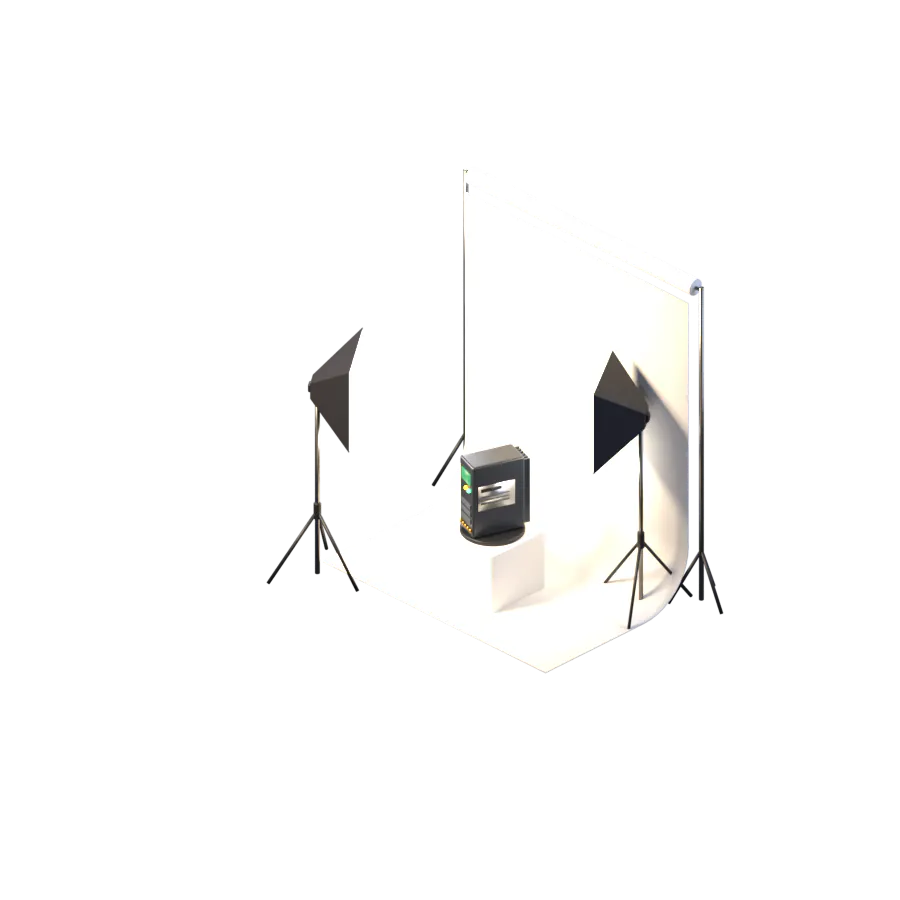


2. Photos. Photos are taken on a phone, with the pallet and box already on screen. Hold the button and say the condition: the note is written out and fills in the quantity and condition, and the photos upload while the next part goes in.


3. Nameplate. ICE reads the nameplate and fills in the maker, the part number, the title and the eBay category. A person checks the draft, types the price and presses List. The listing goes live on eBay, and Invent shows its stock and its box.
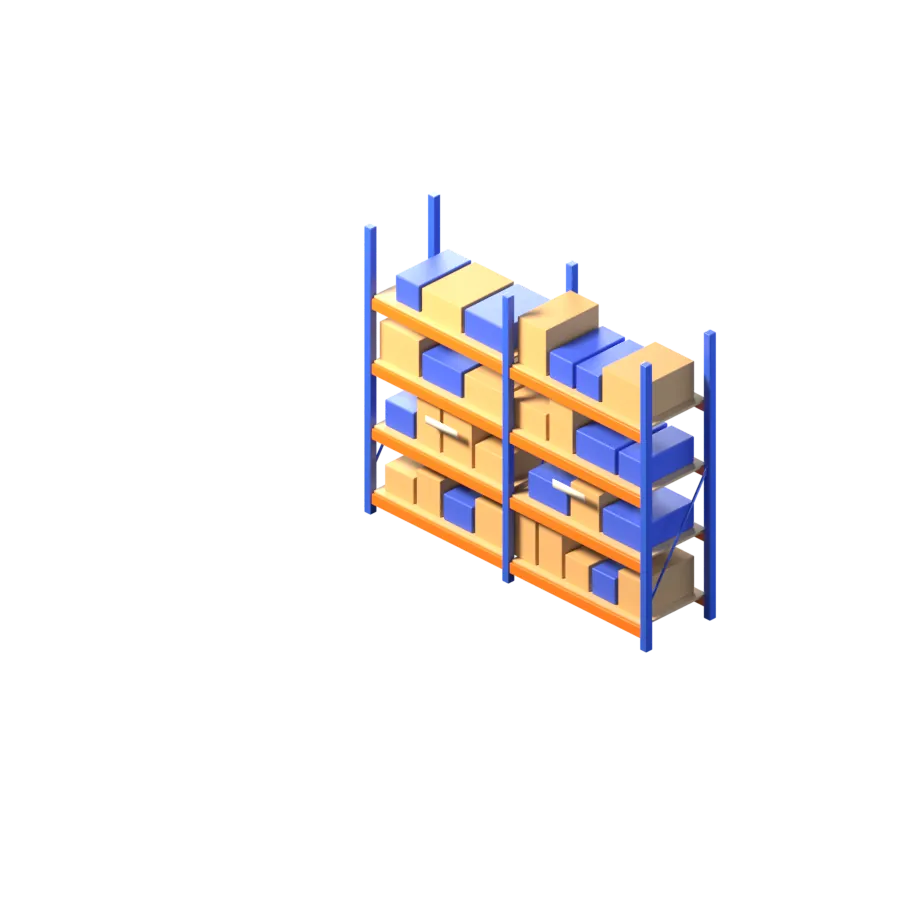

4. On the shelf. The part waits in its box on the rack. Invent knows the rack, the pallet and the box, and the eBay quantity follows what is in the box.
On the phone
Keep reading